This is the full developer documentation for ELLIO Documentation
# ELLIO Documentation
> Reference docs, integration guides, and video lessons for ELLIO Threat Intelligence and Blocklist Automation. API references, quickstarts, and the ELLIO video library.
Guides and reference for putting ELLIO threat intelligence and automated blocklists to work in your firewalls, SIEM, and pipelines.
Search the documentation…`Ctrl K`
[Threat IntelIP intelligence from the ELLIO Deception Network](/threat-intel)[Blocklist AutomationCompose EDLs and ship them to any major firewall](/blocklist-automation)[Video LibraryShort walkthroughs paired with the written docs](/video-library)[API ReferenceCTI and EDL APIs with an interactive playground](/api-reference)
## Popular guides
[Blocklist AutomationCreate your first blocklistCompose an EDL from threat feeds and your own rules, then deploy it to a firewall.](/blocklist-automation/creating-your-first-blocklist)[Threat Intelligence NewGoogle SecOps integrationIngest ELLIO indicators into SIEM and enrich SOAR cases with IP verdicts.](/threat-intel/integrations/google-secops)[Threat IntelligenceMISP feedMillions of non-spoofable IP indicators via MISP’s built-in feed sync.](/threat-intel/integrations/misp/overview)[IntegrationsTraefik middlewareFetch your EDL and apply block or allow decisions at the proxy.](/blocklist-automation/integrations/traefik-middleware)[Threat Intelligence Tech previewMicrosoft Sentinel TAXIIStream STIX 2.1 indicators into Sentinel over TAXII 2.1.](/threat-intel/integrations/microsoft-sentinel-taxii/overview)[Threat IntelligenceSearch syntaxQuery the IP catalogue by classification, tags, ports, and fingerprints.](/threat-intel/search-syntax)
[ELLIO Platform](https://platform.ellio.tech)[GitHub](https://github.com/ELLIO-Technology)[OpenAPI document](/openapi/ellio-api.json)[llms.txt](/llms.txt)
# ELLIO Blocklist Automation
> Compose External Dynamic Lists (EDLs) from ELLIO threat feeds, recon lists, business services, and your own rulesets - and ship them to any major firewall in minutes.
Blocklist Automation is the part of ELLIO that turns threat intelligence into something a firewall can act on. You assemble an **EDL Deployment** from up to four source types, pick a firewall format, and the platform serves a dynamic URL your firewall fetches on its own schedule.
## Where to start
[Section titled “Where to start”](#where-to-start)
| Page | When to read |
| --------------------------------------------------------------------------------------- | ------------------------------------------------------------------------------------------ |
| **[Quickstart - first blocklist](/blocklist-automation/creating-your-first-blocklist)** | First time. Shows the whole flow end-to-end. |
| **[EDL Deployment lifecycle](/blocklist-automation/edl-deployments)** | After the quickstart. The full reference for creating, managing, and updating deployments. |
| **[Firewall format guide](/blocklist-automation/firewall-formats)** | Picking the right format for your device. Covers all 10 supported firewall types. |
| **[Include / exclude logic](/blocklist-automation/include-exclude-logic)** | When the EDL behaves in an unexpected way. Explains how the 4 source types interact. |
| **[Sources reference](/blocklist-automation/sources)** | The atlas of every source you can include or exclude. |
| **[Traefik plugin guide](/blocklist-automation/integrations/traefik-middleware)** | If you use Traefik instead of a traditional firewall. |
| **[Blocklist API](/api-reference)** | Programmatic ruleset and rule management. |
## The four source types
[Section titled “The four source types”](#the-four-source-types)
Every EDL Deployment is built from these four building blocks:
1. **[ELLIO Threat Lists](/blocklist-automation/sources/threat-lists)** - managed lists of threat IPs (MAX 659K, RDP 60K, 250K, 100K) and 15 RECON lists (scanner IP catalogues per provider - Censys, Shodan, Shadowserver, BinaryEdge, Cortex Xpanse…).
2. **[Common Business Services](/blocklist-automation/sources/common-services)** - curated IP ranges for major cloud providers, CDNs, ISPs, security services, SaaS, and crawlers. Use them to allow trusted infrastructure or to block specific bot families.
3. **[My External IP Lists](/blocklist-automation/sources/external-ip-lists)** - bring-your-own external blocklist URLs (BYOIPB). ELLIO fetches them on a schedule and merges them into your EDL.
4. **[My IP Rulesets](/blocklist-automation/sources/ip-rulesets)** - your own per-IP rules, with optional expiry, organised into reusable allowlist or blocklist rulesets.
## Two trial periods
[Section titled “Two trial periods”](#two-trial-periods)
A new ELLIO workspace gets a **7-day trial** of both Threat Intelligence and Blocklist Automation independently. The countdowns are visible at the top of each section in the sidebar. Reach out via the **Talk to us** link before the trial ends to keep access.
## Where the EDL goes after creation
[Section titled “Where the EDL goes after creation”](#where-the-edl-goes-after-creation)
Once a deployment is created the platform exposes a stable URL your firewall fetches on its own schedule. You can refresh the EDL content as often as **every 5 minutes** or as rarely as **every 24 hours**, depending on plan and need. Most production deployments use the 5- to 60-minute window.
The format of the URL response depends on the firewall format you chose (plain IP-per-line, CIDR, Check Point CIF, F5 IP Address Intelligence, etc.). See the [firewall format guide](/blocklist-automation/firewall-formats) for the full table.
# Creating Your First Custom Blocklist
> Step-by-step walkthrough for creating, configuring, and deploying your first ELLIO External Dynamic List (EDL) to a firewall, including IP sources, rulesets, and supported firewall formats.
With ELLIO Blocklist Automation you create and manage custom IP feeds that block active malicious traffic, including IPs involved in mass exploitation and unwanted reconnaissance.
This guide walks you through creating your first custom blocklist.
## Getting started
[Section titled “Getting started”](#getting-started)
Open the [ELLIO Platform](https://platform.ellio.tech), go to **My EDL Deployments**, and click **Create EDL Deployment**.
## Blocklist basics
[Section titled “Blocklist basics”](#blocklist-basics)
Configure the core properties of your blocklist:
* **Name** - a descriptive name for the blocklist.
* **Firewall format** - the output format matching the firewall or system that will consume the list. See [Supported firewall formats](#supported-firewall-formats) below for the full list.
* **Update frequency** - how often the EDL content is regenerated. Options depend on your plan and range from every few minutes up to once a day.
* **Purpose** - metadata indicating whether the list is used for blocking or allowing traffic. It helps your team quickly find blocklists and allowlists in the platform and has no effect on the generated content.
* **Traffic direction** - metadata indicating whether the list is intended for **ingress** or **egress** traffic. It is used by your team to identify the list’s direction and has no effect on the generated content. ELLIO Threat Lists are designed for **ingress blocking**.
## IP Sources
[Section titled “IP Sources”](#ip-sources)
IP sources are the curated ELLIO feeds that populate your blocklist. For each source you can choose:
* **Include** - the source’s IPs are added to the blocklist.
* **Exclude** - the source’s IPs are guaranteed never to appear on the blocklist, even if they match another included source.
Common ELLIO IP Sources:
* **ELLIO Threat List Max** - the largest ELLIO IP feed, covering a broad range of active malicious activity observed across the ELLIO Deception Network.
* **ELLIO Threat List RDP** - IPs targeting remote access services such as RDP and VNC. Useful when exposing remote access to the internet.
Additional threat lists are available in the platform for specific scopes, such as protocol-focused feeds or targeted categories.
## Recon Lists
[Section titled “Recon Lists”](#recon-lists)
Recon lists group IPs involved in reconnaissance activity, such as internet-wide scanning, vulnerability probing, and attack surface mapping.
* **Include** - traffic from those IPs is blocked.
* **Exclude** - those IPs are guaranteed to never be blocked. This is useful for sources you want to keep reachable, such as your own external attack surface management (EASM) tooling.
Exclusions always take priority over inclusions. ELLIO keeps the underlying IP ranges up to date automatically, so you do not need to track scanner IP changes yourself.
## Common Business Services
[Section titled “Common Business Services”](#common-business-services)
Common Business Services let you control traffic from well-known SaaS, cloud, CDN, crawler, and bot providers based on their IP ranges. IP ranges for each service are updated automatically.
For each service you can choose:
* **Include** - traffic from that provider’s IP ranges is blocked.
* **Exclude** - traffic from that provider’s IP ranges is allowed through and will never be blocked by this EDL.
Typical uses:
* Exclude a CDN so your services stay reachable when traffic is proxied through it.
* Exclude SaaS services your organization depends on, such as Microsoft 365 or Google Workspace.
* Include crawlers and bots you do not want hitting your services, or exclude ones you want to keep allowed (for example, search engine crawlers).
Providers range from cloud platforms to internet and security services, so you can make the selection as broad or as narrow as needed.
## IP Rulesets
[Section titled “IP Rulesets”](#ip-rulesets)
IP rulesets are your own custom collections of IP rules managed in the ELLIO platform. For each ruleset you can choose:
* **Include** - the ruleset’s IPs are added to the blocklist.
* **Exclude** - the ruleset’s IPs are kept off the blocklist.
Any change you make in a ruleset is reflected in the generated EDL on the next update cycle. You can add or remove rulesets at any time, including after the blocklist is already connected to your firewall.
## Review and create
[Section titled “Review and create”](#review-and-create)
The **Summary** view shows every source, exclusion, and ruleset that will be included in the blocklist. Review the configuration and click **Create**.
After a few seconds the blocklist is ready and you receive a URL to use as an External Dynamic List in your firewall. The firewall fetches the list on its own schedule and applies it for IP blocking.
## Supported firewall formats
[Section titled “Supported firewall formats”](#supported-firewall-formats)
ELLIO generates the EDL in the format required by each firewall or system. Select the format that matches the device that will consume the list.
| Format | Description | CIDR | IPv6 | Notes |
| ----------------------------------- | ------------------------------------------------------------------------------------------ | ---- | ---- | ------------------------------------------------------------------------------------------------------------------------------------------------ |
| **Palo Alto Networks** | Industry-standard EDL format, one IP or CIDR per line. | Yes | Yes | Recommended for Palo Alto Networks firewalls. |
| **Fortinet FortiGate** | External threat feed format, one IP or CIDR per line. | Yes | Yes | Lists larger than 130k entries are chunked automatically. |
| **Check Point** | Custom Intelligence Feed format: `ID,IP,type,confidence,severity,product,comment`. | Yes | Yes | Used by Check Point NGFW. |
| **Cisco Secure Firewall** | Security Intelligence feed format, one IP or CIDR per line. | Yes | Yes | An MD5 checksum file is included for smart fetching. |
| **F5 BIG-IP** | IP Address Intelligence format: `IP,prefix_length,list_type,category`. | Yes | Yes | Custom category supported. |
| **Sophos** | Individual IP addresses only, one per line. | No | No | CIDRs are expanded into individual addresses up to `/16`. |
| **ntopng** | IP blacklist format, one IP per line. | No | No | CIDRs are expanded into individual addresses up to `/16`. |
| **pfSense** | One IP or CIDR per line. | Yes | Yes | Consumed by `pfBlockerNG`. |
| **OPNsense** | Alias URL table format, one IP or CIDR per line. | Yes | No | IPv4 only. |
| **Universal** | Plain text, one IP or CIDR per line. | Yes | Yes | Compatible with most systems that accept a plain IP list. |
| **ELLIO Traefik Middleware Plugin** | Native integration for Traefik, configured via the `ELLIO_BOOTSTRAP` environment variable. | Yes | No | The plugin fetches and applies the EDL automatically. See the [Traefik middleware guide](/blocklist-automation/integrations/traefik-middleware). |
## Next steps
[Section titled “Next steps”](#next-steps)
* Connect the generated EDL URL to your firewall using the relevant [integration guide](/blocklist-automation/integrations/traefik-middleware).
* Manage rules and rulesets programmatically via the [Blocklist Automation API](/api-reference).
# EDL Deployment lifecycle
> Full reference for creating, managing, and updating ELLIO EDL Deployments - the basic settings, source picker, review step, update frequency, and metadata fields.
An **EDL Deployment** is the unit of delivery in Blocklist Automation. Each deployment produces one URL your firewall fetches and applies. Manage them at [`platform.ellio.tech/dashboard/edl-deployments`](https://platform.ellio.tech/dashboard/edl-deployments).
This page is the reference for the entire lifecycle - creation, update, deletion, and the meaning of every field. For a guided walkthrough, see [Creating your first blocklist](/blocklist-automation/creating-your-first-blocklist).
## Create: three-step wizard
[Section titled “Create: three-step wizard”](#create-three-step-wizard)
The creation flow at `/dashboard/edl-deployments/create` has three steps:
### Step 1: Configuration
[Section titled “Step 1: Configuration”](#step-1-configuration)
**Basic Information**
| Field | Required | What it does |
| ------------------- | -------- | -------------------------------------------------------------------------------------------------- |
| **Deployment Name** | Yes | Used everywhere the deployment is referenced. Make it descriptive (e.g. `prod-ingress-blocklist`). |
| **Description** | No | Free-text. Helpful for teammates who didn’t create the deployment. |
**Deployment Configuration**
* **Firewall Format** - pick a card from 10 supported formats: Checkpoint, Cisco, F5, Fortinet, ntop, OPNsense, Palo Alto, pfSense, Sophos, Universal. Each card shows IPv4/IPv6/CIDR support, an example payload, an Official Documentation link, and (where available) an ELLIO Integration Tutorial link. See the [firewall format guide](/blocklist-automation/firewall-formats) for picking guidance.
* **Update Frequency** - how often the EDL content is regenerated. Options: 5 Minutes, 15 Minutes, 30 Minutes, 60 Minutes, 6 Hours, 12 Hours, 24 Hours. Higher frequencies require a corresponding plan tier.
* **Activate on creation** - toggle (default on). When on, the EDL begins generating immediately. When off, the deployment is created in a paused state and you must activate it later.
**Metadata**
These fields exist for organisation; they don’t change how the EDL is generated or fetched.
* **Purpose** - Blocklist / Allowlist / Other. Helps you find lists later.
* **Traffic Direction** - Ingress / Egress / Both. Same idea - purely organisational.
### Step 2: Sources
[Section titled “Step 2: Sources”](#step-2-sources)
A four-column hierarchical picker. The top-level columns map to the four source types:
* **Common Business Services** - drill into Cloud Providers, CDNs, ISPs, Security Services, SaaS, Web Crawlers & Bots; then pick specific providers (AWS, Azure, Cloudflare, Microsoft 365, Bing, etc.).
* **ELLIO Threat Lists** - pick **ELLIO Lists** (MAX, RDP, 250K, 100K) and/or **RECON Lists** (Censys, Shodan, Shadowserver, BinaryEdge, BufferOver, Cortex Xpanse, Driftnet, InfraWatch, Internet Census, InternetTL, LeakIX, NetScout, Nokia Deepfield, Rapid7, Stretchoid).
* **My IP Rulesets** - pick from rulesets you created in [My IP Rulesets](/blocklist-automation/sources/ip-rulesets).
* **My External IP Lists** - pick from sources you configured in [My External IP Lists](/blocklist-automation/sources/external-ip-lists).
For every source you can:
* **Include (`+`)** - add the source’s IPs to the EDL. The button turns green when active.
* **Exclude (`-`)** - guarantee the source’s IPs never appear in the EDL, even if another included source contains them. Red when active.
The **Current Selection** strip at the top of the panel summarises what you’ve picked across the four source types.
You must pick **at least one** source to advance. Most production deployments combine an ELLIO Threat List (broad coverage), one or more RECON lists (scanner exclusions or inclusions), one or two Common Business Services exclusions (so trusted CDN traffic stays reachable), and a personal allowlist (to whitelist your own EASM probes).
For the rules that govern how includes and excludes interact, read [Include / exclude logic](/blocklist-automation/include-exclude-logic).
### Step 3: Review
[Section titled “Step 3: Review”](#step-3-review)
Read-only summary of every choice. Confirm and create.
After creation, the platform returns to the EDL Deployments list with your new deployment surfaced at the top.
## Manage existing deployments
[Section titled “Manage existing deployments”](#manage-existing-deployments)
The deployment list at [`/dashboard/edl-deployments`](https://platform.ellio.tech/dashboard/edl-deployments) supports:
* **Search** by name, description, firewall format, or ID.
* **Filter** by purpose (All / Blocklist / Allowlist / Other) and by status (All / Active / Inactive).
* **Sort** by creation date.
Click any deployment card to open its detail page, where you can:
* View the **Current EDL URL** and copy it into your firewall configuration.
* Inspect the source selection.
* Force a regeneration (“Update now”).
* Toggle the deployment active or inactive.
* Edit the basic info or source selection.
* Delete the deployment.
## How the firewall consumes the URL
[Section titled “How the firewall consumes the URL”](#how-the-firewall-consumes-the-url)
The URL is stable for the lifetime of the deployment. Plug it into your firewall’s external dynamic list configuration:
* **Palo Alto Networks**: Objects → External Dynamic Lists → IP List → URL.
* **Fortinet FortiGate**: Security Fabric → External Connectors → Threat Feeds → IP Address.
* **Check Point**: Custom Intelligence Feeds.
* **Cisco Secure Firewall**: Security Intelligence → IP Addresses.
* **F5 BIG-IP**: IP Address Intelligence custom category.
* **pfSense / OPNsense**: pfBlockerNG / Aliases - Type URL.
* **ntopng**: IP blacklist URL.
* **Sophos**: Active Threat Response IP list.
* **Universal**: any system that accepts a plain text list.
The firewall fetches on its own schedule (usually independent from the ELLIO update frequency). Plan for the longer of the two cadences when reasoning about propagation time.
## Deleting a deployment
[Section titled “Deleting a deployment”](#deleting-a-deployment)
Deletion is immediate and irreversible from the platform. The URL stops serving content as soon as the deployment is removed; firewalls that fetch after that point will receive an empty response or HTTP 404 depending on firewall format. Remove or replace the URL on every firewall that uses it before deleting the deployment.
## See also
[Section titled “See also”](#see-also)
* [Firewall formats](/blocklist-automation/firewall-formats) - full table of supported formats.
* [Sources](/blocklist-automation/sources) - what you can include or exclude.
* [Include / exclude logic](/blocklist-automation/include-exclude-logic) - how the picker translates to the final list.
* [Blocklist API](/api-reference) - programmatic management.
# Firewall format guide
> Pick the right ELLIO EDL output format for your firewall - Palo Alto, Fortinet, Check Point, Cisco, F5, Sophos, ntop, pfSense, OPNsense, Universal.
ELLIO renders every EDL in the format your firewall expects. Pick the one that matches your device on the **Configuration** step of the [deployment wizard](/blocklist-automation/edl-deployments#step-1-configuration).
## Quick decision table
[Section titled “Quick decision table”](#quick-decision-table)
| Format | CIDR | IPv4 | IPv6 | Best for |
| -------------- | ---- | ---- | ---- | ------------------------------------------------------------------------------------------------------- |
| **Palo Alto** | Yes | Yes | Yes | PAN-OS NGFW. Recommended default for any Palo Alto deployment. |
| **Fortinet** | Yes | Yes | Yes | FortiGate. Lists larger than 130k entries are auto-chunked. |
| **Checkpoint** | Yes | Yes | Yes | Check Point NGFW Custom Intelligence Feeds. |
| **Cisco** | Yes | Yes | Yes | Cisco Secure Firewall (FTD / Firepower) Security Intelligence. Includes an MD5 file for smart fetching. |
| **F5** | Yes | Yes | Yes | F5 BIG-IP IP Address Intelligence - supports a custom category. |
| **pfSense** | Yes | Yes | Yes | pfBlockerNG IP feed. |
| **OPNsense** | Yes | Yes | No | OPNsense alias URL table. IPv4 only. |
| **Sophos** | No | Yes | No | Sophos. CIDRs are expanded into individual addresses up to `/16`. |
| **ntop** | No | Yes | No | ntopng IP blacklist. CIDRs expanded up to `/16`. |
| **Universal** | Yes | Yes | Yes | Any system that accepts a plain text list. Fall-back. |
## Palo Alto Networks (recommended default)
[Section titled “Palo Alto Networks (recommended default)”](#palo-alto-networks-recommended-default)
Industry-standard EDL format. One IP or CIDR per line, IPv4 + IPv6 + CIDR.
```text
203.0.113.42
198.51.100.0/24
2001:db8::1
```
**Use the format card’s “Integration Tutorial” link** in the wizard to jump straight to the Palo Alto-specific setup walkthrough.
## Fortinet FortiGate
[Section titled “Fortinet FortiGate”](#fortinet-fortigate)
Same one-IP-per-line format with full CIDR + IPv6 support. The platform **auto-chunks** lists over 130,000 entries into multiple files because of FortiGate’s per-feed limit.
```text
203.0.113.42
198.51.100.0/24
2001:db8::1
```
## Check Point
[Section titled “Check Point”](#check-point)
CIF (Custom Intelligence Feeds) format with extra columns:
```text
ID,IP,type,confidence,severity,product,comment
TES1,203.0.113.0/24,IP,75,high,high,AS,notes
```
Used directly by Check Point NGFW Custom Intelligence Feeds.
## Cisco Secure Firewall
[Section titled “Cisco Secure Firewall”](#cisco-secure-firewall)
Security Intelligence feed format - one IP/CIDR per line, plus a side-channel MD5 checksum file for smart fetching:
```text
203.0.113.42
198.51.100.0/24
```
The MD5 lets the firewall short-circuit the download if the file hasn’t changed.
## F5 BIG-IP
[Section titled “F5 BIG-IP”](#f5-big-ip)
IP Address Intelligence format with prefix length, list type, and category:
```text
203.0.113.0,24,B1,ELLIO-EDL
198.51.100.0,24,B1,ELLIO-EDL
```
A custom category is supported - set it on the firewall side and reference it in your security policy.
## Sophos
[Section titled “Sophos”](#sophos)
Individual IPs only. CIDR ranges are **expanded** into individual addresses up to `/16`:
```text
203.0.113.42
203.0.113.43
198.51.100.7
```
Anything larger than `/16` is rejected to prevent feeds in the millions of lines.
## ntopng
[Section titled “ntopng”](#ntopng)
IP-only, one per line. Same `/16` expansion rule as Sophos:
```text
203.0.113.42
198.51.100.7
```
## pfSense
[Section titled “pfSense”](#pfsense)
Plain alias URL table format. One IP or CIDR per line. Consumed by `pfBlockerNG`:
```text
203.0.113.42
198.51.100.0/24
2001:db8::/32
```
## OPNsense
[Section titled “OPNsense”](#opnsense)
Alias URL table format, one IP or CIDR per line. **IPv4 only** - IPv6 entries are dropped on render.
```text
203.0.113.42
198.51.100.0/24
```
## Universal
[Section titled “Universal”](#universal)
Plain text, one IP or CIDR per line. Compatible with most systems that accept a plain IP list. Use this when you’re shipping the EDL to something that isn’t in the list above (pi-hole-style filters, custom firewalls, allow-only edge nodes, etc.):
```text
203.0.113.42
198.51.100.0/24
2001:db8::1
```
## ELLIO Traefik Middleware Plugin (separate path)
[Section titled “ELLIO Traefik Middleware Plugin (separate path)”](#ellio-traefik-middleware-plugin-separate-path)
Traefik does not consume an EDL URL - it uses a **bootstrap token** instead, configured on the deployment. The plugin fetches your EDL configuration with that token and refreshes itself in-process.
If your edge is Traefik, follow the [Traefik plugin guide](/blocklist-automation/integrations/traefik-middleware) instead of picking a firewall format.
## Firewall fetch cadence vs. ELLIO update frequency
[Section titled “Firewall fetch cadence vs. ELLIO update frequency”](#firewall-fetch-cadence-vs-ellio-update-frequency)
There are two cadences in play:
* **ELLIO update frequency** - how often we regenerate the EDL content (5 min … 24 h).
* **Firewall fetch cadence** - how often the firewall re-downloads the URL.
End-to-end propagation is roughly the **longer of the two**. If you set ELLIO to 5 minutes but your Palo Alto fetches every 60 minutes, indicators take up to 60 minutes to apply at the firewall.
Match the two cadences when planning blast-radius for new threats.
# Include / exclude logic
> How ELLIO resolves the four EDL source types - ELLIO Threat Lists, Common Business Services, External IP Lists, and IP Rulesets - when sources overlap. Excludes always win.
Every source in an EDL Deployment is either **included** (`+`, green), **excluded** (`-`, red), or unset. This page describes how ELLIO resolves the final IP set when sources overlap.
## The single rule
[Section titled “The single rule”](#the-single-rule)
> **Excludes always win over includes.**
If an IP appears in any included source **and** any excluded source, the IP is **not** in the EDL.
That’s the whole rule. The rest of this page explains why each source type behaves the way it does given that rule.
## Per-source-type behaviour
[Section titled “Per-source-type behaviour”](#per-source-type-behaviour)
### ELLIO Threat Lists
[Section titled “ELLIO Threat Lists”](#ellio-threat-lists)
* **Include MAX (or 250K, 100K, RDP)** → all the list’s IPs are candidates for the EDL.
* **Exclude MAX** → guarantees no MAX IP appears, even if a custom ruleset adds one of the same IPs.
MAX itself excludes RECON IPs at generation time, so including MAX does **not** include Censys, Shodan, etc. To include those, include their dedicated RECON list.
### RECON Lists
[Section titled “RECON Lists”](#recon-lists)
* **Include Censys** → Censys IPs become candidates.
* **Exclude Censys** → guarantees no Censys IP appears, even if MAX accidentally lists one or your custom blocklist contains one.
Most production deployments **exclude** the scanners they trust (Shadowserver, Rapid7) and **include** the ones they don’t.
### Common Business Services
[Section titled “Common Business Services”](#common-business-services)
* **Include Cloudflare CDN** → all Cloudflare CDN IPs are candidates for the EDL.
* **Exclude Cloudflare CDN** → guarantees no Cloudflare CDN IP appears, even if MAX or your custom ruleset would have added one.
Most deployments **exclude** the CBS members their stack depends on (CDN, M365, Google Workspace) and otherwise leave CBS unset.
### My External IP Lists (BYOIPB)
[Section titled “My External IP Lists (BYOIPB)”](#my-external-ip-lists-byoipb)
* **Include a BYOIPB source** → all its IPs are candidates.
* **Exclude a BYOIPB source** → guarantees none of its IPs appear.
Useful for staging: ingest a community blocklist as BYOIPB, **exclude** it while you measure false positives, then flip to **include** when you’re satisfied.
### My IP Rulesets
[Section titled “My IP Rulesets”](#my-ip-rulesets)
* **Include an Allowlist ruleset** → don’t. Allowlist rulesets are designed to be **excluded** from blocklist EDLs.
* **Exclude an Allowlist ruleset** → guarantees the IPs you’ve allow-listed never appear in the EDL.
* **Include a Blocklist ruleset** → adds your custom blocklist IPs to the EDL.
* **Exclude a Blocklist ruleset** → guarantees those IPs are never in the EDL (rarely useful).
The default rulesets that ship with every workspace nudge you in the right direction with their built-in descriptions:
* “My Allowlist rules - Default allowlist ruleset. Do not forget to **exclude** this ruleset when creating your custom blocklist.”
* “My Blocklist rules - Default blocklist ruleset. Do not forget to **include** this ruleset when creating your custom blocklist.”
## Resolution order
[Section titled “Resolution order”](#resolution-order)
When ELLIO regenerates an EDL it walks every source the deployment references and computes:
1. The **union** of every included source’s IPs.
2. The **union** of every excluded source’s IPs.
3. The final EDL = (1) **minus** (2).
CIDR ranges expand notionally during this calculation - excluding `198.51.100.0/24` removes every individual IP that would otherwise have appeared.
## Allowlist EDL Deployments
[Section titled “Allowlist EDL Deployments”](#allowlist-edl-deployments)
If your **Purpose** is **Allowlist** (Configuration → Metadata) the same logic applies, but inverted from a firewall perspective: only IPs in the EDL are allowed by your firewall. The wizard’s metadata is purely organisational - the firewall decides whether the EDL is used as an allowlist or a blocklist based on which security policy references the URL.
## A worked example
[Section titled “A worked example”](#a-worked-example)
Imagine you’re building a typical production ingress blocklist:
| Source | Choice | Why |
| -------------------------------------------------------------------------------------------------------------------------------------------------------------- | ----------- | ---------------------------------------------------- |
| ELLIO Threat List MAX | **Include** | Backbone of the blocklist. |
| RECON: Censys, BinaryEdge, Cortex Xpanse, Driftnet, InfraWatch, Internet Census, InternetTL, LeakIX, NetScout, Nokia Deepfield, Stretchoid, BufferOver, Shodan | **Include** | Block these scanners. |
| RECON: Shadowserver, Rapid7 | **Exclude** | Trust these scanners - they send free abuse reports. |
| CBS Cloud Providers → AWS | **Exclude** | Some of your customers run on AWS; don’t block them. |
| CBS CDNs → Cloudflare | **Exclude** | You sit behind Cloudflare. |
| CBS SaaS → Microsoft 365 | **Exclude** | Your tenants live on M365. |
| BYOIPB → vendor C2 list | **Include** | Vendor’s high-confidence C2 feed. |
| My IP Rulesets → My Allowlist rules | **Exclude** | Your safety net for false positives. |
| My IP Rulesets → My Blocklist rules | **Include** | Your hand-curated additions. |
The resulting EDL contains: MAX + 13 RECON lists + the C2 list + your custom blocklist - minus Shadowserver, Rapid7, AWS, Cloudflare, M365, and your allowlist.
If anything ever blocks something it shouldn’t, add the affected IP to **My Allowlist rules** and the next regeneration cycle (5 min - 24 h depending on update frequency) will remove it.
# EDL Integrations
> Connect ELLIO External Dynamic Lists to firewalls and reverse proxies. Native plugins, file-based ingestion guides, and example deployments.
Connect ELLIO External Dynamic Lists to firewalls and reverse proxies. Traditional firewalls consume the EDL URL directly - see the [firewall format guide](/blocklist-automation/firewall-formats). Traefik uses a native plugin instead:
[Traefik Middleware Plugin](/blocklist-automation/integrations/traefik-middleware)IP-based access control at the proxy. Works standalone, behind Cloudflare, and with Pangolin.
# ELLIO Traefik Middleware Plugin
> Dynamic IP-based access control for services behind Traefik. Block malicious scanners and mass exploitation attempts using ELLIO External Dynamic Lists, with real-time updates from the ELLIO platform.
The ELLIO Traefik Middleware Plugin adds IP-based access control to services behind Traefik. It fetches your External Dynamic List (EDL) from the ELLIO platform and blocks or allows requests at the proxy, protecting your services against malicious scanners and mass exploitation attempts.
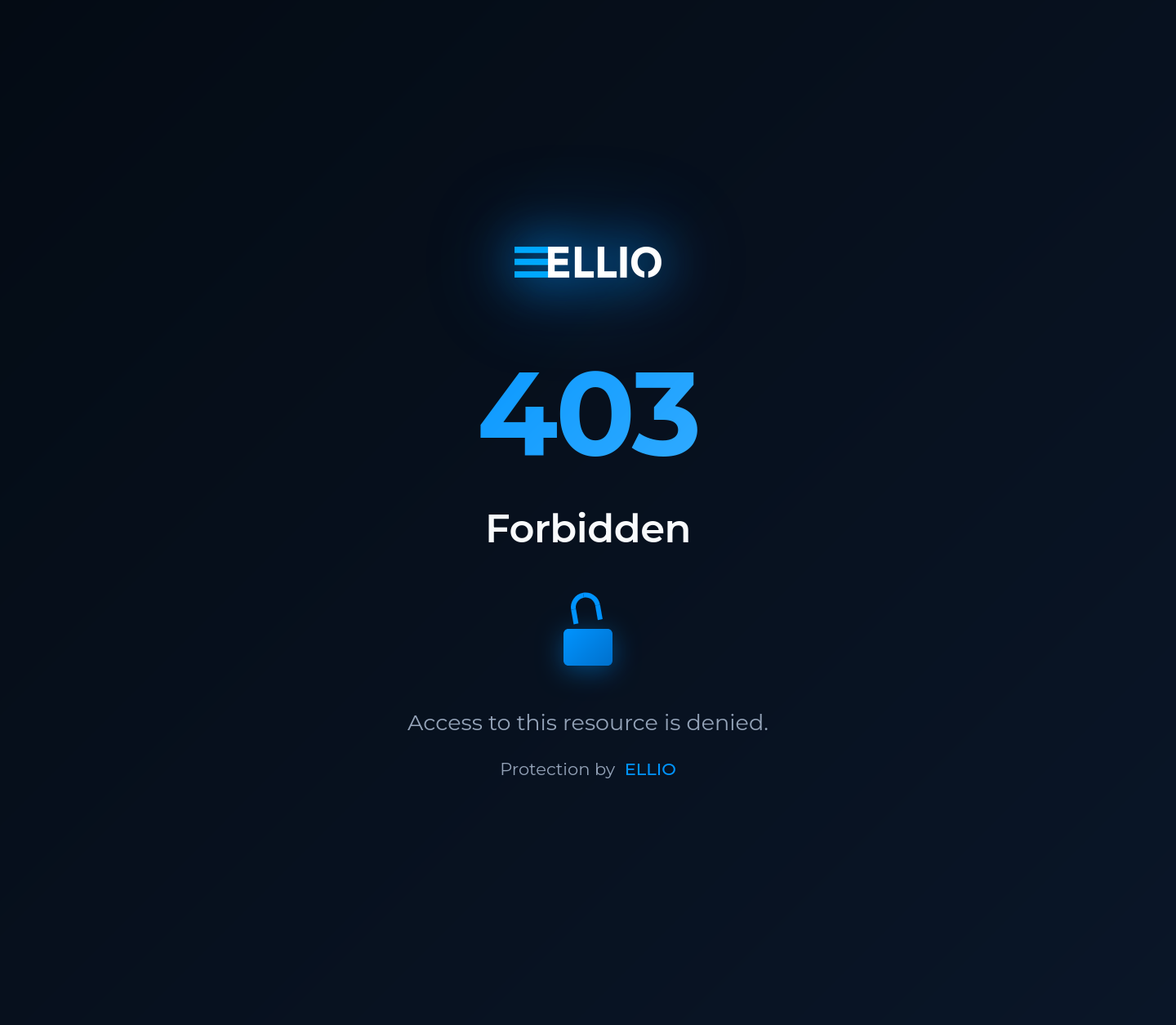
What the plugin gives you:
* **Blocks malicious IPs automatically** - the EDL updates without manual intervention
* **One place for IP policy** - manage rules for all your services from the ELLIO platform
* **Blocklist or allowlist mode** - block known bad IPs, or allow only trusted IPs
* **Keeps working during outages** - falls back to the cached list if the platform is unreachable
**GitHub repository**: [ELLIO-Traefik-Middleware-Plugin](https://github.com/ELLIO-Technology/ELLIO-Traefik-Middleware-Plugin)
## Prerequisites
[Section titled “Prerequisites”](#prerequisites)
* Traefik v3.0 or later
* Bootstrap token from your EDL configured for “Traefik Middleware”
## Quick start
[Section titled “Quick start”](#quick-start)
### 1. Add the plugin to Traefik
[Section titled “1. Add the plugin to Traefik”](#1-add-the-plugin-to-traefik)
Add the ELLIO plugin to your Traefik static configuration:
traefik.yml
```yaml
experimental:
plugins:
ellio:
moduleName: github.com/ELLIO-Technology/ELLIO-Traefik-Middleware-Plugin
version: v1.0.2
```
### 2. Configure the middleware
[Section titled “2. Configure the middleware”](#2-configure-the-middleware)
Create a middleware instance in your dynamic configuration:
dynamic-config.yml
```yaml
http:
middlewares:
ellio-edl:
plugin:
ellio:
bootstrapToken: "YOUR_ELLIO_BOOTSTRAP_TOKEN"
logLevel: "info"
ipStrategy: "direct"
```
### 3. Apply it to routes
[Section titled “3. Apply it to routes”](#3-apply-it-to-routes)
Apply the middleware to your services:
```yaml
http:
routers:
my-service:
rule: Host(`api.example.com`)
middlewares:
- ellio-edl
service: my-backend
```
## Deployment scenarios
[Section titled “Deployment scenarios”](#deployment-scenarios)
Choose the setup guide that matches your infrastructure:
* **[Simple Setup](/blocklist-automation/integrations/traefik-middleware/simple-setup)** - standalone Traefik deployment
* **[Pangolin Integration](/blocklist-automation/integrations/traefik-middleware/pangolin-integration)** - adding EDL protection to an existing Pangolin installation
* **[Cloudflare Setup](/blocklist-automation/integrations/traefik-middleware/cloudflare-setup)** - configuration for services behind Cloudflare
## Configuration reference
[Section titled “Configuration reference”](#configuration-reference)
### Core parameters
[Section titled “Core parameters”](#core-parameters)
| Parameter | Type | Required | Default | Description |
| ---------------- | --------- | -------- | ----------- | ----------------------------------------------------------------------------------- |
| `bootstrapToken` | string | Yes | - | EDL bootstrap token from the ELLIO platform |
| `logLevel` | string | No | `"info"` | Logging verbosity: trace, debug, info, warn, error |
| `machineId` | string | No | random UUID | Machine identifier. Override it when multiple Traefik instances share the same EDL. |
| `ipStrategy` | string | No | `"direct"` | IP extraction strategy |
| `trustedHeader` | string | No | - | Custom header name (for the “custom” strategy) |
| `trustedProxies` | \[]string | No | - | Trusted proxy IP ranges |
### IP extraction strategies
[Section titled “IP extraction strategies”](#ip-extraction-strategies)
* **`direct`** - use the direct connection IP address (default)
* **`xff`** - extract from the X-Forwarded-For header (reverse proxies)
* **`real-ip`** - extract from the X-Real-IP header
* **`custom`** - extract from a custom header specified in `trustedHeader`
## How it works
[Section titled “How it works”](#how-it-works)
Using the bootstrap token, the plugin fetches your EDL configuration and adjusts the access control mode:
* **Blocklist mode**: All IPs in the EDL are blocked and receive 403 errors; other IPs are allowed.
* **Allowlist mode**: Only IPs in the EDL are allowed; all other IPs are blocked. Be careful when protecting services that require additional IPs like local IP ranges (for example, if protecting a Pangolin installation, you also need to allow site IP ranges).
EDL configuration (blocklist/allowlist mode) is refreshed approximately every 5 minutes. The EDL IP lists themselves are downloaded based on your EDL update frequency settings in the platform (from every 5 minutes to every 24 hours).
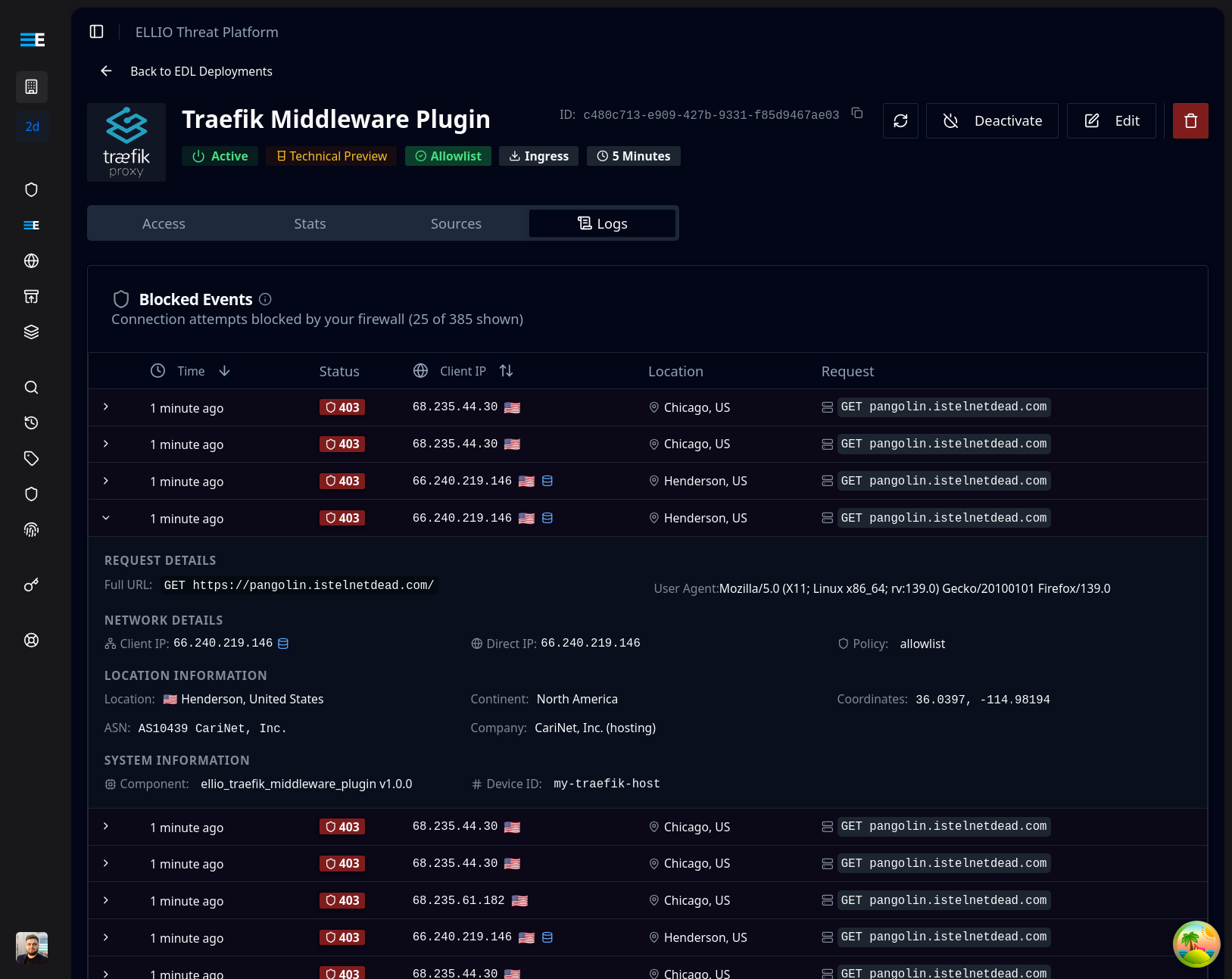
Blocked events are sent to the ELLIO platform for monitoring. If you have access to CTI, you can look up blocked IPs and search by User Agent and ASN.
## Testing your setup
[Section titled “Testing your setup”](#testing-your-setup)
For **blocklist mode** (most common):
1. Add a test IP to your IP ruleset in the ELLIO platform
2. Wait for EDL regeneration (based on your update frequency)
3. Test from the blocked IP - should receive 403 Forbidden
4. Test from other IPs - should access normally
For **allowlist mode**:
1. Add your current IP to the allowlist in the ELLIO platform
2. Wait for EDL regeneration
3. Test from the allowed IP - should work normally
4. Test from a non-allowed IP - should be blocked
### Monitoring in the ELLIO platform
[Section titled “Monitoring in the ELLIO platform”](#monitoring-in-the-ellio-platform)
When the plugin is working, blocked requests appear in the ELLIO platform:
## Support
[Section titled “Support”](#support)
* **Issues**: [GitHub Issues](https://github.com/ELLIO-Technology/ELLIO-Traefik-Middleware-Plugin/issues)
* **ELLIO Platform**: [platform.ellio.tech](https://platform.ellio.tech)
# Cloudflare Setup
> Configure the ELLIO Traefik Middleware Plugin for services behind Cloudflare. Trust the CF-Connecting-IP header, define Cloudflare's trusted proxy ranges, and avoid IP spoofing.
This guide configures the ELLIO Traefik Middleware Plugin for services deployed behind Cloudflare. Cloudflare acts as a proxy, so IP extraction must be configured for filtering to act on real client IPs.
## Overview
[Section titled “Overview”](#overview)
When your Traefik instance is behind Cloudflare:
* **Client IPs are forwarded** in the `CF-Connecting-IP` header
* **Cloudflare IPs appear** as the direct connection source
* **Trusted proxy configuration** is essential to prevent IP spoofing
* **Real client IPs must be extracted** from Cloudflare headers
## Prerequisites
[Section titled “Prerequisites”](#prerequisites)
* Cloudflare account with your domain configured
* Traefik instance running behind Cloudflare proxy
* Bootstrap token from your custom EDL configured for “Traefik Middleware”
## Step 1: Configure Cloudflare-specific settings
[Section titled “Step 1: Configure Cloudflare-specific settings”](#step-1-configure-cloudflare-specific-settings)
The key to the Cloudflare integration is using the `CF-Connecting-IP` header and trusting Cloudflare’s IP ranges.
### Static configuration
[Section titled “Static configuration”](#static-configuration)
traefik.yml
```yaml
api:
dashboard: true
entryPoints:
web:
address: :80
http:
redirections:
entrypoint:
to: websecure
scheme: https
websecure:
address: :443
providers:
docker:
endpoint: unix:///var/run/docker.sock
exposedByDefault: false
file:
filename: /etc/traefik/dynamic.yml
watch: true
# ELLIO Plugin
experimental:
plugins:
ellio:
moduleName: "github.com/ELLIO-Technology/ELLIO-Traefik-Middleware-Plugin"
version: "v1.0.2"
log:
level: INFO
accessLog: {}
# Cloudflare SSL/TLS configuration
certificatesResolvers:
cloudflare:
acme:
dnsChallenge:
provider: cloudflare
# Use DNS challenge with Cloudflare
```
### Dynamic configuration for Cloudflare
[Section titled “Dynamic configuration for Cloudflare”](#dynamic-configuration-for-cloudflare)
Keep the list complete, accurate, and Cloudflare-only
`trustedProxies` is the set of upstream IPs Traefik trusts to set `CF-Connecting-IP`. Two failure modes to avoid:
* **List too narrow / out of date.** If a real Cloudflare edge isn’t in the list, Traefik won’t trust the header it sends - your middleware sees the Cloudflare edge IP as the client and real-client filtering breaks for every request through that range.
* **List too broad, or origin reachable directly.** Any IP you trust here can claim any client address via `CF-Connecting-IP`. Don’t add ranges that aren’t actually Cloudflare. Just as importantly, lock down the origin so requests can only arrive through Cloudflare - otherwise a direct connection that happens to come from any address can spoof the client IP through this header.
The ranges below were correct at the time of writing. Treat Cloudflare’s published IP lists as the source of truth and refresh them on a schedule - ideally fetch the published files at deploy time and generate this config from them.
dynamic.yml
```yaml
http:
middlewares:
# ELLIO EDL Middleware - Cloudflare Configuration
ellio-cloudflare:
plugin:
ellio:
bootstrapToken: "YOUR_ELLIO_BOOTSTRAP_TOKEN"
logLevel: "info"
ipStrategy: "custom"
trustedHeader: "CF-Connecting-IP"
trustedProxies:
# Cloudflare IPv4 ranges
- "173.245.48.0/20"
- "103.21.244.0/22"
- "103.22.200.0/22"
- "103.31.4.0/22"
- "141.101.64.0/18"
- "108.162.192.0/18"
- "190.93.240.0/20"
- "188.114.96.0/20"
- "197.234.240.0/22"
- "198.41.128.0/17"
- "162.158.0.0/15"
- "104.16.0.0/13"
- "104.24.0.0/14"
- "172.64.0.0/13"
- "131.0.72.0/22"
# Cloudflare IPv6 ranges
- "2400:cb00::/32"
- "2606:4700::/32"
- "2803:f800::/32"
- "2405:b500::/32"
- "2405:8100::/32"
- "2a06:98c0::/29"
- "2c0f:f248::/32"
routers:
# Protected application behind Cloudflare
protected-app:
rule: "Host(`app.example.com`)"
service: my-app
middlewares:
- ellio-cloudflare
entryPoints:
- websecure
tls:
certResolver: cloudflare
# Dashboard with Cloudflare protection
api:
rule: "Host(`traefik.example.com`)"
service: api@internal
middlewares:
- ellio-cloudflare
entryPoints:
- websecure
tls:
certResolver: cloudflare
services:
my-app:
loadBalancer:
servers:
- url: "http://backend:8080"
```
## Step 2: Complete Cloudflare Docker Compose setup
[Section titled “Step 2: Complete Cloudflare Docker Compose setup”](#step-2-complete-cloudflare-docker-compose-setup)
docker-compose.yml
```yaml
services:
traefik:
image: traefik:v3.2
container_name: traefik-cloudflare
restart: unless-stopped
ports:
- "80:80"
- "443:443"
volumes:
- /var/run/docker.sock:/var/run/docker.sock:ro
- ./traefik.yml:/etc/traefik/traefik.yml:ro
- ./dynamic.yml:/etc/traefik/dynamic.yml:ro
- ./letsencrypt:/letsencrypt
environment:
- CLOUDFLARE_EMAIL=${CLOUDFLARE_EMAIL}
- CLOUDFLARE_API_KEY=${CLOUDFLARE_API_KEY}
networks:
- web
labels:
- "traefik.enable=true"
# Dashboard with ELLIO protection
- "traefik.http.routers.api.rule=Host(`${TRAEFIK_DOMAIN}`)"
- "traefik.http.routers.api.middlewares=ellio-cloudflare@file"
- "traefik.http.routers.api.service=api@internal"
- "traefik.http.routers.api.entrypoints=websecure"
- "traefik.http.routers.api.tls.certresolver=cloudflare"
# Example backend service
backend:
image: traefik/whoami
container_name: backend-app
networks:
- web
labels:
- "traefik.enable=true"
- "traefik.http.routers.app.rule=Host(`${APP_DOMAIN}`)"
- "traefik.http.routers.app.middlewares=ellio-cloudflare@file"
- "traefik.http.routers.app.entrypoints=websecure"
- "traefik.http.routers.app.tls.certresolver=cloudflare"
networks:
web:
driver: bridge
```
# Pangolin Integration
> Add ELLIO External Dynamic List protection to an existing Pangolin self-hosted deployment. Configure the ELLIO Traefik plugin, apply middleware globally, and verify the integration.
This guide adds ELLIO EDL (External Dynamic List) protection to an existing [Pangolin](https://github.com/fosrl/pangolin) installation. Pangolin is a self-hosted platform that uses Traefik as its reverse proxy.
## Prerequisites
[Section titled “Prerequisites”](#prerequisites)
* **Existing Pangolin installation** that’s working correctly
* **Bootstrap token** from your custom EDL configured for “Traefik Middleware”
* **Access to modify** Pangolin configuration files
## Step 1: Add the ELLIO plugin to Pangolin
[Section titled “Step 1: Add the ELLIO plugin to Pangolin”](#step-1-add-the-ellio-plugin-to-pangolin)
Modify your Pangolin Traefik configuration to include the ELLIO plugin.
### Update Traefik static configuration
[Section titled “Update Traefik static configuration”](#update-traefik-static-configuration)
config/traefik/traefik\_config.yml
```yaml
# Your existing Pangolin Traefik configuration...
# ADD THIS: ELLIO Plugin Configuration
experimental:
plugins:
# Your existing Pangolin plugins...
ellio:
moduleName: "github.com/ELLIO-Technology/ELLIO-Traefik-Middleware-Plugin"
version: "v1.0.2"
```
### Update dynamic configuration
[Section titled “Update dynamic configuration”](#update-dynamic-configuration)
config/traefik/dynamic\_config.yml
```yaml
http:
middlewares:
# Your existing Pangolin middlewares...
# ADD THIS: ELLIO EDL Middleware
ellio-edl:
plugin:
ellio:
bootstrapToken: "YOUR_ELLIO_BOOTSTRAP_TOKEN"
logLevel: "info"
ipStrategy: "direct" # Adjust based on your setup
# Optional: Add machine identifier
# machineId: "pangolin-production"
routers:
# HTTP to HTTPS redirect router
main-app-router-redirect:
rule: "Host(`pangolin.example.com`)"
service: next-service
entryPoints:
- web
middlewares:
- ellio-edl # Optionally protect Pangolin dashboard (even before redirect to HTTPS)
- redirect-to-https
# Next.js router (handles everything except API and WebSocket paths)
next-router:
rule: "Host(`pangolin.example.com`) && !PathPrefix(`/api/v1`)"
service: next-service
entryPoints:
- websecure
tls:
certResolver: letsencrypt
middlewares:
- ellio-edl # Optionally protect Pangolin dashboard
# API router (handles /api/v1 paths)
api-router:
rule: "Host(`pangolin.example.com`) && PathPrefix(`/api/v1`)"
service: api-service
entryPoints:
- websecure
tls:
certResolver: letsencrypt
middlewares:
- ellio-edl # Optionally protect Pangolin dashboard
```
## Step 2: Apply the ELLIO middleware to services
[Section titled “Step 2: Apply the ELLIO middleware to services”](#step-2-apply-the-ellio-middleware-to-services)
Add the ELLIO middleware to the services you want to protect:
**Global application via Pangolin config**
config/config.yml
```yaml
# Your existing Pangolin configuration...
traefik:
# Your existing Pangolin Traefik settings...
# ADD THIS: Apply ELLIO middleware to all services
additional_middlewares: ["ellio-edl@file"]
```
Troubleshooting 503 errors
If you experience problems or instabilities after adding the ELLIO plugin (or any extra plugin), try disabling the “Enable Docker Socket” option in your Pangolin site settings.
## Step 3: Deploy and test
[Section titled “Step 3: Deploy and test”](#step-3-deploy-and-test)
For services behind Cloudflare, also read [Cloudflare Setup](/blocklist-automation/integrations/traefik-middleware/cloudflare-setup).
### Restart Traefik
[Section titled “Restart Traefik”](#restart-traefik)
```bash
# Navigate to your Pangolin directory and restart Traefik
docker-compose restart traefik
# Check logs for successful plugin loading
docker-compose logs traefik | grep -i ellio
```
### Verify the integration
[Section titled “Verify the integration”](#verify-the-integration)
Test the setup by checking the Traefik logs and the ELLIO platform:
1. **Check plugin loading**: Look for ELLIO initialization messages in Traefik logs
2. **Test access control**: Add a test IP to your EDL and verify it gets blocked
3. **Monitor events**: Check the ELLIO platform for blocked request events
# Simple Setup
> Set up the ELLIO Traefik Middleware Plugin on a standalone Traefik deployment with Docker Compose. Includes static and dynamic configuration, file and Docker label providers, and IP extraction strategies.
This guide covers setting up the ELLIO Traefik Middleware Plugin on a standalone Traefik deployment - the most common setup where Traefik runs as the primary reverse proxy.
## Prerequisites
[Section titled “Prerequisites”](#prerequisites)
* Docker and Docker Compose (recommended) or standalone Traefik installation
* Bootstrap token from your custom EDL configured for “Traefik Middleware”
## Step 1: Configure Traefik
[Section titled “Step 1: Configure Traefik”](#step-1-configure-traefik)
Configure Traefik to load the ELLIO plugin and create middleware instances.
### Static configuration
[Section titled “Static configuration”](#static-configuration)
* YAML
traefik.yml
```yaml
api:
dashboard: true
insecure: true # Set to false in production
entryPoints:
web:
address: :80
websecure:
address: :443
providers:
docker:
endpoint: unix:///var/run/docker.sock
exposedByDefault: false
file:
filename: /etc/traefik/dynamic.yml
watch: true
# ELLIO Plugin Configuration
experimental:
plugins:
ellio:
moduleName: github.com/ELLIO-Technology/ELLIO-Traefik-Middleware-Plugin
version: v1.0.2
log:
level: INFO
accessLog: {}
```
* CLI Arguments
```bash
# Traefik CLI arguments
traefik \
--api.dashboard=true \
--api.insecure=true \
--entrypoints.web.address=:80 \
--entrypoints.websecure.address=:443 \
--providers.docker=true \
--providers.docker.exposedbydefault=false \
--providers.file.filename=/etc/traefik/dynamic.yml \
--providers.file.watch=true \
--experimental.plugins.ellio.modulename=github.com/ELLIO-Technology/ELLIO-Traefik-Middleware-Plugin \
--experimental.plugins.ellio.version=v1.0.2 \
--log.level=INFO \
--accesslog=true
```
### Dynamic configuration
[Section titled “Dynamic configuration”](#dynamic-configuration)
dynamic.yml
```yaml
http:
middlewares:
# ELLIO EDL Middleware
ellio-edl:
plugin:
ellio:
bootstrapToken: "YOUR_ELLIO_BOOTSTRAP_TOKEN"
logLevel: "info"
ipStrategy: "direct" # Change based on your setup
routers:
# Protected application
protected-app:
rule: "Host(`app.example.com`)"
service: my-app
middlewares:
- ellio-edl
entryPoints:
- web
# Dashboard (secure in production)
api:
rule: "Host(`traefik.example.com`)"
service: api@internal
entryPoints:
- web
services:
my-app:
loadBalancer:
servers:
- url: "http://192.168.1.100:8080"
```
## Step 2: Deploy with Docker Compose
[Section titled “Step 2: Deploy with Docker Compose”](#step-2-deploy-with-docker-compose)
* File Provider
docker-compose.yml
```yaml
services:
traefik:
image: traefik:v3.2
container_name: traefik
restart: unless-stopped
ports:
- "80:80"
- "443:443"
- "8080:8080" # Dashboard - secure in production
volumes:
- /var/run/docker.sock:/var/run/docker.sock:ro
- ./traefik.yml:/etc/traefik/traefik.yml:ro
- ./dynamic.yml:/etc/traefik/dynamic.yml:ro
networks:
- web
# Example backend service
whoami:
image: traefik/whoami
container_name: whoami
networks:
- web
labels:
- "traefik.enable=false" # Using file provider
networks:
web:
driver: bridge
```
* Docker Labels
docker-compose.yml
```yaml
services:
traefik:
image: traefik:v3.2
container_name: traefik
restart: unless-stopped
ports:
- "80:80"
- "443:443"
- "8080:8080" # Dashboard - secure in production
volumes:
- /var/run/docker.sock:/var/run/docker.sock:ro
command:
- --api.dashboard=true
- --api.insecure=true
- --providers.docker=true
- --providers.docker.exposedbydefault=false
- --entrypoints.web.address=:80
- --entrypoints.websecure.address=:443
- --experimental.plugins.ellio.modulename=github.com/ELLIO-Technology/ELLIO-Traefik-Middleware-Plugin
- --experimental.plugins.ellio.version=v1.0.2
- --log.level=INFO
- --accesslog=true
networks:
- web
# Example backend service with ELLIO protection
whoami:
image: traefik/whoami
container_name: whoami
restart: unless-stopped
networks:
- web
labels:
- "traefik.enable=true"
- "traefik.http.routers.whoami.rule=Host(`whoami.localhost`)"
- "traefik.http.routers.whoami.entrypoints=web"
- "traefik.http.routers.whoami.middlewares=ellio-edl"
# ELLIO EDL Middleware
- "traefik.http.middlewares.ellio-edl.plugin.ellio.bootstrapToken=YOUR_ELLIO_BOOTSTRAP_TOKEN"
- "traefik.http.middlewares.ellio-edl.plugin.ellio.logLevel=info"
- "traefik.http.middlewares.ellio-edl.plugin.ellio.ipStrategy=direct"
networks:
web:
driver: bridge
```
### Start your services
[Section titled “Start your services”](#start-your-services)
```bash
# Start services
docker-compose up -d
# View logs
docker-compose logs -f traefik
```
## Step 3: Test your setup
[Section titled “Step 3: Test your setup”](#step-3-test-your-setup)
### Verify plugin loading
[Section titled “Verify plugin loading”](#verify-plugin-loading)
```bash
# Check Traefik logs for ELLIO plugin initialization
docker logs traefik 2>&1 | grep -i ellio
# Should show messages like:
# Initializing ELLIO middleware for deployment: YOUR_DEPLOYMENT_ID
```
Once the plugin is active, blocked requests appear in your ELLIO platform dashboard:

### Test access control
[Section titled “Test access control”](#test-access-control)
* Blocklist Mode
```bash
# 1. Add your current IP to blocklist in ELLIO platform
# 2. Wait for EDL refresh (check your EDL update frequency)
# Test from blocked IP (should get 403)
curl -H "Host: app.example.com" http://localhost/
# Expected: 403 Forbidden
# Test from different IP or remove from blocklist
# Expected: Normal response
```
* Allowlist Mode
```bash
# 1. Add your current IP to allowlist in ELLIO platform
# 2. Wait for EDL refresh
# Test from allowed IP (should work)
curl -H "Host: app.example.com" http://localhost/
# Expected: Normal response
# Test from non-allowed IP (should get 403)
# Expected: 403 Forbidden
```
* Local Testing
```bash
# Add to /etc/hosts for local testing
echo "127.0.0.1 app.example.com" >> /etc/hosts
# Test the endpoint
curl http://app.example.com/
# Check Traefik dashboard
curl http://localhost:8080/dashboard/
```
## Configuration options
[Section titled “Configuration options”](#configuration-options)
### IP strategy selection
[Section titled “IP strategy selection”](#ip-strategy-selection)
Choose the IP extraction strategy that matches your topology:
* Direct Connection
```yaml
# Use when Traefik receives direct client connections
middlewares:
ellio-edl:
plugin:
ellio:
bootstrapToken: "YOUR_ELLIO_BOOTSTRAP_TOKEN"
ipStrategy: "direct"
```
* Behind Reverse Proxy
```yaml
# Use when behind another reverse proxy or load balancer
middlewares:
ellio-edl:
plugin:
ellio:
bootstrapToken: "YOUR_ELLIO_BOOTSTRAP_TOKEN"
ipStrategy: "xff"
trustedProxies:
- "10.0.0.0/8"
- "172.16.0.0/12"
- "192.168.0.0/16"
```
* Custom Header
```yaml
# Use when proxy sets custom header for real IP
middlewares:
ellio-edl:
plugin:
ellio:
bootstrapToken: "YOUR_ELLIO_BOOTSTRAP_TOKEN"
ipStrategy: "custom"
trustedHeader: "X-Real-IP"
trustedProxies:
- "your.proxy.ip/32"
```
## Next steps
[Section titled “Next steps”](#next-steps)
* **[Cloudflare Setup](/blocklist-automation/integrations/traefik-middleware/cloudflare-setup)** - if you’re behind Cloudflare
* **[Pangolin Integration](/blocklist-automation/integrations/traefik-middleware/pangolin-integration)** - if you’re running Pangolin
# EDL sources
> The four source types you can compose into an EDL Deployment - ELLIO Threat Lists, Common Business Services, your External IP Lists, and your IP Rulesets.
Every EDL Deployment is composed from these source types. Include a source to add its IPs; exclude it to guarantee its IPs never appear.
[ELLIO Threat Lists](/blocklist-automation/sources/threat-lists)Managed threat-IP feeds (MAX, RDP, 250K, 100K) curated from the ELLIO Deception Network.
[Common Business Services](/blocklist-automation/sources/common-services)Curated IP ranges for cloud providers, CDNs, ISPs, security services, SaaS, and crawlers.
[My External IP Lists](/blocklist-automation/sources/external-ip-lists)Bring your own blocklist URLs (BYOIPB). ELLIO fetches, normalises, and merges them.
[My IP Rulesets](/blocklist-automation/sources/ip-rulesets)Your own per-IP rules with optional expiry, grouped into reusable allowlists and blocklists.
[RECON Blocklists](/blocklist-automation/sources/recon-lists)Per-provider scanner IP lists - decide policy individually for Censys, Shodan, Shadowserver, and others.
How the four types interact when they overlap: [Include / exclude logic](/blocklist-automation/include-exclude-logic).
# Common Business Services
> Atlas of curated IP ranges for the major cloud providers, CDNs, ISPs, security services, SaaS apps, and web crawlers. Use them to allow trusted infrastructure or to control bot traffic.
Common Business Services (CBS) is ELLIO’s curated atlas of IP ranges for major cloud providers, CDNs, ISPs, security services, SaaS, and crawlers. Browse it at [`platform.ellio.tech/dashboard/common-business-services`](https://platform.ellio.tech/dashboard/common-business-services).
You consume CBS the same way you consume Threat Lists: include the IP ranges to block them, exclude them to guarantee they’re never blocked. Most deployments **exclude** the few CBS providers their stack depends on so that trusted infrastructure stays reachable through the EDL.
## The six categories
[Section titled “The six categories”](#the-six-categories)
CBS is hierarchical. Every entry rolls up into one of these six top-level categories:
| Category | Typical IPv4 / IPv6 size | Members |
| ------------------------------------ | ------------------------ | ---------------------------------------------------------------------------------------------- |
| **Cloud Providers** | \~56K / \~20K | Amazon Web Services (AWS), Google Cloud Platform (GCP), Microsoft Azure, Oracle Cloud, Tencent |
| **Content Delivery Networks (CDNs)** | \~1.2K / \~660 | AWS CDN Services, Microsoft Azure CDN Services, Fastly, Akamai, Cloudflare, Tencent |
| **Internet Service Providers** | \~210 / \~230 | Starlink |
| **Security Services** | \~700 / \~60 | Zscaler, DHS |
| **Software as a Service (SaaS)** | \~5.5K / \~1.4K | Microsoft 365 (M365), Google Workspace, Adobe, GitHub |
| **Web Crawlers & Bots** | \~2.7K / \~1.0K | Google, Bing, Apple, OpenAI, Seznam, Petal Search |
All counts are live in the platform - the numbers above are the steady-state order of magnitude.
## How CBS data is sourced
[Section titled “How CBS data is sourced”](#how-cbs-data-is-sourced)
Each CBS member entry is sourced from the provider’s published IP range list. ELLIO updates these continuously, so when AWS adds a new region or Cloudflare publishes new edge IPs the change flows into CBS within a release window.
## Common patterns
[Section titled “Common patterns”](#common-patterns)
### Make sure your CDN traffic isn’t blocked
[Section titled “Make sure your CDN traffic isn’t blocked”](#make-sure-your-cdn-traffic-isnt-blocked)
If you sit behind Cloudflare or Akamai, **exclude** CDNs → Cloudflare (or Akamai) so that CDN-originated traffic never matches your blocklist.
### Allow Microsoft 365 or Google Workspace
[Section titled “Allow Microsoft 365 or Google Workspace”](#allow-microsoft-365-or-google-workspace)
If your tenants live on M365, **exclude** SaaS → Microsoft 365 (M365). Same for Google Workspace.
### Block specific bot families
[Section titled “Block specific bot families”](#block-specific-bot-families)
The Web Crawlers & Bots category lets you decide which crawlers reach you:
* **Exclude Googlebot/Bing** if you want to be indexed.
* **Include OpenAI** if you don’t want ChatGPT browsing scraping you.
* **Exclude DuckDuckGo Bot** to keep DuckDuckGo’s index fresh.
These are surgical decisions - the catalogue is granular per-provider, not “all bots”.
### Block known scanner CDN edges (rare)
[Section titled “Block known scanner CDN edges (rare)”](#block-known-scanner-cdn-edges-rare)
Most production deployments do not block CDNs because legitimate user traffic flows through them. Only block a CDN if you’ve measured that the cost of blocking outweighs the cost of letting a small fraction of attacker traffic in.
## Where CBS interacts with the rest of the EDL
[Section titled “Where CBS interacts with the rest of the EDL”](#where-cbs-interacts-with-the-rest-of-the-edl)
CBS exclusions **always win** over Threat List inclusions. If a Cloudflare IP appears in MAX (rare but possible, e.g. via a Workers script), excluding Cloudflare CDN keeps that IP reachable.
For the precedence rules in detail, see [Include / exclude logic](/blocklist-automation/include-exclude-logic).
## Adding a CBS member
[Section titled “Adding a CBS member”](#adding-a-cbs-member)
CBS is centrally managed by ELLIO. Need a provider that isn’t listed? Submit a request via [Support Center → Contact Support](https://platform.ellio.tech/dashboard/support). Common requests (a major SaaS, a regional cloud) ship within a release window.
# My External IP Lists (BYOIPB)
> Bring your own external blocklist sources into ELLIO. Configure a URL, optional authentication, and a polling cadence. ELLIO fetches and merges them into your EDL Deployments.
External IP Lists let you bring **third-party blocklist URLs** into ELLIO. ELLIO downloads them on a schedule, normalises them, and makes them available as sources you can include or exclude in any EDL Deployment.
Manage them at [`platform.ellio.tech/dashboard/byoipb`](https://platform.ellio.tech/dashboard/byoipb).
> **Technical preview.** The product label this page reaches for is “Bring Your Own IP Blocklist” (BYOIPB). The data shape is stable; the UI may evolve.
## When to use this
[Section titled “When to use this”](#when-to-use-this)
* A vendor publishes a feed (e.g. abuse.ch, Spamhaus DROP, internal SIEM lookup, partner list) you want to act on alongside ELLIO data.
* An internal team maintains a YAML/CSV/text list in a Git repo or S3 bucket and you want it to flow into firewall enforcement automatically.
* You want to A/B-test a community list before deciding whether to make it permanent.
## Adding a source
[Section titled “Adding a source”](#adding-a-source)
The form at `/dashboard/byoipb/create` has three sections:
### 1. Basic information
[Section titled “1. Basic information”](#1-basic-information)
| Field | Required | Notes |
| -------------------------- | -------- | ------------------------------------------------------------------------------------------ |
| **Blocklist Name** | Yes | Used everywhere the source is referenced. |
| **Blocklist URL** | Yes | Direct URL to a text file with one IP/CIDR per line. |
| **Verify SSL Certificate** | Toggle | On by default. Disable only if you trust the source and need to bypass certificate issues. |
| **Description** | No | Free-text. Helpful for teammates. |
The URL must return a plain text body. Lines that start with `#` or `//` are treated as comments and ignored. IPv4, IPv6, and CIDR notation are all supported. IPv6 addresses are normalised to `/64` blocks.
### 2. Authentication (optional)
[Section titled “2. Authentication (optional)”](#2-authentication-optional)
If the source requires authentication, configure it here. The default is **No Authentication** for publicly accessible URLs.
### 3. Download schedule
[Section titled “3. Download schedule”](#3-download-schedule)
| Field | Notes |
| ------------------------------ | ------------------------------------------------------------------------------------------------------------- |
| **Update Frequency** | How often ELLIO checks the URL for changes. Some frequencies require workspace verification. |
| **Enable Automatic Downloads** | Toggle. Downloads run automatically on the configured schedule. Disable to pause without deleting the source. |
A `Verify Workspace` button at the top of the BYOIPB list page kicks off verification when needed.
## How the data flows
[Section titled “How the data flows”](#how-the-data-flows)
1. ELLIO downloads the URL on the configured cadence.
2. Each downloaded snapshot is parsed and normalised.
3. The normalised list is exposed under **My External IP Lists** in the [EDL Deployment source picker](/blocklist-automation/edl-deployments#step-2-sources).
4. Active EDL Deployments that include the source pick up the new content on their own update frequency.
End-to-end propagation: BYOIPB cadence → EDL update frequency → firewall fetch cadence. Plan for the longest of the three when reasoning about how fresh your enforcement is.
## Format expectations
[Section titled “Format expectations”](#format-expectations)
A BYOIPB-compatible file looks like this:
```text
# Comments starting with # are ignored
// As are comments starting with //
203.0.113.42
198.51.100.0/24
2001:db8::1
2001:db8::/32
```
ELLIO accepts files of any size, but very large feeds may be subject to plan-level limits. Contact [Support](https://platform.ellio.tech/dashboard/support) if you need to ingest something in the millions of entries.
## Empty-list safety
[Section titled “Empty-list safety”](#empty-list-safety)
If a BYOIPB fetch returns an empty file (or fails), ELLIO **keeps the previous snapshot active** to prevent inadvertently removing protections from your EDL. Failed fetches are visible on the source detail page with the failure reason.
## Removing a source
[Section titled “Removing a source”](#removing-a-source)
Deletion removes the source from BYOIPB and detaches it from any EDL Deployments that included it. The deployments themselves continue to operate with their other sources.
# My IP Rulesets
> Create and manage your own collections of IP rules - allowlists or blocklists - with optional expiry, bulk import, and direct EDL Deployment attachment.
IP Rulesets are your own per-IP rules grouped by purpose. You create one ruleset for each policy (“ingress allowlist”, “C2 blocklist”, “engineering bastions”, “prod customer IPs”), populate it with rules, and reference the ruleset from any EDL Deployment that needs it.
Manage rulesets at [`platform.ellio.tech/dashboard/edl-ip-rulesets`](https://platform.ellio.tech/dashboard/edl-ip-rulesets).
## Anatomy of a ruleset
[Section titled “Anatomy of a ruleset”](#anatomy-of-a-ruleset)
| Field | Notes |
| --------------- | ------------------------------------------------------------------------------------------------------------------------------------ |
| **Name** | Used everywhere the ruleset is referenced. |
| **ID** | Stable UUID. Surfaced at the top of the detail page; copy with one click. Used in [API calls](/api-reference). |
| **Purpose** | Allowlist or Blocklist. Set at creation; **immutable**. |
| **Description** | Free-text. |
| **Status** | Active or Inactive. Toggling off keeps the ruleset’s content but stops it from being applied to any EDL Deployment that includes it. |
| **Capacity** | Up to **20,000 rules per ruleset**. Surfaced as a progress bar at the top of the detail page. |
A workspace ships with two **default rulesets**:
* **My Allowlist rules** - default allowlist. Exclude this from EDL Deployments you create as blocklists, otherwise allowed IPs will appear as blocked.
* **My Blocklist rules** - default blocklist. Include this in EDL Deployments you create as blocklists.
Both default rulesets carry a built-in description that reminds you what to do with them.
## Anatomy of a rule
[Section titled “Anatomy of a rule”](#anatomy-of-a-rule)
Each rule inside a ruleset has:
| Field | Notes |
| -------------- | ------------------------------------------------------------------------------------------- |
| **IP Address** | IPv4, IPv6, or CIDR. **Public/global IPs only** - private and reserved ranges are rejected. |
| **Name** | Optional human-readable label. |
| **Expiration** | Optional. When set, the rule is automatically removed at the chosen time. |
| **Created** | Auto-set timestamp. |
The detail page shows a **Rules Breakdown** card with active vs. expired counts, and the table supports filter (Active Only / Expired) and search by IP or name.
## Adding rules
[Section titled “Adding rules”](#adding-rules)
### Single rule: `Add Rule`
[Section titled “Single rule: Add Rule”](#single-rule-add-rule)
A small modal with three fields:
* **IP Address** (required)
* **Rule Name** (optional)
* **Set Expiration** toggle - when on, exposes a date/time picker
### Bulk: `Bulk Import` / `Bulk Add Rules`
[Section titled “Bulk: Bulk Import / Bulk Add Rules”](#bulk-bulk-import--bulk-add-rules)
A multi-line editor that accepts one IP/CIDR per line:
```text
// Comments starting with // are ignored
192.0.2.100
198.51.100.0/24
2001:db8::1
```
The dialog shows:
* A **0 IPs** counter that updates as you type.
* A **Sanitize** button that strips invalid lines.
* A **Rule Name** field that gets applied to every imported rule.
* A **Set Expiration** toggle.
* An **Update existing rules** toggle - when on, existing rules with the same IP are updated; when off, duplicates are silently skipped.
Bulk import is the fastest way to seed a ruleset from a Git-controlled source file, a Splunk lookup, or a SOAR action.
## Attaching to EDL Deployments
[Section titled “Attaching to EDL Deployments”](#attaching-to-edl-deployments)
A ruleset is just an IP set until it’s referenced from a deployment. The ruleset detail page has an **EDL Deployments** section listing every deployment that includes the ruleset, plus an **Add to Deployment** button.
You can also attach a ruleset from the deployment side, in [Step 2: Sources](/blocklist-automation/edl-deployments#step-2-sources).
## Operational tips
[Section titled “Operational tips”](#operational-tips)
* **Use one ruleset per policy boundary**, not per IP. Rulesets are designed to be referenced from many deployments.
* **Set expirations on temporary rules.** The 20,000 limit goes fast if you forget to clean up.
* **Use the API** to push rules from automation pipelines. Single-rule, batch, and time-based expiry endpoints are all available. See the [Blocklist Automation API](/api-reference).
* **Tag rule names with the source** (“phishing-2025-Q2”, “prod-customer-allow”) so they’re discoverable in the rule table later.
## Editing a ruleset
[Section titled “Editing a ruleset”](#editing-a-ruleset)
The **Edit IP Ruleset** button at the bottom of the detail page lets you change the name, description, and active state. The purpose (allowlist vs. blocklist) is fixed at creation - to change it, create a new ruleset.
## Programmatic management
[Section titled “Programmatic management”](#programmatic-management)
Rulesets themselves are created in the platform UI; the API manages the rules inside them and exposes IP-membership checks. The endpoints under `/v1/edl/ip-rulesets/`:
* `GET /v1/edl/ip-rulesets/` - list rulesets
* `GET /v1/edl/ip-rulesets/{ruleset_id}` - get ruleset details
* `GET /v1/edl/ip-rulesets/{ruleset_id}/rules` - list rules
* `POST /v1/edl/ip-rulesets/{ruleset_id}/rules` - add a rule
* `GET /v1/edl/ip-rulesets/{ruleset_id}/rules/rule` - get a specific rule
* `PUT /v1/edl/ip-rulesets/{ruleset_id}/rules/rule` - update a rule
* `DELETE /v1/edl/ip-rulesets/{ruleset_id}/rules/rule` - delete a rule
* `POST /v1/edl/ip-rulesets/{ruleset_id}/rules:batch` - batch operations on multiple IPs
* `POST /v1/edl/ip-rulesets/{ruleset_id}/rules:expire` - expire rules by time threshold
* `POST /v1/edl/ip-rulesets/{ruleset_id}/rules:check` - IP-membership check inside a ruleset
* `POST /v1/edl/ip-rulesets/rules:check` - IP-membership check across all rulesets
See the [Blocklist Automation API reference](/api-reference).
# RECON Blocklists
> Per-provider reconnaissance scanner IP lists. Decide policy individually for Censys, Shodan, Shadowserver, BinaryEdge, Cortex Xpanse, and other research scanners.
RECON Blocklists are dedicated IP feeds for individual reconnaissance scanners. They’re separate from the main ELLIO Threat List MAX so you can make a per-provider policy decision: which scanners reach you, which don’t.
The full list is on the same page as the threat lists: [`platform.ellio.tech/dashboard/edl-blocklists`](https://platform.ellio.tech/dashboard/edl-blocklists).
## Why RECON is separate from MAX
[Section titled “Why RECON is separate from MAX”](#why-recon-is-separate-from-max)
ELLIO Threat List MAX is high-precision: it excludes RECON IPs by design. This is deliberate - most reconnaissance scanners are operated by research organisations, security vendors, or your own attack-surface tooling, and blocking them by default causes more harm than benefit.
Keeping RECON IPs in dedicated lists means:
* **MAX stays clean** - including MAX in your EDL doesn’t accidentally block Shadowserver, Rapid7 Project Sonar, or Censys.
* **You make the call per-provider** - exclude scanners you trust, include scanners you don’t.
## The catalogue
[Section titled “The catalogue”](#the-catalogue)
| List | Operator | Why ELLIO tracks it |
| ------------------------------- | -------------------------------------------- | ---------------------------------------------------------------------------------------------------------- |
| **Censys Scanner IPs** | [censys.io](https://censys.io) | Internet-wide measurement and attack-surface index. Largest of the bunch (\~600K IPs). |
| **Shodan Scanner IPs** | [shodan.io](https://shodan.io) | The original internet-of-things search engine. \~400 active scanner IPs. |
| **Shadowserver Scanner IPs** | [shadowserver.org](https://shadowserver.org) | Non-profit cybersecurity research. Sends free abuse reports - most organisations want to remain reachable. |
| **BinaryEdge Scanner IPs** | [binaryedge.io](https://binaryedge.io) | Internet exposure scanning. |
| **BufferOver Scanner IPs** | [bufferover.run](https://bufferover.run) | DNS-based attack-surface discovery. Small footprint. |
| **Cortex Xpanse** | Palo Alto Networks | Attack-surface management. Customers may have their own Xpanse subscription scanning their own assets. |
| **Driftnet Scanner IPs** | [driftnet.io](https://driftnet.io) | Asset discovery and intelligence. |
| **InfraWatch Scanner IPs** | InfraWatch | Internet infrastructure monitoring. |
| **Internet Census Scanner IPs** | Various census projects | Academic and research measurement. |
| **InternetTL Scanner IPs** | InternetTL | Internet topology mapping. |
| **LeakIX Scanner IPs** | [leakix.net](https://leakix.net) | Open-data leak detection. |
| **NetScout Scanner IPs** | [netscout.com](https://netscout.com) | NetScout ATLAS network intelligence. |
| **Nokia Deepfield Scanner IPs** | Nokia Deepfield | Internet security analytics. |
| **Rapid7 Scanner IPs** | [rapid7.com](https://rapid7.com) | Project Sonar - internet-wide research. Many SOCs explicitly allow Rapid7. |
| **Stretchoid Scanner IPs** | Stretchoid | Network reconnaissance. |
## Default policy guidance
[Section titled “Default policy guidance”](#default-policy-guidance)
There is no universally right answer. Common starting points:
* **Most enterprises**: exclude Shadowserver and Rapid7 (high-value research, free abuse reports), block everyone else.
* **Public-facing services that want to be discoverable**: also exclude Censys, Shodan, BinaryEdge.
* **Allow-listed environments**: include all RECON lists in a blocklist EDL - your trusted scanners go in [My IP Rulesets](/blocklist-automation/sources/ip-rulesets) instead.
* **Internal-only systems**: include all RECON lists. There’s no business reason for any of them to reach you.
## How RECON interacts with MAX
[Section titled “How RECON interacts with MAX”](#how-recon-interacts-with-max)
MAX excludes RECON IPs at generation time. So:
* If you **include MAX only**, no RECON IPs are blocked.
* If you **include MAX + Censys RECON**, Censys IPs are blocked but other RECON providers aren’t.
* If you **include MAX + Censys RECON, exclude Shadowserver RECON**, Censys is blocked, Shadowserver is explicitly allowed even if it later overlaps with another list, every other RECON provider is allowed by default.
Excludes always win - see [Include / exclude logic](/blocklist-automation/include-exclude-logic).
# ELLIO Threat Lists
> Browse the managed ELLIO Threat Lists and RECON scanner blocklists. Continuously updated catalogues of malicious and reconnaissance IPs you can include or exclude in any EDL.
ELLIO Threat Lists are managed, continuously updated IP feeds you can include or exclude in any EDL Deployment. Browse them at [`platform.ellio.tech/dashboard/edl-blocklists`](https://platform.ellio.tech/dashboard/edl-blocklists).
There are two families of lists:
* **ELLIO Blocklists** - the core threat-IP feeds curated from the ELLIO Deception Network.
* **RECON Blocklists** - per-provider reconnaissance scanner IP lists.
Each list shows a live IP count, a “changed N minutes ago” timestamp, and a sparkline of recent size changes.
## ELLIO Blocklists
[Section titled “ELLIO Blocklists”](#ellio-blocklists)
The flagship feeds. Pick one as the backbone of your EDL.
| List | Size (typical) | Description | When to use |
| -------------------------- | -------------- | ------------------------------------------------------------------------------------------------------------------------------------------ | --------------------------------------------------------------------------- |
| **ELLIO Threat List MAX** | \~660,000 IPs | Flagship ingress blocklist. Active malicious activity across the Deception Network, **excluding** the IPs that appear in RECON Blocklists. | Default for production ingress blocking. |
| **ELLIO Threat List RDP** | \~60,000 IPs | Active RDP/VNC threat and scanner IPs targeting remote-access services. | Anywhere you expose RDP, VNC, or other remote-access ports to the internet. |
| **ELLIO Threat List 250K** | 250,000 IPs | Top 250,000 threat IPs extracted from MAX. | Use when 660K is too large for your firewall but you want broad coverage. |
| **ELLIO Threat List 100K** | 100,000 IPs | Top 100,000 threat IPs. | Use on resource-constrained firewalls (Sophos, ntopng, smaller pfSense). |
> The 100K and 250K lists are **strict subsets** of MAX, ranked by recency and risk. Pick the largest list your firewall comfortably handles.
## RECON Blocklists
[Section titled “RECON Blocklists”](#recon-blocklists)
Curated lists of scanner IPs from well-known providers. Use them by **excluding** to keep beneficial scanners reachable, or by **including** if you specifically don’t want their traffic.
| List | Typical size | Operator |
| ------------------------------- | ------------- | ------------------------------------------------------------- |
| **Censys Scanner IPs** | \~600,000 IPs | [censys.io](https://censys.io) - internet-wide scanning. |
| **Shodan Scanner IPs** | \~400 IPs | [shodan.io](https://shodan.io). |
| **Shadowserver Scanner IPs** | \~1,200 IPs | [Shadowserver Foundation](https://shadowserver.org) research. |
| **BinaryEdge Scanner IPs** | \~2,300 IPs | [binaryedge.io](https://binaryedge.io). |
| **BufferOver Scanner IPs** | \~50 IPs | [bufferover.run](https://bufferover.run). |
| **Cortex Xpanse** | \~4,600 IPs | Palo Alto Cortex Xpanse attack-surface scanning. |
| **Driftnet Scanner IPs** | \~800 IPs | [driftnet.io](https://driftnet.io). |
| **InfraWatch Scanner IPs** | \~1,400 IPs | InfraWatch research. |
| **Internet Census Scanner IPs** | \~1,200 IPs | Internet-wide measurement projects. |
| **InternetTL Scanner IPs** | \~250 IPs | InternetTL. |
| **LeakIX Scanner IPs** | \~80 IPs | [leakix.net](https://leakix.net). |
| **NetScout Scanner IPs** | \~500 IPs | NetScout ATLAS. |
| **Nokia Deepfield Scanner IPs** | \~300 IPs | Nokia Deepfield Internet Security. |
| **Rapid7 Scanner IPs** | \~600 IPs | Rapid7 Project Sonar. |
| **Stretchoid Scanner IPs** | \~2,000 IPs | Stretchoid. |
Sizes shift as the operators rotate IPs and add or remove infrastructure.
## Picking the right combination
[Section titled “Picking the right combination”](#picking-the-right-combination)
The most common production recipe:
1. **Include** ELLIO Threat List MAX (or 250K / 100K based on firewall capacity).
2. **Exclude** the RECON lists for scanners you trust (Shadowserver, Rapid7, your own attack-surface tooling) so they reach you.
3. **Include** the RECON lists for scanners you don’t (whichever ones don’t add value for you).
4. **Exclude** any Common Business Services your stack depends on (CDN, M365, Google Workspace).
5. **Include** your own [IP Rulesets](/blocklist-automation/sources/ip-rulesets) for hand-curated additions.
## Why MAX excludes RECON IPs
[Section titled “Why MAX excludes RECON IPs”](#why-max-excludes-recon-ips)
MAX is designed for ingress blocking, where false positives matter. Most research scanners are technically “promiscuous” rather than malicious - blocking them by default would block legitimate scanning of your own attack surface, including by tools you may have paid for.
By keeping scanner IPs in dedicated RECON lists, MAX stays high-precision and you keep explicit control over each scanner’s policy.
## See also
[Section titled “See also”](#see-also)
* [Common Business Services](/blocklist-automation/sources/common-services) - the other curated atlas you compose with Threat Lists.
* [Include / exclude logic](/blocklist-automation/include-exclude-logic) - how MAX’s exclusions interact with your own.
* [EDL Deployment lifecycle](/blocklist-automation/edl-deployments) - where you actually pick lists.
# ELLIO Threat Intelligence
> Programmatic and dashboard access to the ELLIO Deception Network - IP-level intelligence with classifications, tags, fingerprints, MITRE ATT&CK, CVEs, and observation timelines.
Threat Intelligence (CTI) is ELLIO’s view of the IP layer of the internet. Every IP is enriched with classification, kill-chain mapping, fingerprints, observation history, and context from the ELLIO Deception Network.
## Where to access it
[Section titled “Where to access it”](#where-to-access-it)
| Surface | What it gives you | When to reach for it |
| -------------------------------------------------------------------------------------------- | ------------------------------------------------------------------------------------------------------------------------------------------------- | ------------------------------------------------- |
| **[Threat Intelligence dashboard](/threat-intel/dashboard)** | Interactively search the full IP catalogue, browse tags, drill into IP detail, export timelines | Investigations, ad-hoc hunting, building queries |
| **[CTI API](/api-reference)** | Programmatic single, extended, and bulk IP lookups | Enrichment in pipelines, SIEM queries, automation |
| **[Microsoft Sentinel TAXII](/threat-intel/integrations/microsoft-sentinel-taxii/overview)** | Millions of STIX 2.1 indicators streamed via TAXII 2.1 | Native ingestion into Microsoft Sentinel |
| **[MISP Feed](/threat-intel/integrations/misp/overview)** | Millions of non-spoofable IP indicators delivered as a native MISP feed - daily sightings, per-IP timelines, and per-IP timelines with FoxIO JA4+ | Native ingestion into MISP |
| **[Bulk Data feeds](/threat-intel/data-feeds/bulk-data)** | Daily/historical snapshots in Splunk LUT, Google SecOps UDM, and JSONL | Mass enrichment, lookups, batch hunting |
For reference material - search syntax, IP detail page, the full tag catalogue - see the sidebar.
## Concepts you’ll see throughout the docs
[Section titled “Concepts you’ll see throughout the docs”](#concepts-youll-see-throughout-the-docs)
**Classification** - every IP carries one of `malicious`, `promiscuous`, `benign`, or `unknown`. Drives most filtering decisions.
**Spoofable vs non-spoofable** - non-spoofable means ELLIO confirmed a TCP handshake, so the source IP attribution is trustworthy. Spoofable means it isn’t. Almost every production query should require `spoofable: false`.
**Tags** - short labels like `Shodan`, `Apache Path Traversal`, or `Fast Scanner (i.e. Masscan / ZMap)` that group IPs by what they were doing when ELLIO observed them. The full catalogue lives at [Tags](/threat-intel/tags).
**MuonFP / JA3 / JA4** - TCP and TLS fingerprints captured during the interaction with ELLIO sensors. Filter by these to find tooling regardless of the source IP.
**MITRE ATT\&CK** - every IP is mapped to one or more tactics, techniques, and sub-techniques. Useful for aligning hunts with your existing detection catalogue.
**CVEs** - vulnerabilities the IP was observed exploiting (or attempting to).
## Two ways to use the data
[Section titled “Two ways to use the data”](#two-ways-to-use-the-data)
* **On-demand lookup.** Use the [CTI API](/api-reference) - single, extended, or bulk IP lookups. Pairs well with SOAR, custom dashboards, and pipeline enrichment.
* **Continuous ingest.** Use the [TAXII connector](/threat-intel/integrations/microsoft-sentinel-taxii/overview), [MISP feed](/threat-intel/integrations/misp/overview), or [Bulk Data](/threat-intel/data-feeds/bulk-data) downloads - your SIEM, MISP, or analytics platform pulls fresh indicators on a schedule.
# Threat Intelligence dashboard
> Tour the ELLIO Threat Intelligence dashboard - search, browse tags, manage exports, and review search history. Covers every screen and how the pieces fit together.
The dashboard at [`platform.ellio.tech/dashboard/cti`](https://platform.ellio.tech/dashboard/cti) is the interactive front end for the ELLIO Deception Network. This page is a guided tour of every screen so you know which one to reach for.
## Search
[Section titled “Search”](#search)
The home of the CTI section. A single query field accepts either:
* A bare IPv4 address (`66.240.219.146`) - jumps straight to the IP detail page.
* A query expression in ELLIO’s Lucene-like syntax - returns a paginated list of matching IPs.
Below the field you’ll find:
* **Example searches** - curated starter queries (Mass Scanners from China/Russia, GPON exploits, recent malicious activity, Shodan/Academy for Internet Research observations).
* **Search Fields Reference** - a tabbed catalogue of all 29 searchable fields grouped into Core, HTTP, SSH, Fingerprints, Intelligence, Network, and Geolocation. Each field shows example values; clicking one inserts it into the query field.
* **Query Operators & Tips** - quick reference for `:` (equals), `!:` (not), `AND`, `OR`, `*` (wildcard), `?` (single character).
For the full reference, see [Search syntax](/threat-intel/search-syntax).
## Search results
[Section titled “Search results”](#search-results)
A query produces a paginated list of IP cards. Each card shows the IP, status chips (`Seen`, `Spoofable / Non-spoofable`), country, ASN, the most prominent tags, the top CVEs, MITRE techniques, port summary, and fingerprint badges (MuonFP / JA3 / JA4 / JA4+).
The left rail summarises the entire result set - counts and percentages per classification, spoofable status, country, tag, ASN, MITRE technique/tactic, fingerprint. Click any aggregate to refine the query.
You can `Export` and `Refine` the result set from the top of the summary panel.
## IP detail page
[Section titled “IP detail page”](#ip-detail-page)
Clicking an IP card opens the [IP detail page](/threat-intel/ip-detail) with two tabs:
* **Overview** - full enrichment for the IP: classification, location, ASN, MITRE mapping, CVE list, RDNS, tags, attributed actors, complete port activity (split into spoofable and non-spoofable, organised by Web / Mail / Database / File / Remote / Other), HTTP activity (paths grouped by purpose, plus User Agents), TCP and TLS fingerprint analysis, and the geographic distribution of destinations the IP was observed targeting.
* **Timelines** *(preview)* - six visual timelines: Unified, Ports, Fingerprints, Geography, HTTP Paths, User Agents. Each shows observation frequency over time.
## Search History
[Section titled “Search History”](#search-history)
[`platform.ellio.tech/dashboard/cti/history`](https://platform.ellio.tech/dashboard/cti/history) keeps every query you’ve issued, with a trend sparkline of result counts per search. You can star queries to save them as favourites.
## Tags
[Section titled “Tags”](#tags)
[`platform.ellio.tech/dashboard/cti/tags`](https://platform.ellio.tech/dashboard/cti/tags) is the canonical catalogue of every intelligence tag ELLIO publishes, with classification (Malicious / Promiscuous / Benign / Unknown), description, MITRE mapping, and a “Search IPs” shortcut to pivot into the results for that tag.
Filter by classification or MITRE tactic. Use the search field to find a tag by name, description, CVE reference, or technique.
The full reference page is [Tags](/threat-intel/tags).
## Exports
[Section titled “Exports”](#exports)
[`platform.ellio.tech/dashboard/cti/exports`](https://platform.ellio.tech/dashboard/cti/exports) holds every timeline visualisation you’ve exported from an IP detail page. Exports stay available for download until you delete them.
## My Fingerprints
[Section titled “My Fingerprints”](#my-fingerprints)
A separate product at [`fingerprints.ellio.tech`](https://fingerprints.ellio.tech) that lets you submit your own fingerprint observations and look them up against the ELLIO catalogue. Reachable from the sidebar.
## What’s next
[Section titled “What’s next”](#whats-next)
* [Search syntax reference](/threat-intel/search-syntax) - every field, operator, and pattern, with examples.
* [IP detail page](/threat-intel/ip-detail) - full reference of the per-IP screen.
* [Tags](/threat-intel/tags) - the catalogue with usage guidance.
* [CTI API](/api-reference) - drive everything programmatically.
# Data Feeds
> Bulk downloads and SIEM connectors for ELLIO Threat Intelligence - Splunk LUTs, Google SecOps UDM, JSONL snapshots, RDNS data, and the Microsoft Sentinel TAXII connector.
Two delivery models for ELLIO Threat Intelligence data, depending on whether your pipeline pulls files or your platform syncs continuously.
[Bulk Data](/threat-intel/data-feeds/bulk-data)Daily and historical snapshots in Splunk LUT, Google SecOps UDM, and JSONL, plus PTR rDNS archives. Downloads on your schedule.
[Connectors](/threat-intel/data-feeds/connectors)Continuous delivery into SIEMs and MISP - Microsoft Sentinel TAXII and the three MISP feed shapes.
# Bulk Data feeds
> Daily and historical snapshots of ELLIO Threat Intelligence in Splunk LUT, Google SecOps UDM, and JSONL formats. Plus PTR rDNS daily and weekly archives.
Bulk Data is the right surface when you need every ELLIO indicator at once - for example, a Splunk lookup, a Google SecOps UDM ingest, or a daily archive in your data lake. Bulk feeds are downloads, not APIs; consume them on the schedule that fits your pipeline.
Browse the catalogue at [`platform.ellio.tech/dashboard/data-feeds/bulk-data`](https://platform.ellio.tech/dashboard/data-feeds/bulk-data).
## Cadences
[Section titled “Cadences”](#cadences)
| Cadence | Behaviour |
| ----------------- | -------------------------------------------------------------------------------------------------------------------------------------------- |
| **Always-Latest** | A single URL that always points at the most recent snapshot. Suitable for SIEM lookups where you want “today’s data”. |
| **Historical** | A versioned archive of dated snapshots, typically the last 90+ days. Suitable for back-testing, evidence preservation, and offline analysis. |
## Data sets
[Section titled “Data sets”](#data-sets)
### ELLIO Threat Intelligence (Non-Spoofable)
[Section titled “ELLIO Threat Intelligence (Non-Spoofable)”](#ellio-threat-intelligence-non-spoofable)
Every IP ELLIO observed in the last 90 days where a TCP handshake confirmed the source. Trust this for automated decisions.
| Format | Cadence | What you get |
| --------------------- | ------------------------------------------ | ----------------------------------------------------------------------------------- |
| **Splunk LUT** | Daily, Always-Latest | Splunk lookup table for `lookup` commands. Drop into a Splunk app and pivot in SPL. |
| **Google SecOps UDM** | Daily, Always-Latest | Google SecOps Unified Data Model - direct ingest into a Chronicle/SecOps pipeline. |
| **JSONL** | Daily, Historical (typically 6+ snapshots) | One indicator per line. Universal format for custom pipelines. |
A typical record carries:
```json
{
"ip": "5.189.157.228",
"cve": ["CVE-2017-9841", "CVE-2021-3129"],
"dst": {"geo": [{"city": "...", "country": {...}}]},
"src": {"asn": {...}, "geo": {...}},
"fingerprints": {"muonfp": "...", "ja4": "...", "ja3": "..."},
"ports": [...],
"tags": [...],
"first_seen": "...",
"last_seen": "..."
}
```
The exact schema is shown live on the feed’s detail page in the platform. A sample preview is available without an active subscription.
### ELLIO Threat Intelligence (Spoofable)
[Section titled “ELLIO Threat Intelligence (Spoofable)”](#ellio-threat-intelligence-spoofable)
Same shape as the non-spoofable feed, scoped to IPs **without** a confirmed TCP handshake. Use these for advisory signals only - they may include spoofed sources.
Same three formats: Splunk LUT, Google SecOps UDM, JSONL. Same cadences.
### PTR rDNS IPv4
[Section titled “PTR rDNS IPv4”](#ptr-rdns-ipv4)
Reverse DNS observations for IPv4 hosts. Two cadences:
* **Daily** - fresh PTR snapshot per day, typically with 100+ days of history retained.
* **Weekly** - PTR snapshot per week, typically with 17+ snapshots retained.
Format: JSONL. Useful for attribution research, naming-convention pivots, and RDNS-aware enrichment.
## Accessing a feed
[Section titled “Accessing a feed”](#accessing-a-feed)
Each feed page in the platform has two panels:
* **Sample Data - Preview.** A short JSON preview of the most recent snapshot. Always visible.
* **Programmatic Access - Direct download.** Returns a fresh signed URL on demand. Available when your plan includes the feed.
Versions older than the latest are listed in the **Versions** table at the bottom, with file name, publication timestamp, record count, and size. Each older version has its own download button.
## Common patterns
[Section titled “Common patterns”](#common-patterns)
### Splunk lookup
[Section titled “Splunk lookup”](#splunk-lookup)
1. Subscribe to **ELLIO Threat Intelligence - Splunk** (Always-Latest, Daily).
2. Schedule a Splunk forwarder to download the LUT into your Splunk app.
3. In SPL: `... | lookup ellio_ti ip OUTPUT classification, tags, asn, country`
### Google SecOps ingest
[Section titled “Google SecOps ingest”](#google-secops-ingest)
1. Subscribe to **ELLIO Threat Intelligence - Google SecOps UDM** (Always-Latest, Daily).
2. Configure SecOps to ingest the daily UDM file from the signed URL.
3. Indicators appear in your `ENTITY` graph and are matchable in YARA-L rules.
### Custom pipeline (JSONL)
[Section titled “Custom pipeline (JSONL)”](#custom-pipeline-jsonl)
1. Subscribe to one of the JSONL feeds.
2. Download the latest snapshot daily (cron or workflow tool).
3. Parse line-by-line into your data lake or enrichment cache.
## Programmatic credentials
[Section titled “Programmatic credentials”](#programmatic-credentials)
The `Credentials` button at the top of the Bulk Data dashboard issues short-lived tokens for the direct-download endpoints. Rotate these on a schedule that matches your security policy. For UI-driven downloads, the session cookie is enough.
## See also
[Section titled “See also”](#see-also)
* [Connectors](/threat-intel/data-feeds/connectors) - continuous delivery into SIEMs and MISP (Sentinel TAXII, MISP feed).
* [CTI API](/api-reference) - on-demand lookup, per IP.
* [Microsoft Sentinel TAXII](/threat-intel/integrations/microsoft-sentinel-taxii/overview) - STIX/TAXII into Microsoft Sentinel.
* [MISP Feed](/threat-intel/integrations/misp/overview) - native feed-sync into MISP.
# SIEM Connectors
> ELLIO Data Feed connectors for SIEM, MISP, and security platforms - continuous delivery using TAXII 2.1, MISP feed sync, and other native protocols.
Connectors deliver ELLIO Threat Intelligence directly into your security platform - your SIEM or MISP polls the ELLIO server on a schedule and ingests fresh indicators automatically, no manual downloads or pipeline glue required.
Browse the catalogue at [Data Feeds → Connectors](https://platform.ellio.tech/dashboard/data-feeds/connectors). Each connector has its own page where you generate and manage credentials - Microsoft Sentinel (TAXII), MISP Daily Sightings, MISP Per-IP Detail, and MISP Per-IP Detail with JA4+.
## Microsoft Sentinel (TAXII)
[Section titled “Microsoft Sentinel (TAXII)”](#microsoft-sentinel-taxii)
Native TAXII 2.1 feed for Microsoft Sentinel’s built-in **Threat Intelligence - TAXII** data connector. Sentinel polls the ELLIO server on a schedule you choose; ELLIO returns paginated STIX 2.1 indicators that land in your `ThreatIntelIndicators` table.
What you get:
* **Continuous delivery** (no manual download)
* **Microsoft Sentinel** native ingest (no custom parser)
* **SIEM**-style consumption alongside your other indicator sources
Set-up walkthrough: [Microsoft Sentinel TAXII - Setup Guide](/threat-intel/integrations/microsoft-sentinel-taxii/setup). Data model: [STIX Data Model](/threat-intel/integrations/microsoft-sentinel-taxii/stix-data-model). Ready-to-run KQL: [KQL Query Examples](/threat-intel/integrations/microsoft-sentinel-taxii/kql-examples).
## MISP Feed
[Section titled “MISP Feed”](#misp-feed)
Native MISP feed for any MISP instance. Subscribe once and MISP keeps a rolling 90-day window of observed attacker activity in sync - events update in place using MISP’s built-in feed-sync.
What you get:
* **Three feed shapes** - daily sightings, per-IP rolling, and per-IP rolling with FoxIO JA4+ - pick the granularity that matches your workflow
* **Native MISP tagging** - TLP, ELLIO classification, Cyber Kill Chain phase, and MITRE ATT\&CK techniques on every event and attribute
* **Decay-aware tagging** - every event carries an `ellio:decay-model` tag pointing at ELLIO’s recommended 90-day curve. Configure a matching MISP decay model and the tag drives automatic scoring of aging indicators.
Set-up walkthrough: [MISP Feed - Setup Guide](/threat-intel/integrations/misp/setup). Decay model: [MISP Decay Model](/threat-intel/integrations/misp/decay-model). Event shape: [MISP Feed Reference](/threat-intel/integrations/misp/feed-reference).
## What’s coming
[Section titled “What’s coming”](#whats-coming)
Additional connectors are planned for other major SIEM and SOAR platforms. The catalogue page is the source of truth for what’s currently available. Need a specific platform? Open a request via [Support Center → Contact Support](https://platform.ellio.tech/dashboard/support).
# Threat Intelligence Integrations
> Stream ELLIO threat intelligence indicators into your SIEM, XDR, and security platforms using open standards like STIX 2.1 and TAXII 2.1.
Stream ELLIO Threat Intelligence into your SIEM, XDR, or threat-sharing platform over open standards.
[Google SecOps](/threat-intel/integrations/google-secops)Indicators pushed into the SecOps entity graph for native detection rules, dashboards, and IoC matches - plus a SOAR integration for enrichment and response.
[Microsoft Sentinel (TAXII)](/threat-intel/integrations/microsoft-sentinel-taxii/overview)STIX 2.1 indicators over TAXII 2.1 into Sentinel's built-in Threat Intelligence connector. Tech preview.
[MISP Feed](/threat-intel/integrations/misp/overview)Native MISP feed with three shapes: daily sightings, per-IP rolling, and per-IP rolling with FoxIO JA4+.
# ELLIO for Google SecOps
> Stream ELLIO indicators into the Google SecOps entity graph for native detection, dashboards, and IoC matches - and enrich, classify, and blocklist IPs from SOAR cases.

ELLIO brings its non-spoofable recon and mass-exploitation intelligence into Google SecOps (Chronicle) across two surfaces. Use either or both.
| You want to | Use |
| --------------------------------------------------------------------------------------------- | --------------------------------------------------------------------------- |
| Stream ELLIO indicators into the SIEM for native detection rules, dashboards, and IoC matches | **[SIEM integration](/threat-intel/integrations/google-secops/siem/setup)** |
| Enrich, classify, and blocklist IPs on a case, from a playbook or manually | **[SOAR integration](/threat-intel/integrations/google-secops/soar)** |
Both surfaces meet on the case: an ELLIO detection rule fires, and the case opens with the attacker’s full ELLIO context - verdict, detections, ports, fingerprints, observed HTTP - one click from the ELLIO Platform record:
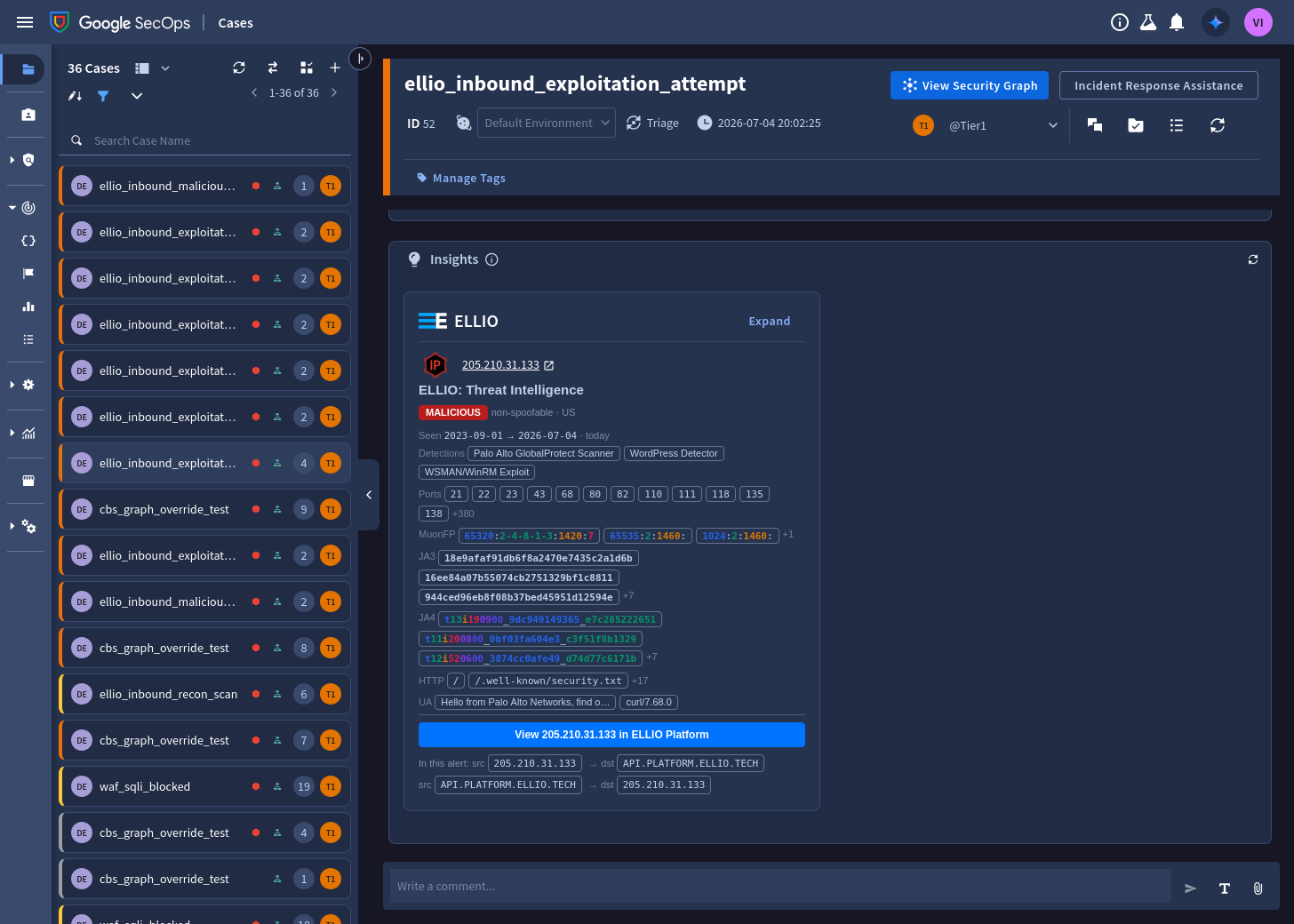
## SIEM: indicators in the entity graph
[Section titled “SIEM: indicators in the entity graph”](#siem-indicators-in-the-entity-graph)
ELLIO Platform pushes the indicators you select - the full active set, once a day - to a webhook feed in your tenant. The ELLIO parser turns each record into a UDM `IP_ADDRESS` entity carrying the verdict, risk score, CVEs, behavior tags, and fingerprints.
* **Detection rules** correlate your network telemetry against the entities, with a graded severity ladder - from recon noise up to allowed exploitation and callback patterns. See [Detection rules](/threat-intel/integrations/google-secops/siem/detection-rules).
* **Dashboards** track the active set, classification mix, risk distribution, and feed health. See [Dashboards](/threat-intel/integrations/google-secops/siem/dashboards).
* On **Enterprise** tiers, events touching an active indicator surface in [IoC Matches](/threat-intel/integrations/google-secops/siem/ioc-matches) automatically.
* Indicators carry a validity window refreshed on every push, so anything that leaves ELLIO’s active set expires on its own - no stale IoCs, no cleanup jobs.
[Set up the SIEM integration.](/threat-intel/integrations/google-secops/siem/setup)
## SOAR: enrichment and response on the case
[Section titled “SOAR: enrichment and response on the case”](#soar-enrichment-and-response-on-the-case)
The ELLIO integration from the SecOps Content Hub adds four actions - **Enrich IP**, **CBS Lookup**, **Add IP to Blocklist**, and **Ping**. It calls the ELLIO API directly with your API key; there is no Google Cloud provisioning.
A ready-made playbook enriches every external IP on new alerts and recommends a case priority your playbook can apply.
[Set up the SOAR integration.](/threat-intel/integrations/google-secops/soar/setup)
## Content pack
[Section titled “Content pack”](#content-pack)
Parser, rules, dashboard, and playbook live in the open content pack: [github.com/ELLIO-Technology/ellio-secops-content-pack](https://github.com/ELLIO-Technology/ellio-secops-content-pack).
# CVE watchlist
> Wire your actual exposure into detection - the ellio_watched_cves reference list alerts HIGH when an IP actively exploiting one of your CVEs touches your perimeter.
The `ellio_watched_cve_exploitation` rule connects two facts: **which CVEs each attacking IP actively exploits** (observed by ELLIO) and **which CVEs you actually care about** (your watchlist). A hit means: *someone who exploits a vulnerability you have is touching your perimeter right now* - simultaneously a HIGH alert and a patch-prioritization signal.
## How the matching works
[Section titled “How the matching works”](#how-the-matching-works)
ELLIO ships the CVEs it observed each IP exploiting; the parser writes them onto the entity as labels in `metadata.threat.category_details`, prefixed with `cve:`:
```plaintext
category_details: [
"classification:malicious",
"cve:CVE-2018-10561",
"cve:CVE-2018-10562",
...
]
```
The rule binds each label and keeps the ones present in your reference list:
```plaintext
$ioc.graph.metadata.threat.category_details = $cve
$cve in %ellio_watched_cves
```
Because the list contains only `cve:`-prefixed strings, every other label self-filters - no regex needed. This is also why the entry format matters:
* entries must carry the **`cve:` prefix**: `cve:CVE-2024-3400`, not `CVE-2024-3400`
* matching is **exact and case-sensitive**: use the canonical uppercase `CVE-` form
## Create the list
[Section titled “Create the list”](#create-the-list)
The list is a tenant reference list named `ellio_watched_cves`, syntax type **STRING**. The rule will not even validate until it exists.
**In the UI:** open the reference lists page under detections, create `ellio_watched_cves` (type String), and add one entry per line:
```plaintext
cve:CVE-2024-3400
cve:CVE-2023-4966
cve:CVE-2018-13379
```
**With the [secops CLI](https://github.com/google/secops-wrapper):**
```sh
secops reference-list create --name ellio_watched_cves --syntax-type STRING \
--entries "cve:CVE-2024-3400,cve:CVE-2023-4966"
# maintain it from a file, one entry per line
secops reference-list update --name ellio_watched_cves --entries-file watched_cves.txt
```
## What a hit looks like
[Section titled “What a hit looks like”](#what-a-hit-looks-like)
When the rule fires, its outcome carries exactly what you need:
| Outcome variable | Meaning |
| ---------------- | --------------------------------------------------------------------- |
| `$matched_cve` | which watched CVEs the attacker exploits (`cve:` labels that matched) |
| `$risk_score` | the indicator’s current ELLIO risk score |
| `$targets_hit` | how many of your hosts it touched in the window |
## What belongs on the watchlist
[Section titled “What belongs on the watchlist”](#what-belongs-on-the-watchlist)
Treat the list as “CVEs we are actually exposed to” - edge devices, VPN appliances, and web frameworks in your stack - ideally exported from your vulnerability management rather than hand-curated. Keep it small and current: a bloated list degrades toward the generic exploitation rule that already exists at MEDIUM. The sharp semantics come from the intersection - actively exploited **and** present in your estate **and** aimed at you.
## Variants
[Section titled “Variants”](#variants)
The same pattern works for any label family the parser emits. A behavior-tag watchlist (`tag_id:` prefix - for example specific botnet or exploit-kit tags) or a kill-chain watchlist (`kill_chain:` prefix) is a copy of the rule with a different list - see the [data model](/threat-intel/integrations/google-secops/siem/data-model#context-labels) for the full label inventory.
# Dashboards
> Import the ELLIO native dashboard - active indicators, classification mix, risk distribution, geo heatmap, and feed health - or build your own from the queries.
The content pack ships an importable native dashboard covering the indicator set and the feed’s health.
## Import the dashboard
[Section titled “Import the dashboard”](#import-the-dashboard)
1. Download [`ellio_threat_intelligence.json`](https://github.com/ELLIO-Technology/ellio-secops-content-pack/blob/main/dashboards/ellio_threat_intelligence.json).
2. In Google SecOps, go to **Dashboards → Add → Import Dashboard** and select the file.
3. Set the dashboard time range to at least one push cycle (24 to 48 hours).
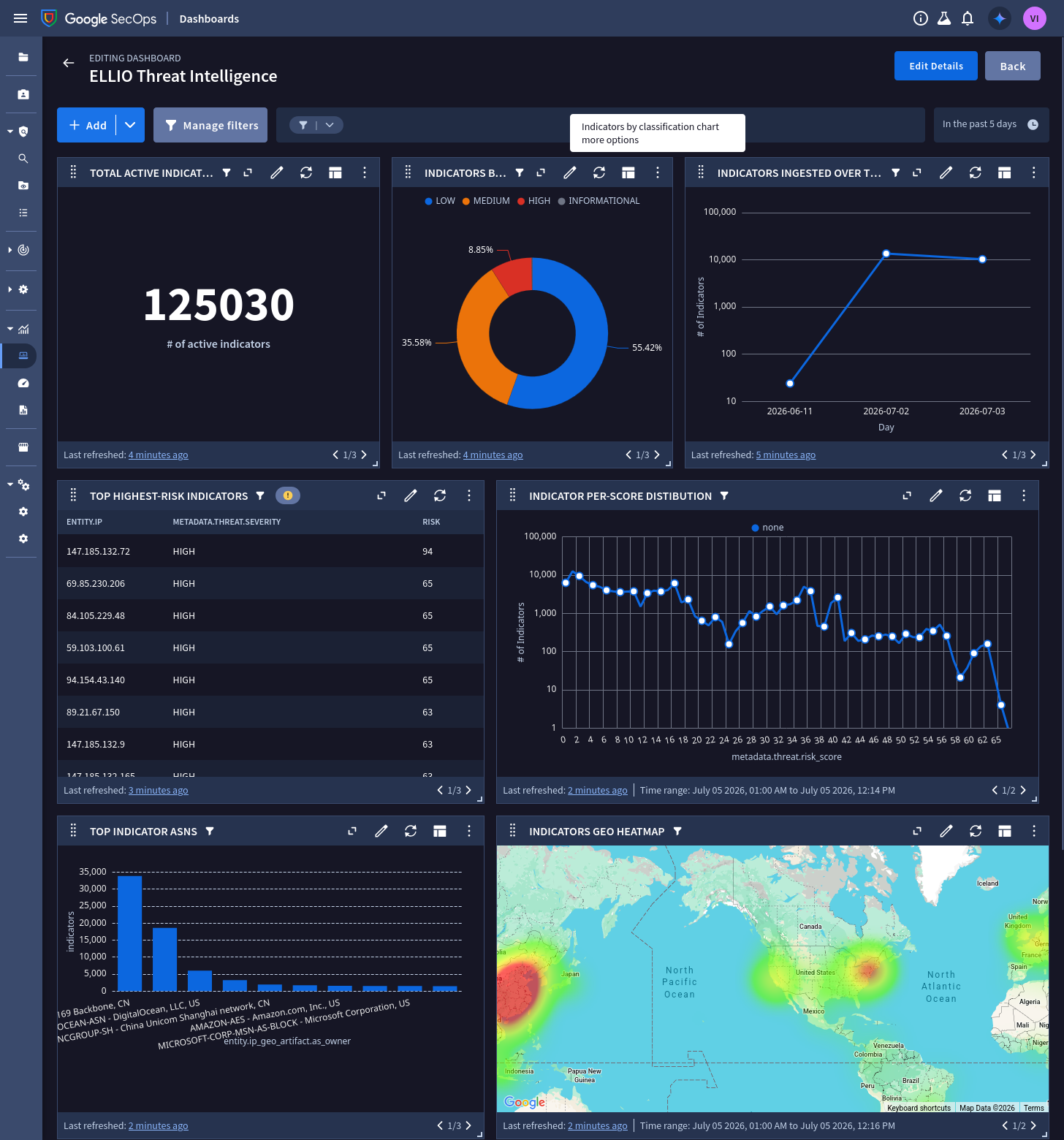
Note
Google can take up to 12 hours to process ingested logs into the entity graph, so widgets may be empty right after the first push.
## What it shows
[Section titled “What it shows”](#what-it-shows)
| Widget | Type | Reads |
| --------------------------------- | ---------- | ---------------------------------------- |
| Total active indicators | Value | entity graph, non-expired only |
| Indicators by classification | Donut | severity, one to one with classification |
| Top highest-risk indicators | Table (20) | entity graph |
| Indicator risk-score distribution | Line | entity graph |
| Indicators ingested over time | Line | entity graph |
| Top Indicator ASNs | Bar (10) | entity graph |
| Indicators geo heatmap | Map | entity graph |
| Ingestion - Events by Status | Table | ingestion metrics for the ELLIO log type |
| Ingestion Error Count | Value | ingestion metrics for the ELLIO log type |
The two ingestion widgets are your feed-health check: parsing or validation errors show up here first.
## Building your own widgets
[Section titled “Building your own widgets”](#building-your-own-widgets)
Every entity-graph widget follows the same pattern - filter by product name, count distinct indicators:
```plaintext
graph.metadata.product_name = "ELLIO: Threat Intelligence"
graph.metadata.entity_type = "IP_ADDRESS"
graph.metadata.interval.end_time.seconds >= timestamp.current_seconds()
outcome:
$active_indicators = count_distinct(graph.entity.ip)
```
Useful variations not in the export:
**Leases expiring by day** (how much of the set ages out when):
```plaintext
graph.metadata.product_name = "ELLIO: Threat Intelligence"
$expiry_day = timestamp.get_timestamp(graph.metadata.interval.end_time.seconds, "%Y-%m-%d", "UTC")
match:
$expiry_day
outcome:
$expiring = count_distinct(graph.entity.ip)
order: $expiry_day asc
```
**Top source countries:**
```plaintext
graph.metadata.product_name = "ELLIO: Threat Intelligence"
match:
graph.entity.ip_geo_artifact.location.country_or_region
outcome:
$indicators = count_distinct(graph.entity.ip)
order: $indicators desc
```
**Risk score in 10-wide bands:**
```plaintext
graph.metadata.product_name = "ELLIO: Threat Intelligence"
$band = math.floor(graph.metadata.threat.risk_score / 10) * 10
match:
$band
outcome:
$count = count_distinct(graph.entity.ip)
order: $band asc
```
Note
Unscored entities (benign, or scoring disabled) carry no `risk_score` and are excluded by any numeric predicate on it.
# Data model
> How ELLIO indicators map to UDM IP_ADDRESS entities - verdict, category, confidence, risk score, context labels, network attributes, and validity.
Each ELLIO indicator is a UDM **`IP_ADDRESS` entity** in the Entity Context Graph. Rules and dashboards read it through the `graph.` prefix (for example `graph.metadata.threat.risk_score`). Every ELLIO entity carries `metadata.product_name = "ELLIO: Threat Intelligence"` - that, plus the verdict marker below, is how you select ELLIO context in a rule.
## Verdict
[Section titled “Verdict”](#verdict)
| Field | Value |
| ---------------------------------- | ------------------------------------------------------------------------------------------------------------------ |
| `metadata.threat.category_details` | `classification:malicious` / `promiscuous` / `unknown` / `benign` |
| `metadata.threat.category` | `NETWORK_MALICIOUS` (malicious) / `NETWORK_RECON` (promiscuous); unset for unknown and benign |
| `metadata.threat.severity` | `HIGH` / `MEDIUM` / `LOW` / `INFORMATIONAL` - one to one with classification (also mirrored as `severity_details`) |
| `metadata.threat.confidence` | `HIGH_CONFIDENCE` for classified verdicts (malicious / promiscuous / benign), `LOW_CONFIDENCE` for unknown |
The verdict lives in these fields, never in the presence or absence of the threat block. `benign` indicators carry the marker too - so you can allowlist on them - but no risk score. ELLIO verdicts come from direct, non-spoofable observation, which is why a classified verdict is high-confidence; `unknown` means observed but not yet classified.
## Risk score
[Section titled “Risk score”](#risk-score)
`metadata.threat.risk_score` (0 to 100) - a continuous scale for precise thresholds (for example `risk_score >= 80`), unlike the fixed severity categories. You control it per feed in ELLIO Platform under **Connectors → Google SecOps → Risk scoring**:
* **Fresh and at-cutoff scores per classification.** A score starts at the *Fresh* value when ELLIO observes the indicator and decays to the *At cutoff* value by the end of the keep-active window - so a high score means severe **and** recently active.
* **Decay scale:** logarithmic (drops sharply early, then tails off), linear, or no decay.
* **Benign is never scored** - the field is omitted by design, so a `risk_score >= N` condition excludes benign (and any unscored indicator) automatically.
## Context labels
[Section titled “Context labels”](#context-labels)
| Context | Where |
| -------------------------------------------------------------- | ------------------------------------------------------------------------------------------------------------- |
| Behavior tags, CVEs, MITRE techniques, kill-chain phase, actor | `metadata.threat.category_details` with `tag:`, `tag_id:`, `cve:`, `mitre:`, `kill_chain:`, `actor:` prefixes |
| Fingerprints (MuonFP / JA3 / JA3S / JA4), observed ports | `metadata.threat.detection_fields` (key/value) |
| First / last observed by ELLIO | `metadata.threat.first_discovered_time` / `last_discovered_time` |
| Feed attribution | `metadata.threat.threat_feed_name` (defaults to `ELLIO: Threat Intelligence`) |
| Link back to ELLIO Platform | `metadata.threat.url_back_to_product` |
The `cve:` labels are what the [CVE watchlist rule](/threat-intel/integrations/google-secops/siem/cve-watchlist) matches against.
## Network attributes
[Section titled “Network attributes”](#network-attributes)
| Field | Value |
| ----------------------------------------------------------------------------------- | ------------------------------- |
| `entity.ip` / `entity.artifact.ip` | the indicator |
| `entity.hostname` | reverse DNS |
| `entity.ip_geo_artifact.asn` / `as_owner` | autonomous system |
| `entity.ip_geo_artifact.location.country_or_region`, `.city`, `.region_coordinates` | geolocation of the indicator IP |
## Validity
[Section titled “Validity”](#validity)
`metadata.interval.start_time` / `end_time` bound the window the indicator is valid for - the detection engine only matches events inside it. Every daily push refreshes the window, so a staying indicator keeps matching and a dropped one ages out within days, automatically. The window is a short delivery lease, not ELLIO’s relevance horizon; relevance is the retention you configure in ELLIO Platform.
## Selecting ELLIO context in a rule
[Section titled “Selecting ELLIO context in a rule”](#selecting-ellio-context-in-a-rule)
```plaintext
$ioc.graph.metadata.product_name = "ELLIO: Threat Intelligence"
$ioc.graph.metadata.entity_type = "IP_ADDRESS"
$ioc.graph.metadata.threat.category_details = "classification:malicious"
$ioc.graph.entity.ip = $ip
```
See [Detection rules](/threat-intel/integrations/google-secops/siem/detection-rules) for the shipped rule set.
# Detection rules
> The ELLIO YARA-L rule set - a graded severity ladder from recon noise to allowed exploitation, callbacks, watched CVEs, and egress to attacker infrastructure.
ELLIO ships six reference YARA-L rules that correlate your network telemetry against the ELLIO entities. They are built on one principle: **inbound attempts are constant internet background pressure, so severity is earned by what actually happened, not by who knocked.**
| Rule | Severity | Fires when |
| -------------------------------------------------------------------------------------------------------------------------------------------------------------- | -------- | ----------------------------------------------------------------------------------------------------------------------- |
| [`ellio_inbound_recon_scan`](https://github.com/ELLIO-Technology/ellio-secops-content-pack/blob/main/rules/ellio_inbound_recon_scan.yaral) | LOW | a promiscuous (scanner) IP contacts 5+ of your hosts |
| [`ellio_inbound_exploitation_attempt`](https://github.com/ELLIO-Technology/ellio-secops-content-pack/blob/main/rules/ellio_inbound_exploitation_attempt.yaral) | MEDIUM | a malicious (exploitation-class) IP contacts your assets |
| [`ellio_inbound_exploitation_allowed`](https://github.com/ELLIO-Technology/ellio-secops-content-pack/blob/main/rules/ellio_inbound_exploitation_allowed.yaral) | HIGH | that contact was **allowed** through instead of blocked |
| [`ellio_inbound_then_callback`](https://github.com/ELLIO-Technology/ellio-secops-content-pack/blob/main/rules/ellio_inbound_then_callback.yaral) | HIGH | the targeted host later connects **back out** to the same IP - a successful-compromise pattern |
| [`ellio_watched_cve_exploitation`](https://github.com/ELLIO-Technology/ellio-secops-content-pack/blob/main/rules/ellio_watched_cve_exploitation.yaral) | HIGH | the inbound IP actively exploits a CVE on your [watchlist](/threat-intel/integrations/google-secops/siem/cve-watchlist) |
| [`ellio_egress_to_malicious_ip`](https://github.com/ELLIO-Technology/ellio-secops-content-pack/blob/main/rules/ellio_egress_to_malicious_ip.yaral) | HIGH | an internal asset connects out to a malicious ELLIO IP - possible C2 or exfiltration |
Because the detection engine only matches events inside an indicator’s validity window, an expired indicator stops firing on its own - no rule maintenance.
## What firing looks like
[Section titled “What firing looks like”](#what-firing-looks-like)
Detections land in **Alerts & IOCs**, one per matched ELLIO IP, with the indicator’s risk score carried onto the alert by the rule outcome and the rule description explaining what the source is:
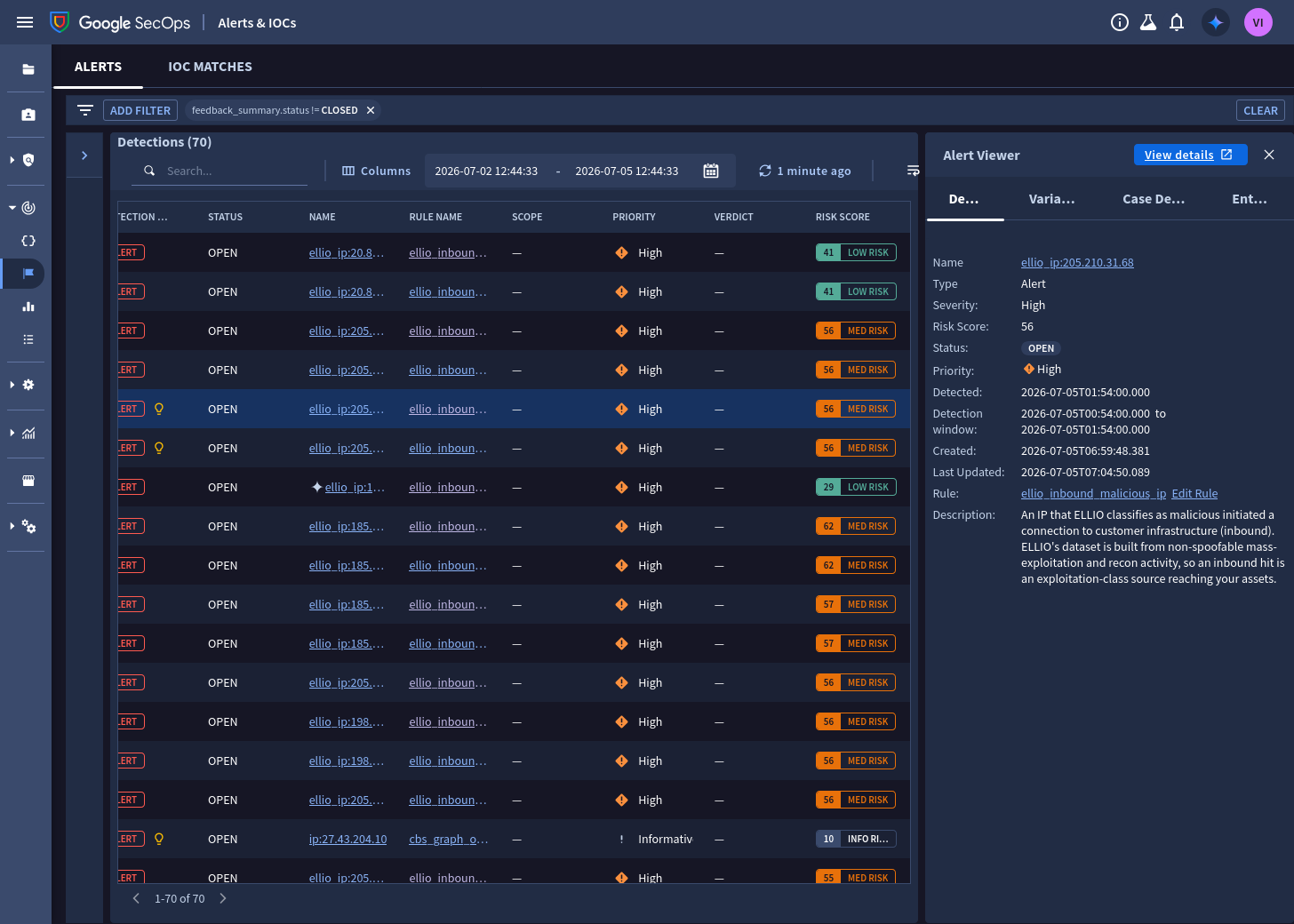
## Install
[Section titled “Install”](#install)
For each file in the [rules directory](https://github.com/ELLIO-Technology/ellio-secops-content-pack/tree/main/rules), create a rule in **Detections → Rules Editor** and paste the content - or script it with the [secops CLI](https://github.com/google/secops-wrapper):
```sh
for f in rules/*.yaral; do secops rule create --file "$f"; done
```
Then activate the rules you want and enable alerting per your process.
Note
`ellio_watched_cve_exploitation` requires the `%ellio_watched_cves` reference list to exist first - see [CVE watchlist](/threat-intel/integrations/google-secops/siem/cve-watchlist).
## How a rule reads the entity
[Section titled “How a rule reads the entity”](#how-a-rule-reads-the-entity)
`ellio_inbound_exploitation_attempt` joins a network event to the ELLIO entity and surfaces the score and context on the alert:
```plaintext
rule ellio_inbound_exploitation_attempt {
meta:
severity = "MEDIUM"
events:
// inbound: the ELLIO-tracked IP is the source of the connection
$e.principal.ip = $ellio_ip
$ioc.graph.entity.ip = $ellio_ip
$ioc.graph.metadata.product_name = "ELLIO: Threat Intelligence"
$ioc.graph.metadata.entity_type = "IP_ADDRESS"
$ioc.graph.metadata.threat.category_details = "classification:malicious"
match:
$ellio_ip over 1h
outcome:
$risk_score = max($ioc.graph.metadata.threat.risk_score)
$exploit_context = array_distinct($ioc.graph.metadata.threat.category_details)
$targets_hit = count_distinct($e.target.ip)
condition:
$e and $ioc
}
```
The outcome variables land on the alert: the risk score for triage ordering, and `$exploit_context` carries the CVEs, tags, and kill-chain labels of the attacker.
## Tuning
[Section titled “Tuning”](#tuning)
* **Scope to your assets.** Each inbound rule has a commented `$e.target.ip in %customer_internal_ranges` line - load your public ranges into that reference list and uncomment it to drop noise from non-customer destinations.
* **Risk threshold.** Add `$risk_score >= 80` to a rule’s condition to alert only on high-risk indicators. ELLIO’s risk score is recency-decayed, so this also filters for recent activity - there is no need for a separate freshness rule.
* **Recon fan-out.** `ellio_inbound_recon_scan` alerts at 5+ distinct targets; raise the threshold on noisy perimeters.
* **`security_result.action` dependency.** `ellio_inbound_exploitation_allowed` relies on your firewall or proxy parsers populating ALLOW/BLOCK. Verify your log sources set it before relying on the allowed/blocked split.
* **Callback window.** `ellio_inbound_then_callback` correlates the inbound hit and the callback within 4 hours; widen it for slow-burn implants at the cost of more match state.
## Next steps
[Section titled “Next steps”](#next-steps)
* [CVE watchlist](/threat-intel/integrations/google-secops/siem/cve-watchlist) - wire your exposure into the HIGH tier
* [Dashboards](/threat-intel/integrations/google-secops/siem/dashboards)
# IoC Matches
> On Google SecOps Enterprise, events touching an active ELLIO indicator surface in the IoC Matches view automatically - attributed, categorized, and scored.
On Google SecOps **Enterprise** tiers, ELLIO indicators participate in built-in IoC matching: when any ingested event touches an active ELLIO IP, the match surfaces in the **IoC Matches** view - with no detection rules required. The ELLIO entities carry the full IoC shape (the indicator, a finite validity window, and the threat block), so this works out of the box once the [SIEM integration](/threat-intel/integrations/google-secops/siem/setup) is running.
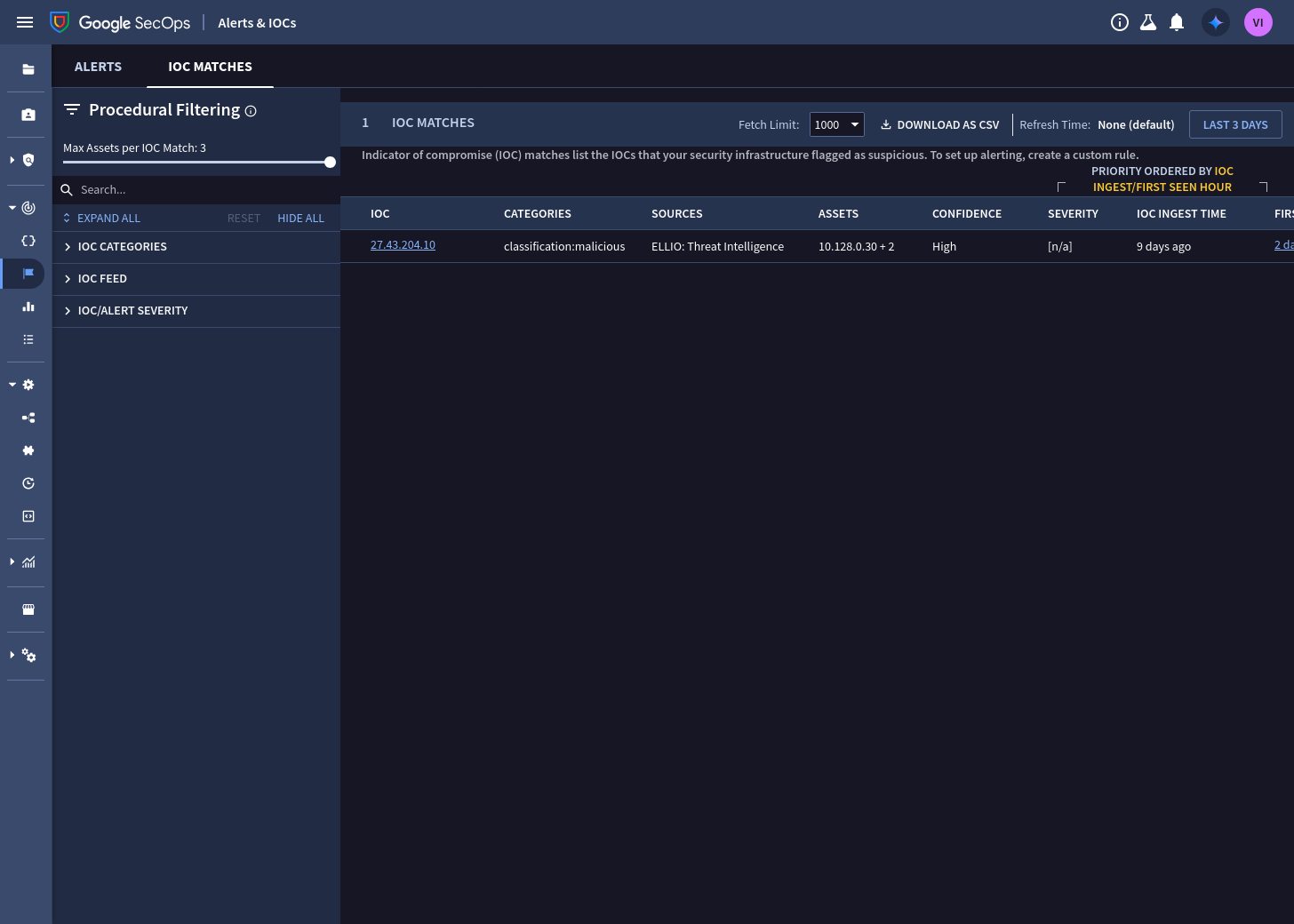
## What a match carries
[Section titled “What a match carries”](#what-a-match-carries)
| IoC Matches field | From the ELLIO entity |
| ----------------- | --------------------------------------------------------------------------------------------------------------------------------------------------------------------------------------------------- |
| Feed / sources | `ELLIO: Threat Intelligence` (or the feed name you configured) |
| Categories | the verdict and behavior labels - `classification:malicious`, `cve:...`, `tag:...` |
| Confidence | `High` for classified verdicts (malicious / promiscuous / benign), `Low` for unknown |
| Severity | shows `[n/a]` in the IoC Matches view for entity-feed IoCs; severity travels on the entity itself and on the [detection-rule](/threat-intel/integrations/google-secops/siem/detection-rules) alerts |
| First / last seen | when the matching traffic was observed in your tenant |
| Assets | which of your assets touched the indicator |
## Expiry is automatic
[Section titled “Expiry is automatic”](#expiry-is-automatic)
IoC matching honors the indicator’s validity window: when an IP drops off ELLIO’s active set, its lease expires within days and it stops producing matches. You never accumulate matches against stale intelligence.
## Notes
[Section titled “Notes”](#notes)
* **Benign indicators match too.** If you send the `benign` classification, known-good IPs can produce INFORMATIONAL-severity matches - informative (“this IP is ELLIO-verified good”), but if you prefer silence, simply exclude `benign` from the feed in ELLIO Platform’s classification selection.
* IoC Matches complements the [detection rules](/threat-intel/integrations/google-secops/siem/detection-rules): matches give you passive coverage of everything; the rules add severity grading, correlation (allowed / callback), and alerting.
# SIEM setup
> Create the webhook feed, add the ELLIO parser, connect ELLIO Platform, and verify indicators on the dashboard - step by step, with gcloud alternatives.
ELLIO delivers indicators over a Google SecOps **HTTPS push (webhook) feed**: you create the feed and add the ELLIO parser once, then ELLIO Platform pushes your configured indicator set to it daily. The **ELLIO: Threat Intelligence** log type (`ELLIO_THREAT_INTELLIGENCE`) is prebuilt in SecOps; the parser is added from the content pack in step 2.
## Prerequisites
[Section titled “Prerequisites”](#prerequisites)
* Permission to create feeds and parsers in your SecOps tenant, and to create an API key in the bound Google Cloud project.
* An ELLIO subscription that includes Google SecOps delivery.
## Step 1: Create the webhook feed
[Section titled “Step 1: Create the webhook feed”](#step-1-create-the-webhook-feed)
1. In Google SecOps, go to **SIEM Settings → Feeds** and select **Add new feed**.
2. **Set properties** - name the feed, set the source type to **Webhook**, and pick the **ELLIO: Threat Intelligence** log type:
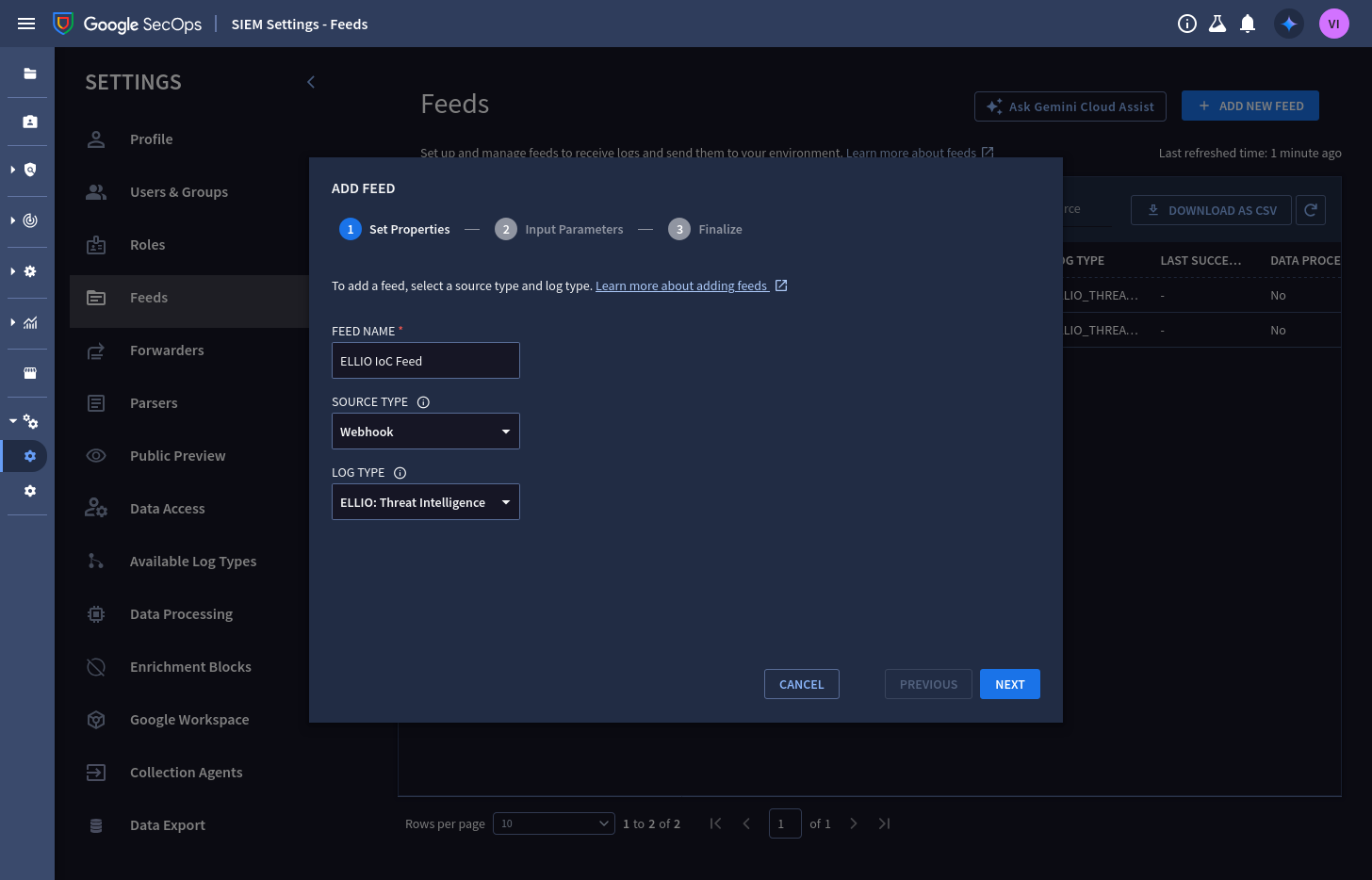
3. **Input parameters** - set the split delimiter to `\n` (ELLIO pushes newline-delimited JSON); asset namespace and ingestion labels can stay empty unless you use them:
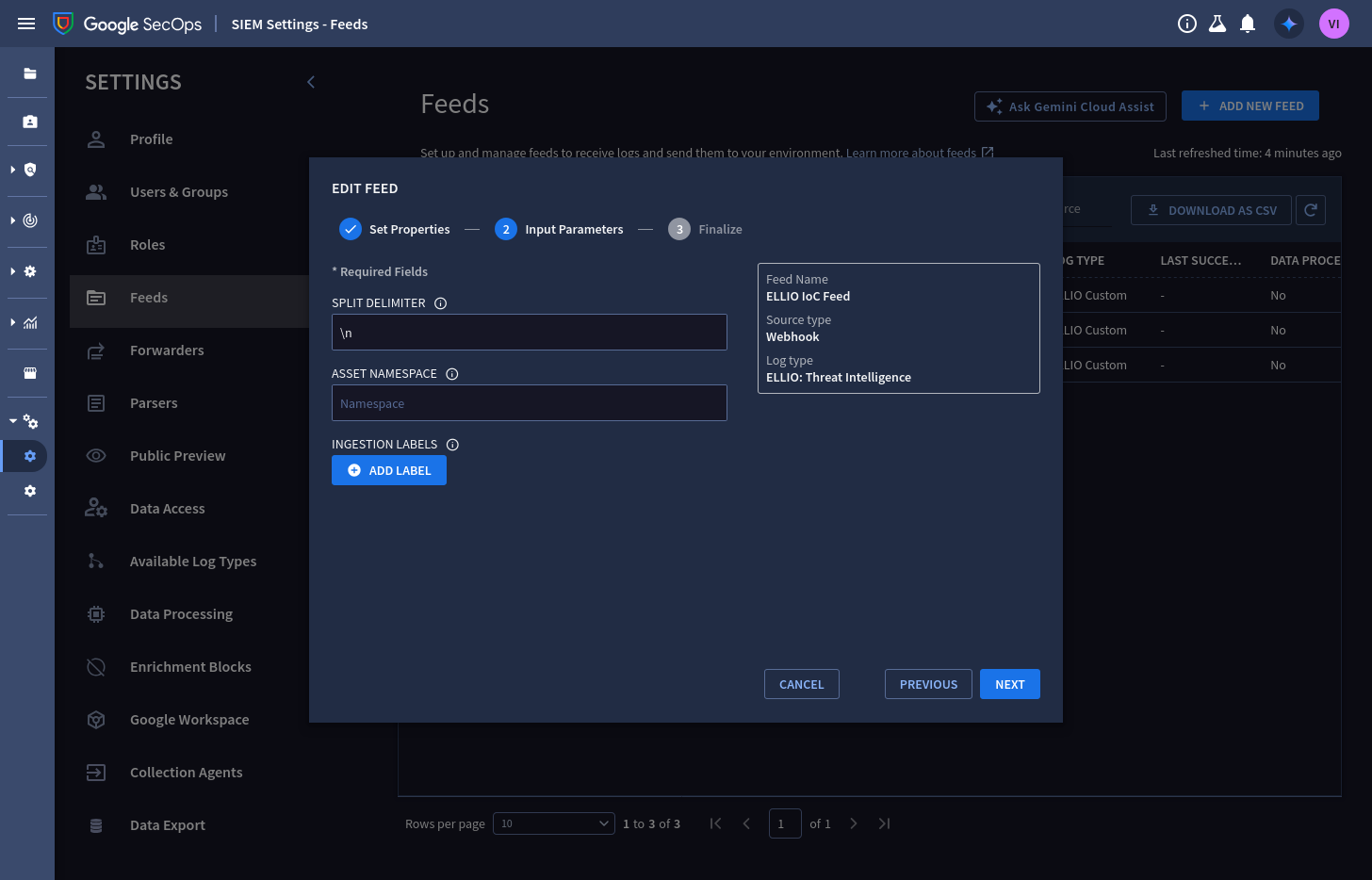
4. Finalize, then open the feed. The **Details** tab shows the **endpoint URL** ELLIO will push to (it ends in `:importPushLogs`) - copy it:
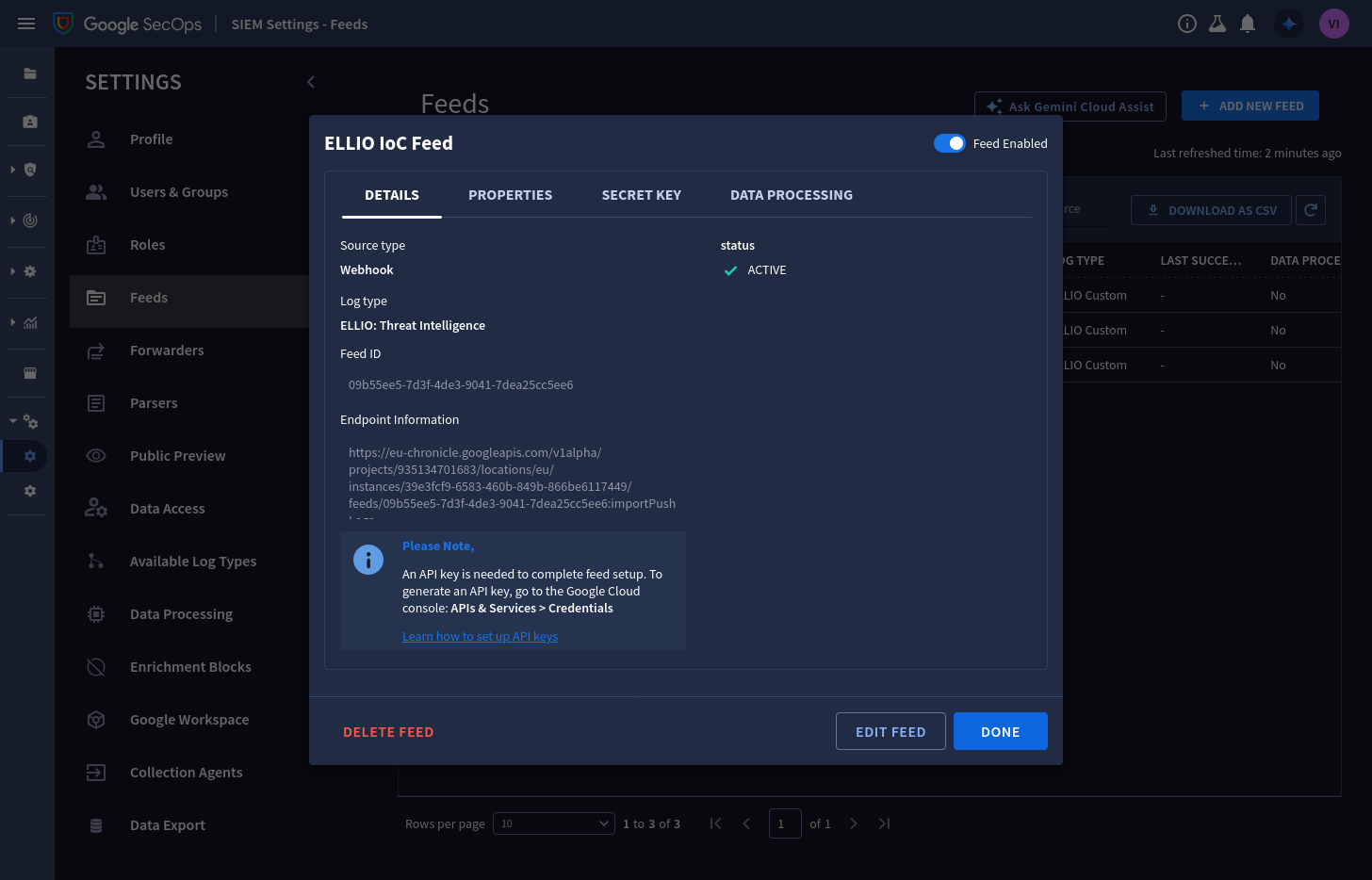
5. On the **Secret Key** tab, generate the feed secret and copy it - it is only viewable while the dialog is open:
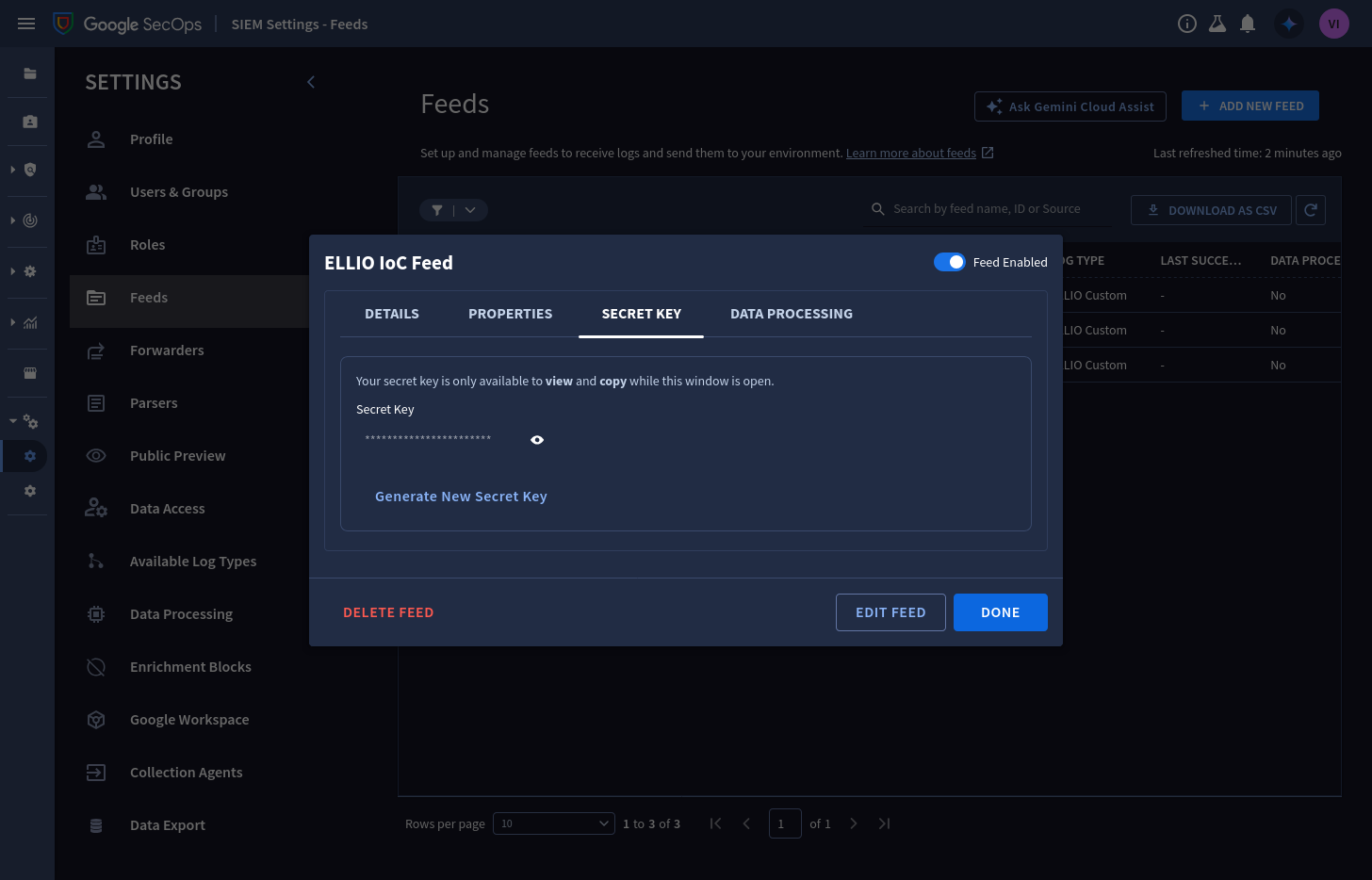
You will paste the endpoint URL and the secret into ELLIO Platform in step 4.
## Step 2: Add the ELLIO parser
[Section titled “Step 2: Add the ELLIO parser”](#step-2-add-the-ellio-parser)
The parser turns each pushed record into a UDM `IP_ADDRESS` entity - without it, records land unparsed.
1. In **SIEM Settings → Parsers**, select **Create parser**, search the log source for **ELLIO**, and pick **ELLIO: Threat Intelligence**:
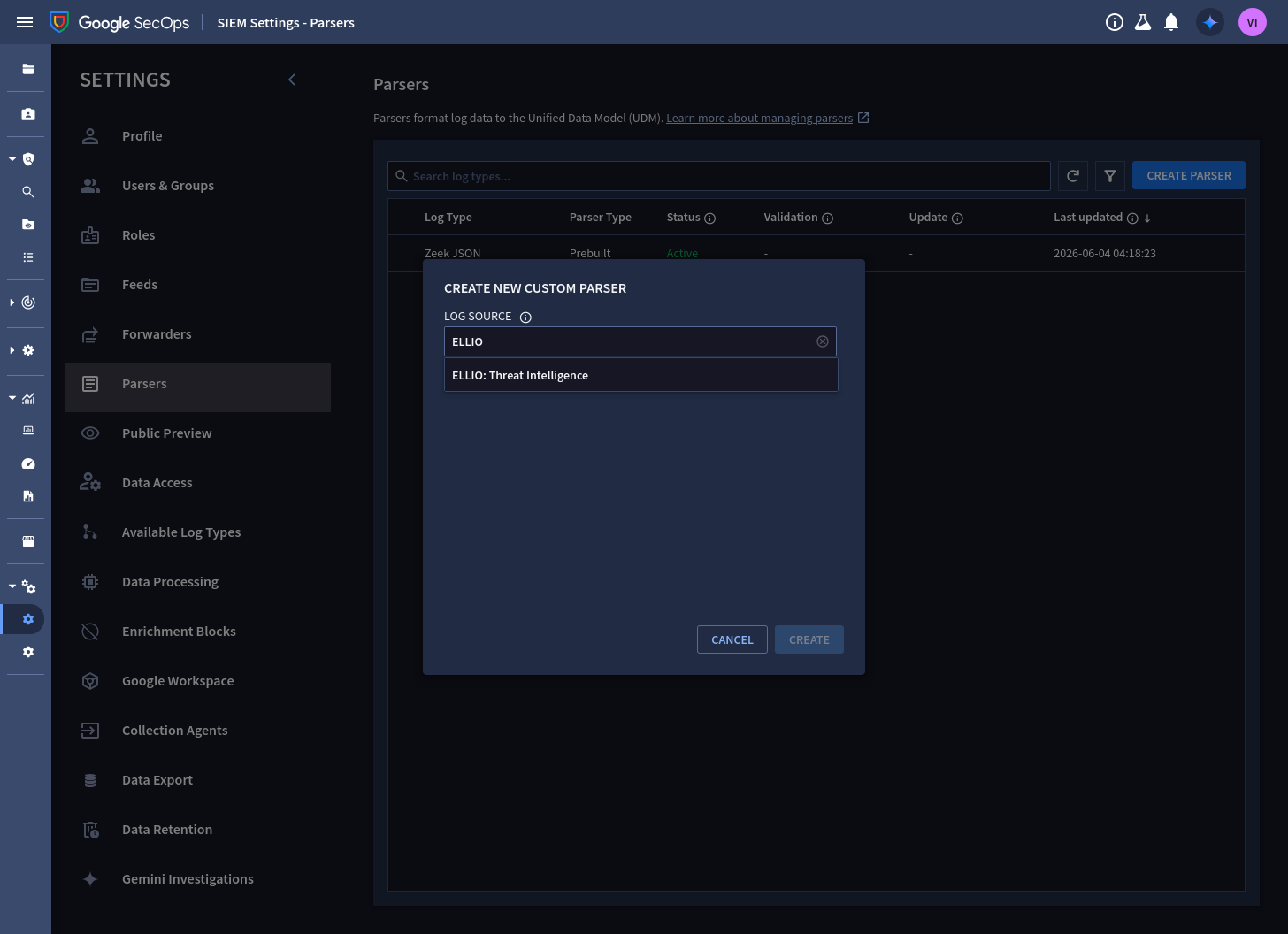
2. In the **Write Code** step, edit the left (sample log) pane, paste this test wire object, and tick its checkbox:
```json
{"schema_version":"1","entity_id":"ellio-ip-192.0.2.10","ip":"192.0.2.10","classification":"malicious","severity":"HIGH","risk_score":94,"valid_from":"2026-06-25T00:00:00Z","valid_until":"2026-06-28T03:00:00Z","collected_at":"2026-06-25T03:00:00Z","first_seen":"2026-01-08T11:20:05Z","last_seen":"2026-06-24T22:14:51Z","tags":["Exploit Attempt"],"cve":["CVE-2018-10561"]}
```
3. Paste the parser configuration - [`ellio_threat_intel.conf`](https://github.com/ELLIO-Technology/ellio-secops-content-pack/blob/main/parser/ellio_threat_intel.conf) - into the middle pane and select **Preview**. The UDM output pane shows the parsed entity: `product_name: "ELLIO: Threat Intelligence"`, the classification and CVE labels, severity, and confidence:
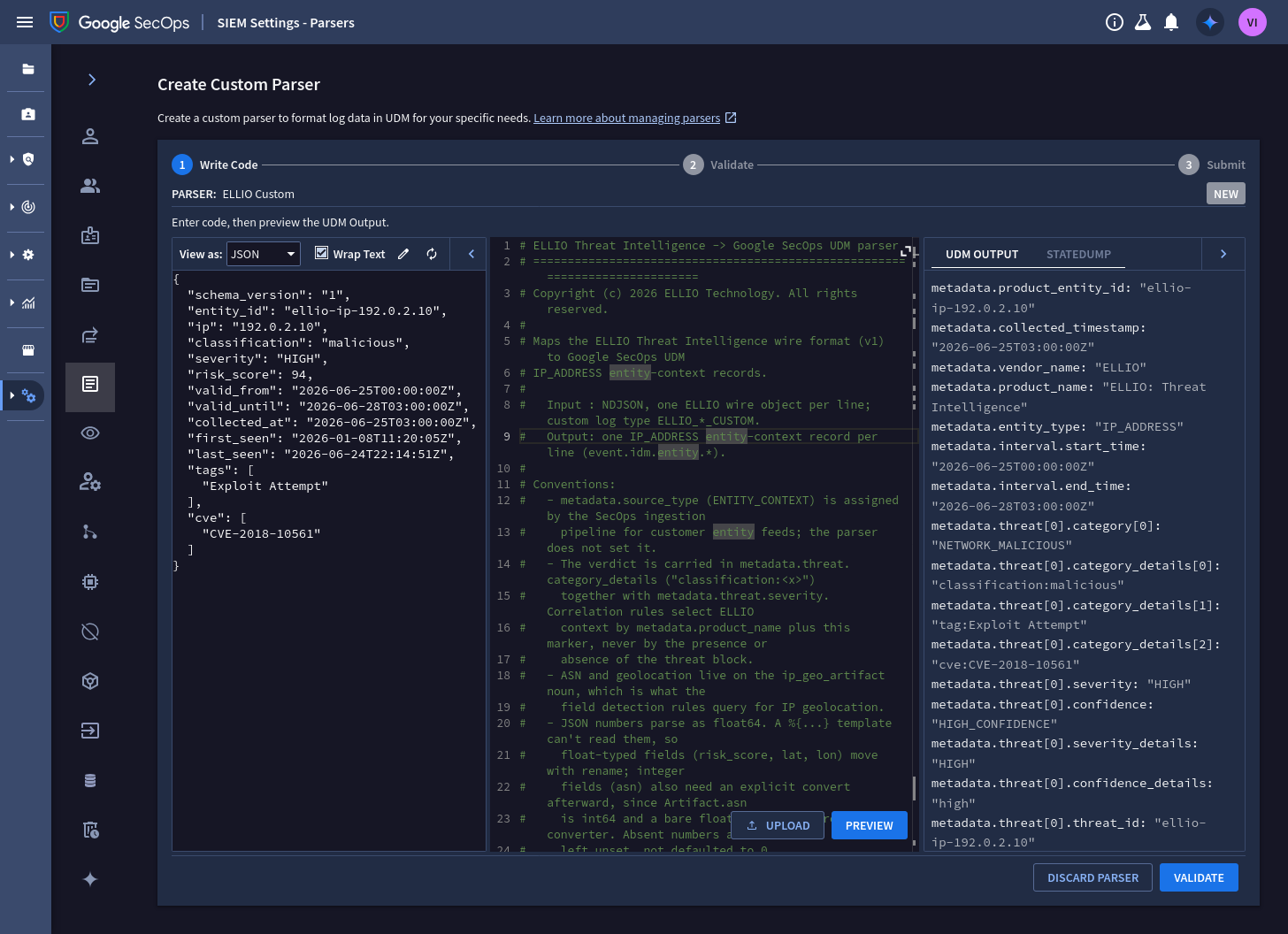
4. Select **Validate** - or skip validation on a tenant that has no ELLIO events yet; the parser ships pre-validated against the full wire format.
5. On the **Submit** step, submit the parser. It becomes active within 15 minutes:
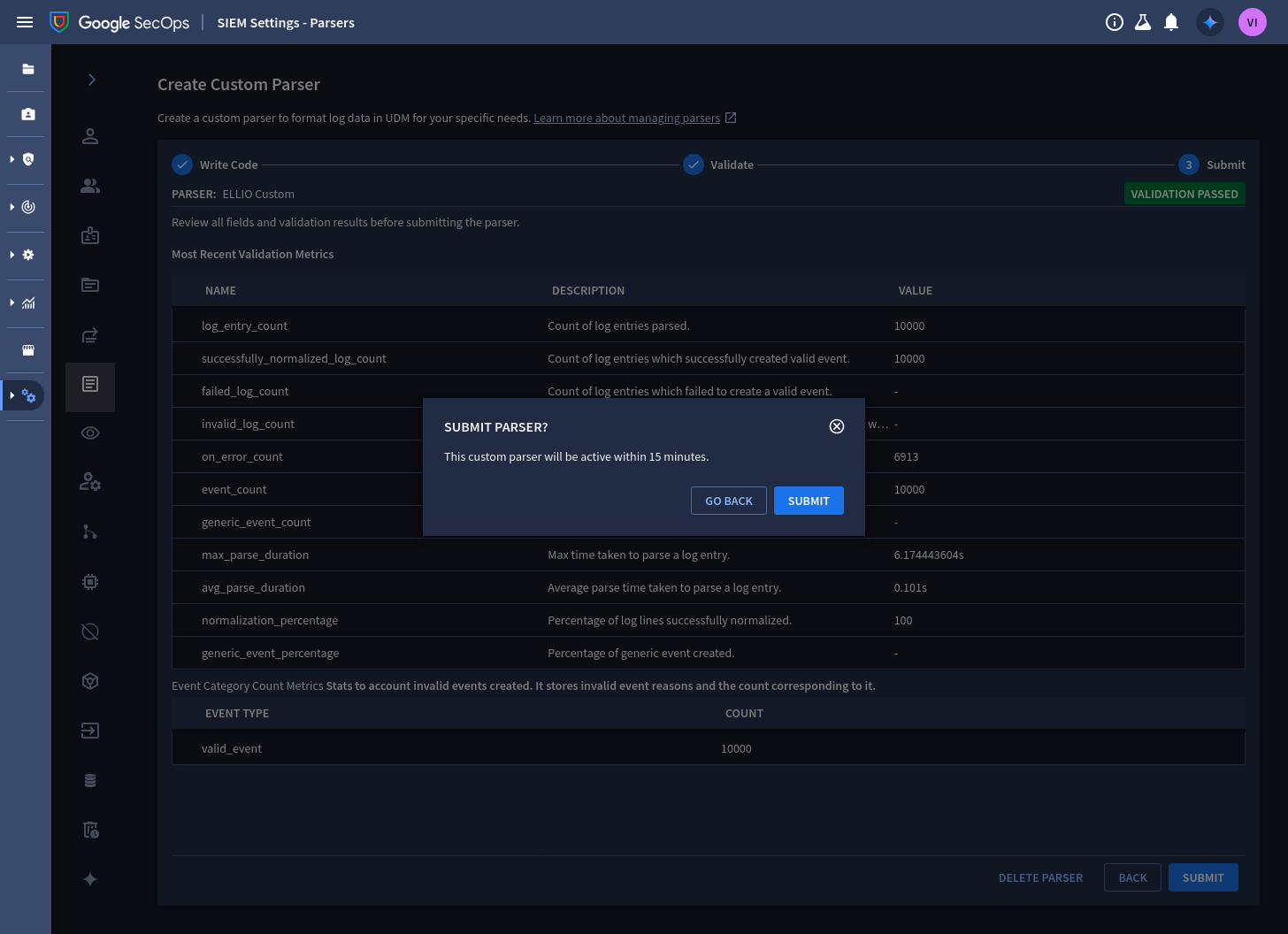
From now on, every record pushed to the feed is parsed by the ELLIO parser. Fully-populated samples for all classifications ship in the [content pack testdata](https://github.com/ELLIO-Technology/ellio-secops-content-pack/tree/main/parser/testdata), and the wire format is specified field by field in the [wire contract](https://github.com/ELLIO-Technology/ellio-secops-content-pack/blob/main/parser/SECOPS_WIRE_CONTRACT.md) - start from the same files if you want to extend the mapping.
## Step 3: Create the API key
[Section titled “Step 3: Create the API key”](#step-3-create-the-api-key)
Webhook feeds authenticate with a Google Cloud API key in addition to the feed secret. The key authenticates the ELLIO → SecOps `ImportPushLogs` call and nothing else needs it, so create it scoped to exactly that.
**Console:** in the Google Cloud project bound to your SecOps instance, open **APIs & Services → Credentials**, choose **Create credentials → API key**, and restrict the key to the **Chronicle API**.
**`gcloud` (recommended - method-level restriction):** scope the key to the single push method on the single API, using a flags-file:
key-restrictions.yaml
```yaml
- --api-target:
service: chronicle.googleapis.com
methods:
- ImportPushLogs
```
```sh
gcloud services api-keys create \
--project=PROJECT_ID \
--display-name="ELLIO indicator push" \
--flags-file=key-restrictions.yaml
```
Confirm the response shows `"methods": ["ImportPushLogs"]`. The **`keyString`** value in the response is what you paste into ELLIO Platform in step 4 (to fetch it again later: `gcloud services api-keys get-key-string KEY_ID`).
Least privilege
The pair of credentials you hand ELLIO is push-only by construction, in layers: the API key is valid for one method (`ImportPushLogs`) on one API, and the feed secret is valid for this one feed. Together they can deliver records to the `ELLIO_THREAT_INTELLIGENCE` log type - nothing else.
## Step 4: Connect ELLIO Platform
[Section titled “Step 4: Connect ELLIO Platform”](#step-4-connect-ellio-platform)
1. In the [ELLIO Platform](https://platform.ellio.tech), go to **[Data Feeds → Connectors](https://platform.ellio.tech/dashboard/data-feeds/connectors) → Google SecOps**.
2. In **Connection**, paste the values from your tenant, then select **Test connection**:
| Field | From |
| ---------------------- | ------------------------------------------------------------------------ |
| **Feed endpoint URL** | step 1 - the feed’s Details tab (sent to the `:importPushLogs` endpoint) |
| **Google API key** | the `keyString` from step 3 (sent as `X-goog-api-key`) |
| **Webhook access key** | step 1 - the feed’s Secret Key tab (sent as `X-Webhook-Access-Key`) |
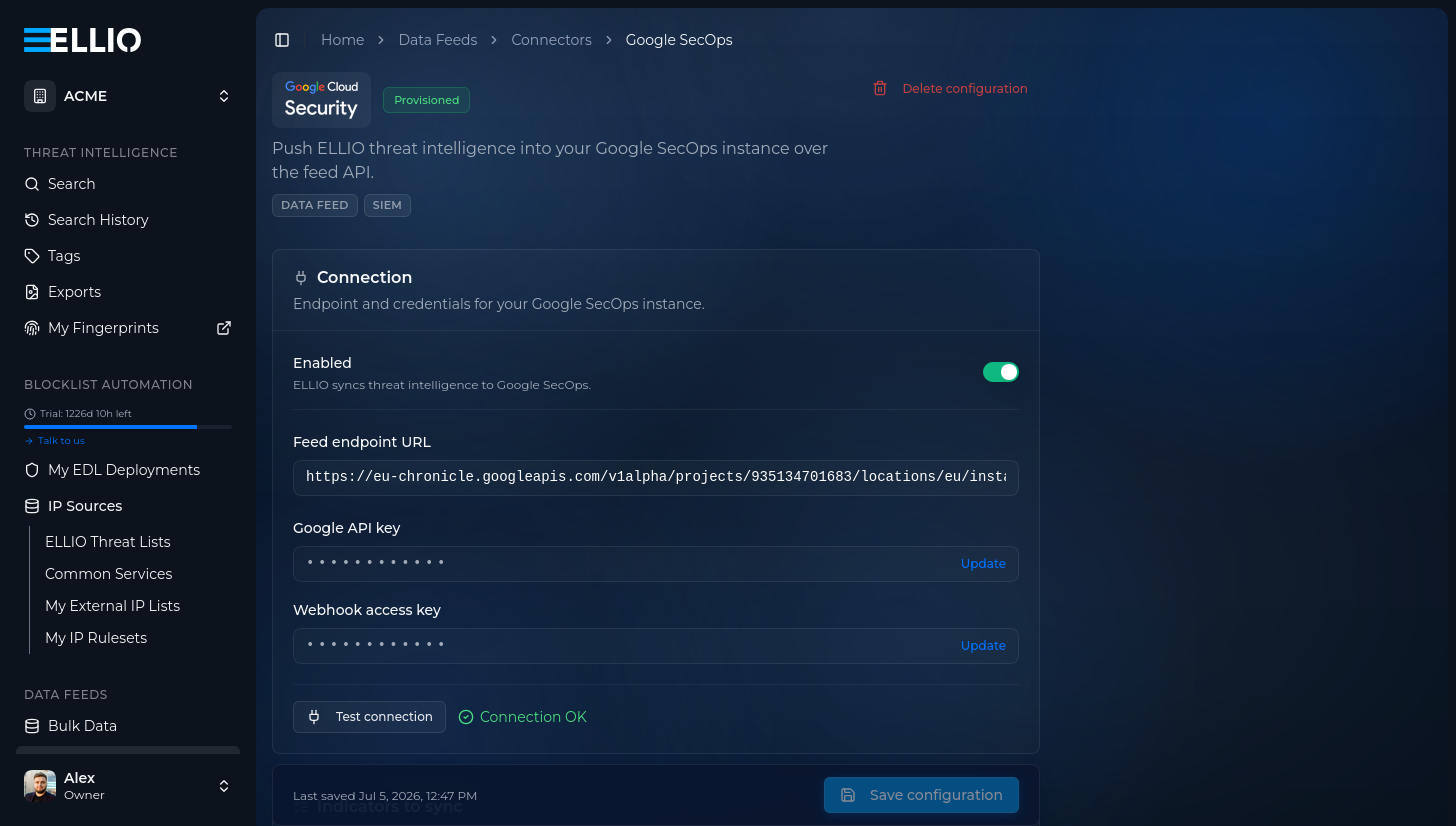
3. In **Indicators to sync**, choose which classifications to send - severity is fixed per classification - and set **Keep active for**: how long an indicator stays active in your entity graph after ELLIO last observes it (3 to 90 days, default 30):
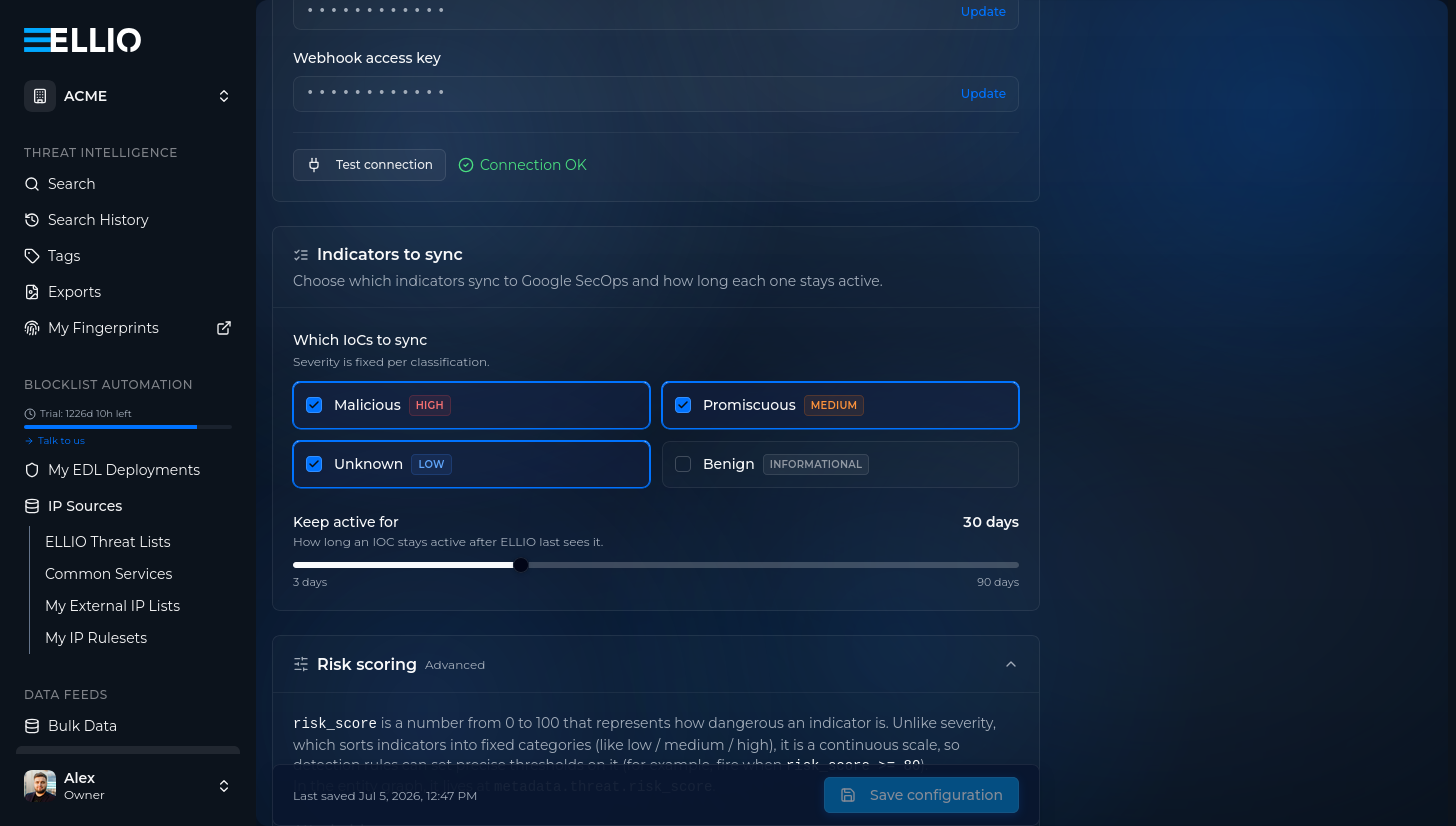
4. Optionally tune **Risk scoring**: whether indicators carry a `risk_score` at all, the decay scale, and the per-classification score range. The defaults work well - see the [data model](/threat-intel/integrations/google-secops/siem/data-model#risk-score) for the semantics:
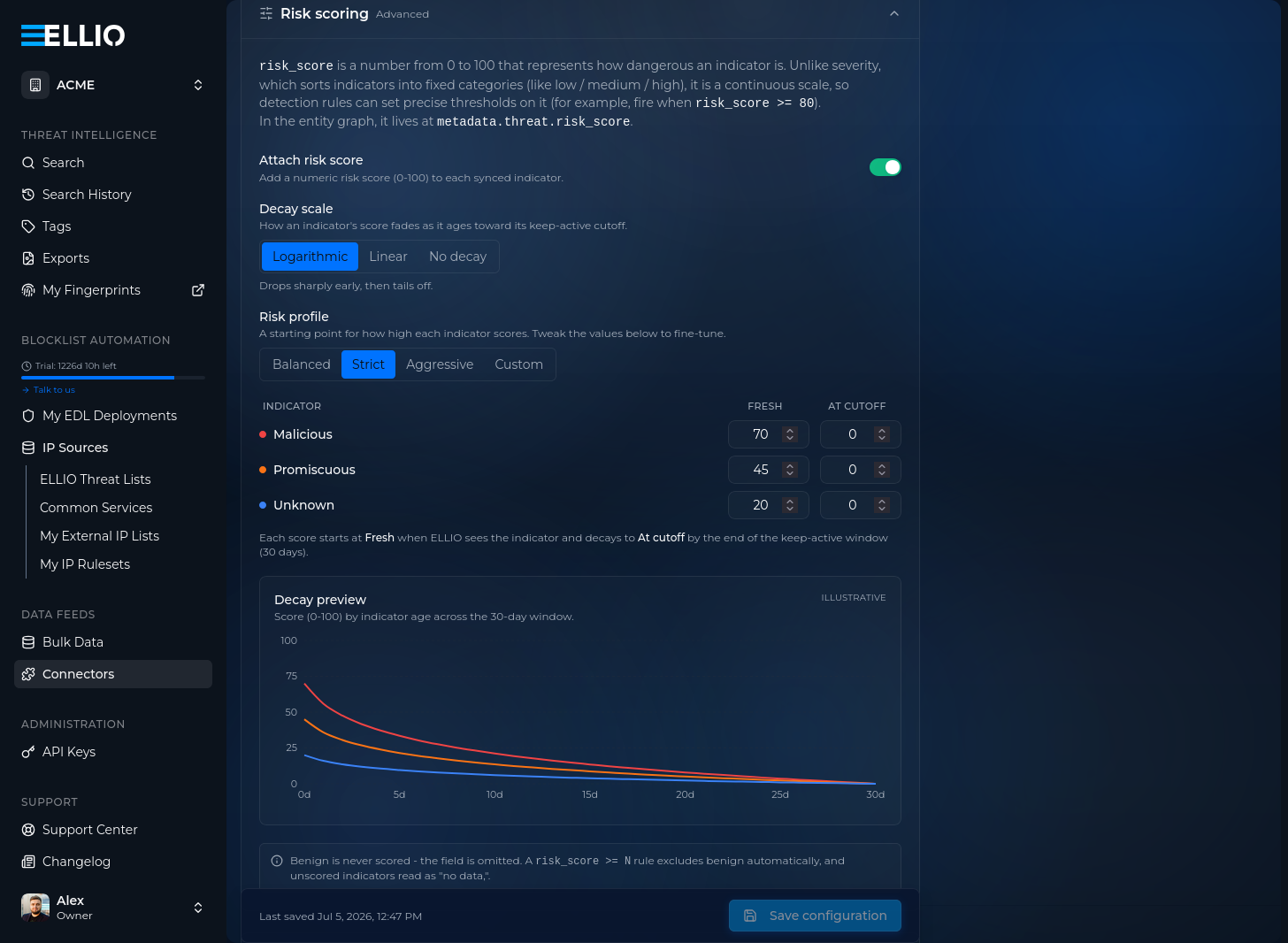
5. **Save configuration.** ELLIO starts pushing the full active set once a day.
## Step 5: Verify
[Section titled “Step 5: Verify”](#step-5-verify)
Import the [ELLIO dashboard](/threat-intel/integrations/google-secops/siem/dashboards) and watch it fill: **Total active indicators** shows your synced set, and the two ingestion widgets confirm the feed is parsing cleanly.

Note
Google can take **up to 12 hours** to process ingested logs into the entity graph - an empty dashboard right after the first push is normal. Feed delivery status is visible immediately under **SIEM Settings → Feeds**.
## Next steps
[Section titled “Next steps”](#next-steps)
* [Data model](/threat-intel/integrations/google-secops/siem/data-model) - what each entity carries
* [Detection rules](/threat-intel/integrations/google-secops/siem/detection-rules) - the severity ladder
* [Dashboards](/threat-intel/integrations/google-secops/siem/dashboards) - import the ELLIO dashboard
# SOAR integration
> Enrich IPs with ELLIO threat intelligence, classify cloud infrastructure, and push IP addresses to Blocklist Automation - from a SecOps case or playbook.
The ELLIO integration for Google SecOps SOAR enriches IP entities with ELLIO threat intelligence on the case, classifies IPs against Common Business Services, and lets you push IP addresses to ELLIO Blocklist Automation. It calls the ELLIO API directly with your API key - **no Google Cloud IAM, no service account**.
| Action | What it does |
| ----------------------- | ------------------------------------------------------------------------------------------------------------------------------------------------------ |
| **Enrich IP** | Writes classification, tags, CVEs, fingerprints, and observed activity onto the entity, adds an insight card, and returns a recommended case priority. |
| **CBS Lookup** | Tells known cloud / CDN / SaaS provider infrastructure apart from attacker-controlled hosts. |
| **Add IP to Blocklist** | Push IP addresses to an ELLIO Blocklist Automation ruleset for enforcement. |
| **Ping** | Validates connectivity and credentials. |
## The insight cards
[Section titled “The insight cards”](#the-insight-cards)
Enrich IP and CBS Lookup each add a card to the case, so the verdict and the service context are readable at a glance - and available to Gemini case summaries:
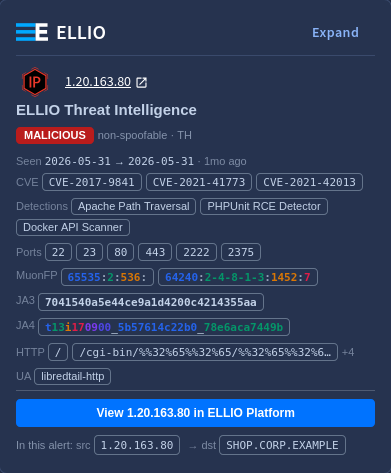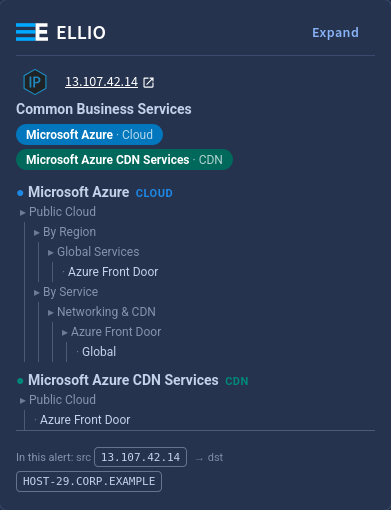
The same context feeds Gemini’s case analysis - the classification, CVEs, and scanning behavior from the `ELLIO_*` fields show up in the generated case summary:
## How the priority flow works
[Section titled “How the priority flow works”](#how-the-priority-flow-works)
**Enrich IP** never changes the case priority itself. It returns `recommended_priority` as its script result - `High` when a malicious IP was found, otherwise `None` - and your playbook decides whether to apply it. The [ready-made playbook](/threat-intel/integrations/google-secops/soar/setup#step-4-import-the-playbook) wires this up.
## Prerequisites
[Section titled “Prerequisites”](#prerequisites)
* An **ELLIO API key** from [ELLIO Platform](https://platform.ellio.tech). A `read` key covers Enrich IP and CBS Lookup; **Add IP to Blocklist needs `read_write`**.
* For Add IP to Blocklist: the **Blocklist Automation ruleset ID** the key owns.
* Egress from the SOAR runtime to `https://api.ellio.tech`.
## Next steps
[Section titled “Next steps”](#next-steps)
* [Setup](/threat-intel/integrations/google-secops/soar/setup) - install, configure, import the playbook
* [Actions reference](/threat-intel/integrations/google-secops/soar/actions) - parameters and enriched fields
# Actions reference
> Parameters, behavior, and enriched fields for the ELLIO SOAR actions - Enrich IP, CBS Lookup, Add IP to Blocklist, and Ping.
All actions run on **IP Address** entities and also accept an optional comma-separated **IP Addresses** parameter. Only public, globally-routable unicast IPs are processed - private, reserved, multicast, and SOAR-internal addresses are skipped and reported, never silently dropped.
## Enrich IP
[Section titled “Enrich IP”](#enrich-ip)
Looks up each IP against the ELLIO CTI API, writes `ELLIO_*` context onto the entity, marks malicious and promiscuous IPs **suspicious**, adds the threat-intelligence insight card, and returns a recommended case priority.
**Recommended priority.** Returned as the script result `recommended_priority`: `High` when any malicious IP was found, otherwise `None`. The action never changes the case priority - a playbook applies the recommendation.
**Fields written onto the entity** (`ELLIO_` prefix; a field is written only when ELLIO has the data):
| Field | Meaning |
| ---------------------------------------------------------- | ---------------------------------------------------------------------------------- |
| `ELLIO_classification` | `malicious` / `promiscuous` / `unknown` / `benign` |
| `ELLIO_tags` / `ELLIO_tag_ids` | behavior detections (human labels and stable machine ids) |
| `ELLIO_cve` | CVEs the IP was observed exploiting |
| `ELLIO_actor` | attributed operator (research org for scanners, threat group when known) |
| `ELLIO_spoofable` | whether the observed traffic could be spoofed (`False` = confirmed direct) |
| `ELLIO_rdns` | reverse-DNS hostname |
| `ELLIO_country` / `ELLIO_country_name` / `ELLIO_continent` | source geolocation |
| `ELLIO_ports` / `ELLIO_non_spoofable_ports` | observed destination ports |
| `ELLIO_muonfp` / `ELLIO_ja3` / `ELLIO_ja4` | network fingerprints |
| `ELLIO_http_path` / `ELLIO_http_user_agent` | observed HTTP request paths and user agents |
| `ELLIO_first_seen` / `ELLIO_last_seen` | first and last observed by ELLIO |
| `ELLIO_direction` | the IP’s role in this alert (`source` / `destination`), from the alert’s own flows |
Long lists are capped for display (for example ports on a mass scanner), with a `(+N more)` marker. An IP not tracked by ELLIO is reported as *Not in ELLIO* - a lookup failure, by contrast, fails the action so a playbook can branch on it.
| Parameter | Default | Purpose |
| -------------- | ------- | -------------------------------------------------------- |
| IP Addresses | - | additional comma-separated IPs |
| Create Insight | true | add the threat-intelligence insight card per enriched IP |
## CBS Lookup
[Section titled “CBS Lookup”](#cbs-lookup)
Classifies IPs against **ELLIO Common Business Services** - known cloud, CDN, SaaS, ISP, security, and crawler infrastructure - and adds the provider insight card. A CBS match means the IP belongs to a known service, not that it is safe or malicious; combine with Enrich IP for the threat verdict.
**Fields written** (`ELLIO_CBS_` prefix): `cidr`, `providers`, `types`, `services`, `regions`, `ids`, `direction`.
The script result is `true` when any IP matched a CBS range.
| Parameter | Default | Purpose |
| -------------- | ------- | ------------------------------------------------------- |
| IP Addresses | - | additional comma-separated IPs |
| Create Insight | true | add the Common Business Services insight card per match |
## Add IP to Blocklist
[Section titled “Add IP to Blocklist”](#add-ip-to-blocklist)
Lets you push IP addresses to an ELLIO Blocklist Automation ruleset, from where they distribute to your enforcement points - typically as a playbook response action behind a human-approval step.
| Parameter | Default | Purpose |
| ------------------- | ------- | ------------------------------------------------------------------------------------------------------------------------------ |
| IP Addresses | - | additional comma-separated IPs |
| Rule Name | auto | override for the rule name; the default is parsable case context: `secops_case= \| alert= \| ellio=` |
| Expires In Days | 14 | rule expiry; `0` creates a permanent rule |
| Conflict Resolution | extend | `extend` / `override` / `skip` / `fail` for an existing rule on the same IP |
The JSON result reports each IP as `added`, `failed` (with the reason), or `skipped` (SOAR-internal or not a public IP).
In ELLIO Platform, the pushed IP appears in the ruleset under **IP Sources → My IP Rulesets**, carrying the case context in its rule name and the configured expiry:
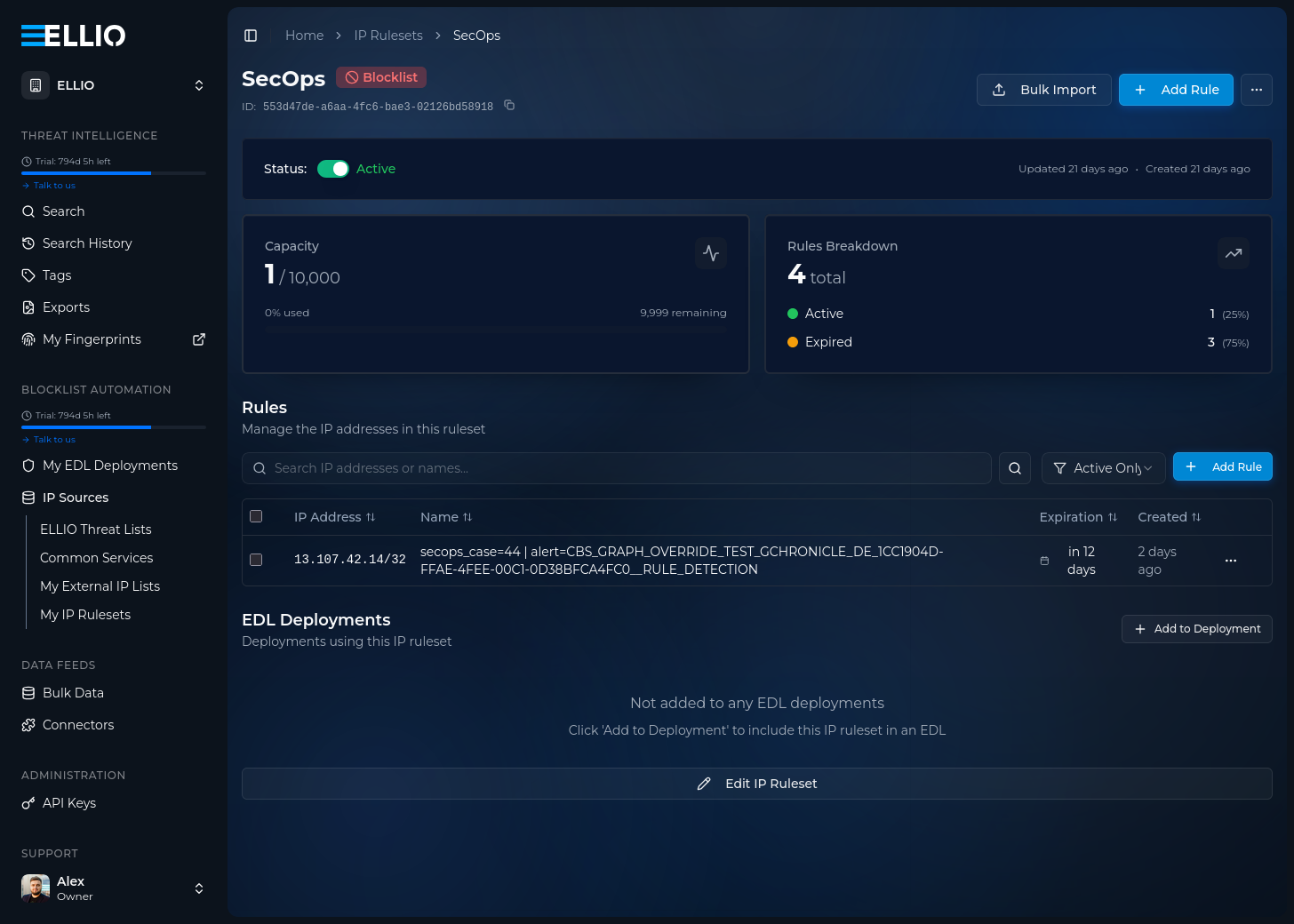
Caution
Requires a `read_write` ELLIO API key and the **Blocklist Ruleset ID** in the integration configuration. A read-only key fails with `403`; a missing ruleset ID fails with a clear message - neither is a silent no-op.
## Ping
[Section titled “Ping”](#ping)
Validates connectivity and credentials against the ELLIO API. No parameters.
# SOAR setup
> Install the ELLIO integration from the Content Hub, configure it with your API key, import the ready-made playbook, and wire the priority flow.
## Prerequisites
[Section titled “Prerequisites”](#prerequisites)
* An **ELLIO API key** from [ELLIO Platform](https://platform.ellio.tech) - `read_write` if you will push IPs to a blocklist, `read` for enrichment only.
* For **Add IP to Blocklist**: the **Blocklist Automation ruleset ID** the key owns.
## Step 1: Install the integration
[Section titled “Step 1: Install the integration”](#step-1-install-the-integration)
In Google SecOps, open the **Content Hub**, search for **ELLIO**, and install the integration.
## Step 2: Configure an instance
[Section titled “Step 2: Configure an instance”](#step-2-configure-an-instance)
In **Integrations Setup**, open the ELLIO integration and configure an instance - shared across environments or per environment:
| Parameter | Value |
| ------------------------ | ---------------------------------------------------- |
| **API Root** | `https://api.ellio.tech` |
| **API Key** | your key (`read`, or `read_write` for blocklisting) |
| **Blocklist Ruleset ID** | the ruleset ID - only needed for Add IP to Blocklist |
| **Verify SSL** | enabled |
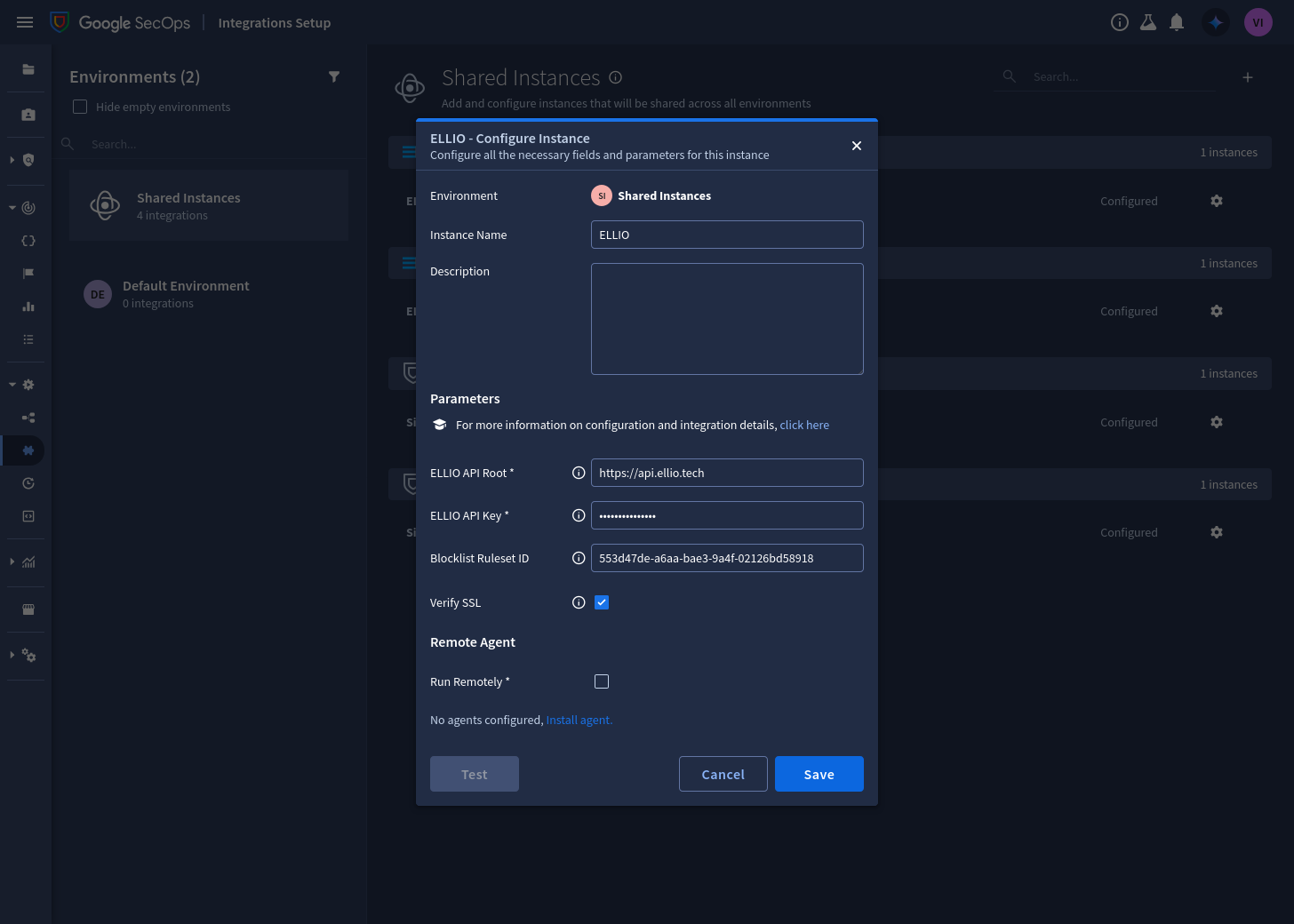
## Step 3: Test
[Section titled “Step 3: Test”](#step-3-test)
Run **Ping** (or the instance Test button). Success confirms the key and connectivity.
## Step 4: Import the playbook
[Section titled “Step 4: Import the playbook”](#step-4-import-the-playbook)
The content pack ships **Automatically enrich public IPs** - on every new alert it runs **Enrich IP** and **CBS Lookup** over the alert’s external IP entities, adding both insight cards and the priority recommendation.
1. Download [`automatically_enrich_public_ips.json`](https://github.com/ELLIO-Technology/ellio-secops-content-pack/blob/main/playbooks/automatically_enrich_public_ips.json) and compress it into a ZIP.
2. In **Response → Playbooks**, choose **Import** and select the ZIP.
3. Open each step and select **your** ELLIO integration instance.
4. Review the trigger and environments - the playbook arrives attached to all incoming alerts in `Default Environment`; scope it to the alert types you want.
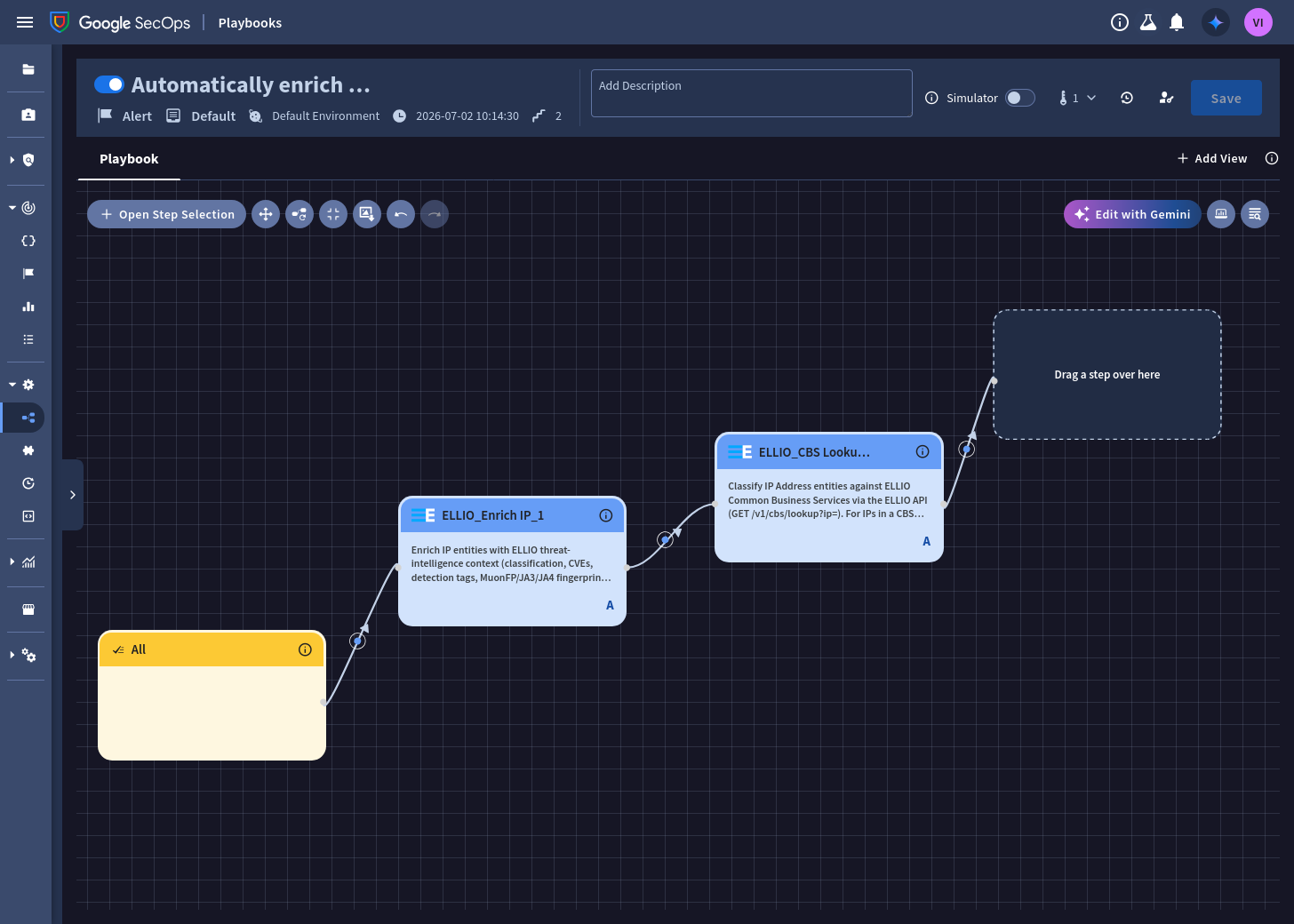
Once it runs, the case’s **Insights** panel carries the ELLIO cards - the threat verdict from Enrich IP, and the provider context from CBS Lookup where the IP sits in a known cloud/CDN/SaaS range:
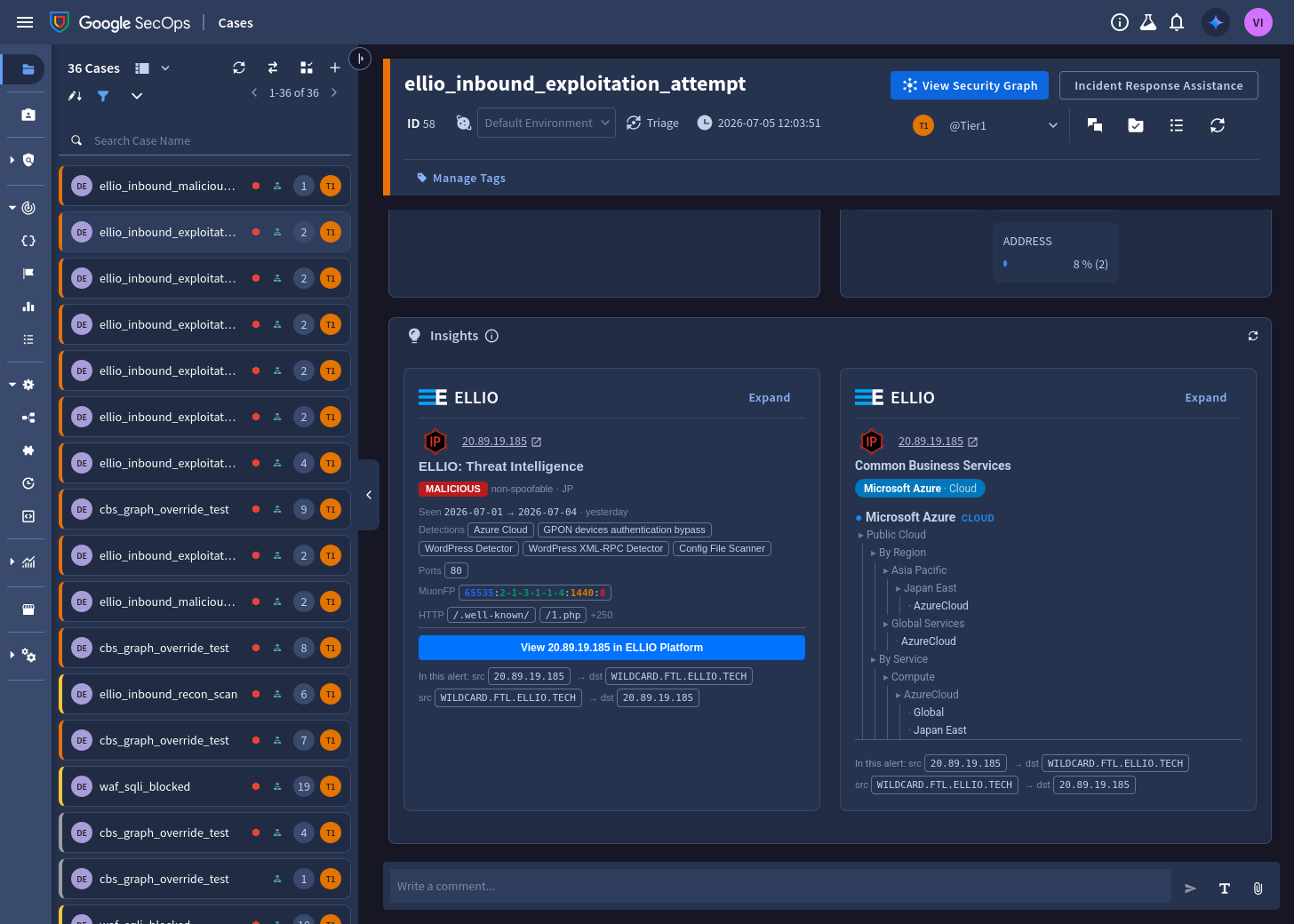
### Or build it manually
[Section titled “Or build it manually”](#or-build-it-manually)
The playbook is two automatic steps on the default trigger - recreating it in the designer takes a minute:
1. In **Response → Playbooks**, create a new playbook in your environment. Keep the **All** trigger, or scope it to the alert types you want.
2. Add the **ELLIO > Enrich IP** step. Set its entity scope to **External IP addresses** and leave **Create Insight** enabled.
3. Chain **ELLIO > CBS Lookup** after it, with the same scope.
4. Save and enable the playbook.
## Step 5: Wire the priority flow
[Section titled “Step 5: Wire the priority flow”](#step-5-wire-the-priority-flow)
Extend the playbook (or your own) with the response half:
1. Branch on Enrich IP’s script result `recommended_priority`.
2. `High` - a malicious IP was found: run the built-in **Change Priority → High**, and optionally **ELLIO > Add IP to Blocklist** behind a human-approval step.
3. `None` - leave the priority untouched; the `ELLIO_*` context stays on the entities for triage.
Caution
**Add IP to Blocklist** requires a `read_write` ELLIO key - a read-only key fails with `403`, reported as an action failure your playbook can branch on. The action never blocklists SOAR-internal entities or private/reserved addresses.
## Next steps
[Section titled “Next steps”](#next-steps)
* [Actions reference](/threat-intel/integrations/google-secops/soar/actions)
# KQL Query Examples
> Production-ready KQL queries to explore, analyze, and correlate ELLIO threat indicators in Microsoft Sentinel. Includes country, ASN, port, fingerprint, kill-chain, MITRE ATT&CK, sign-in log, and CommonSecurityLog correlation queries.
These queries explore, analyze, and correlate ELLIO threat indicators in Microsoft Sentinel.
## Browsing indicators
[Section titled “Browsing indicators”](#browsing-indicators)
### Count all ELLIO indicators
[Section titled “Count all ELLIO indicators”](#count-all-ellio-indicators)
```kql
ThreatIntelIndicators
| where Data has "ELLIO"
| where ValidUntil > now()
| summarize ActiveCount = count()
```
### Browse recent indicators
[Section titled “Browse recent indicators”](#browse-recent-indicators)
```kql
ThreatIntelIndicators
| where Data has "ELLIO"
| where TimeGenerated > ago(24h)
| project TimeGenerated, ObservableValue, Confidence, Tags, ValidUntil
| order by TimeGenerated desc
| take 50
```
### Count by classification
[Section titled “Count by classification”](#count-by-classification)
```kql
ThreatIntelIndicators
| where Data has "ELLIO"
| extend Classification = extract('"classification":"([^"]+)"', 1, tostring(Data))
| summarize Count = count() by Classification
| order by Count desc
```
## Extension data queries
[Section titled “Extension data queries”](#extension-data-queries)
The ELLIO enrichment extension provides context stored in the `Data` JSON column. Parse it with `parse_json()` to access nested fields.
### Non-spoofable indicators only
[Section titled “Non-spoofable indicators only”](#non-spoofable-indicators-only)
```kql
ThreatIntelIndicators
| where Data has "ELLIO"
| extend ParsedData = parse_json(Data)
| extend Spoofable = tobool(
ParsedData.extensions.["extension-definition--9fcc6545-c018-5dbe-90a8-86fc02af8b34"].spoofable
)
| where Spoofable == false
| project ObservableValue, Confidence, Tags, ValidUntil
| take 100
```
### Top source countries
[Section titled “Top source countries”](#top-source-countries)
```kql
ThreatIntelIndicators
| where Data has "ELLIO"
| extend Country = extract('"country_name":"([^"]+)"', 1, tostring(Data))
| where isnotempty(Country)
| summarize Count = count() by Country
| order by Count desc
| take 20
```
### Top ASNs
[Section titled “Top ASNs”](#top-asns)
```kql
ThreatIntelIndicators
| where Data has "ELLIO"
| extend ParsedData = parse_json(Data)
| extend ASN = ParsedData.extensions.["extension-definition--9fcc6545-c018-5dbe-90a8-86fc02af8b34"].src_asn
| where isnotempty(ASN)
| summarize Count = count() by
ASN_Number = toint(ASN.number),
ASN_Name = tostring(ASN.name)
| order by Count desc
| take 20
```
### Indicators targeting specific ports
[Section titled “Indicators targeting specific ports”](#indicators-targeting-specific-ports)
```kql
ThreatIntelIndicators
| where Data has "ELLIO"
| extend ParsedData = parse_json(Data)
| extend Ports = ParsedData.extensions.["extension-definition--9fcc6545-c018-5dbe-90a8-86fc02af8b34"].ports
| mv-expand Port = Ports
| where toint(Port) == 443
| project ObservableValue, Ports, Tags, Confidence
| take 100
```
### Most persistent IPs (by active days)
[Section titled “Most persistent IPs (by active days)”](#most-persistent-ips-by-active-days)
```kql
ThreatIntelIndicators
| where Data has "ELLIO"
| extend ActiveDays = toint(extract('"active_days":([0-9]+)', 1, tostring(Data)))
| where ActiveDays > 30
| project ObservableValue, ActiveDays, Confidence, Tags
| order by ActiveDays desc
| take 50
```
### Indicators with network fingerprints
[Section titled “Indicators with network fingerprints”](#indicators-with-network-fingerprints)
```kql
ThreatIntelIndicators
| where Data has "ELLIO"
| where Data has "fingerprints"
| extend ParsedData = parse_json(Data)
| extend Fingerprints = ParsedData.extensions.["extension-definition--9fcc6545-c018-5dbe-90a8-86fc02af8b34"].fingerprints
| where isnotempty(Fingerprints)
| project ObservableValue, Fingerprints, Tags
| take 50
```
### Indicators with SSH brute-force attempts
[Section titled “Indicators with SSH brute-force attempts”](#indicators-with-ssh-brute-force-attempts)
```kql
ThreatIntelIndicators
| where Data has "ELLIO"
| where Data has "ssh_credentials"
| extend ParsedData = parse_json(Data)
| extend SSHCreds = ParsedData.extensions.["extension-definition--9fcc6545-c018-5dbe-90a8-86fc02af8b34"].ssh_credentials
| project ObservableValue, SSHCreds, Tags
| take 50
```
## CVE and MITRE ATT\&CK
[Section titled “CVE and MITRE ATT\&CK”](#cve-and-mitre-attck)
### Indicators associated with CVEs
[Section titled “Indicators associated with CVEs”](#indicators-associated-with-cves)
```kql
ThreatIntelIndicators
| where Data has "ELLIO"
| where Data has "cve"
| extend ParsedData = parse_json(Data)
| mv-expand Ref = ParsedData.external_references
| where Ref.source_name == "cve"
| summarize IPs = make_set(ObservableValue) by CVE = tostring(Ref.external_id)
| extend IP_Count = array_length(IPs)
| order by IP_Count desc
```
### Kill chain phase distribution (Lockheed Martin)
[Section titled “Kill chain phase distribution (Lockheed Martin)”](#kill-chain-phase-distribution-lockheed-martin)
```kql
ThreatIntelIndicators
| where Data has "ELLIO"
| where Data has "kill_chain_phases"
| extend ParsedData = parse_json(Data)
| mv-expand Phase = ParsedData.kill_chain_phases
| where Phase.kill_chain_name == "lockheed-martin-cyber-kill-chain"
| summarize Count = count() by Phase = tostring(Phase.phase_name)
| order by Count desc
```
### MITRE ATT\&CK technique distribution
[Section titled “MITRE ATT\&CK technique distribution”](#mitre-attck-technique-distribution)
```kql
ThreatIntelIndicators
| where Data has "ELLIO"
| extend ParsedData = parse_json(Data)
| mv-expand Ref = ParsedData.external_references
| where Ref.source_name == "mitre-attack"
| summarize Count = count() by Technique = tostring(Ref.external_id)
| order by Count desc
```
## Correlating with your logs
[Section titled “Correlating with your logs”](#correlating-with-your-logs)
### Match against Azure AD sign-in logs
[Section titled “Match against Azure AD sign-in logs”](#match-against-azure-ad-sign-in-logs)
```kql
let EllioIPs = ThreatIntelIndicators
| where Data has "ELLIO"
| where ValidUntil > now()
| project ObservableValue;
SigninLogs
| where TimeGenerated > ago(7d)
| where IPAddress in (EllioIPs)
| project TimeGenerated, UserPrincipalName, IPAddress, ResultType, Location, AppDisplayName
| order by TimeGenerated desc
```
### Match against network connection logs
[Section titled “Match against network connection logs”](#match-against-network-connection-logs)
```kql
let EllioIPs = ThreatIntelIndicators
| where Data has "ELLIO"
| where ValidUntil > now()
| project ObservableValue;
CommonSecurityLog
| where TimeGenerated > ago(7d)
| where SourceIP in (EllioIPs) or DestinationIP in (EllioIPs)
| project TimeGenerated, SourceIP, DestinationIP, DeviceAction, Activity
| order by TimeGenerated desc
```
### High-confidence matches only
[Section titled “High-confidence matches only”](#high-confidence-matches-only)
```kql
let HighConfidenceIPs = ThreatIntelIndicators
| where Data has "ELLIO"
| where ValidUntil > now()
| where toint(Confidence) >= 80
| project ObservableValue;
SigninLogs
| where TimeGenerated > ago(7d)
| where IPAddress in (HighConfidenceIPs)
| project TimeGenerated, UserPrincipalName, IPAddress, ResultType, Location
```
## Monitoring and statistics
[Section titled “Monitoring and statistics”](#monitoring-and-statistics)
### Daily ingestion rate
[Section titled “Daily ingestion rate”](#daily-ingestion-rate)
```kql
ThreatIntelIndicators
| where Data has "ELLIO"
| summarize Count = count() by bin(TimeGenerated, 1d)
| order by TimeGenerated desc
```
### Tag distribution
[Section titled “Tag distribution”](#tag-distribution)
```kql
ThreatIntelIndicators
| where Data has "ELLIO"
| extend ParsedData = parse_json(Data)
| mv-expand Tag = ParsedData.labels
| summarize Count = count() by Tag = tostring(Tag)
| order by Count desc
| take 30
```
### Indicators expiring in the next 7 days
[Section titled “Indicators expiring in the next 7 days”](#indicators-expiring-in-the-next-7-days)
```kql
ThreatIntelIndicators
| where Data has "ELLIO"
| where ValidUntil between (now() .. now() + 7d)
| summarize ExpiringCount = count()
```
### Destination countries targeted by attackers
[Section titled “Destination countries targeted by attackers”](#destination-countries-targeted-by-attackers)
```kql
ThreatIntelIndicators
| where Data has "ELLIO"
| where Data has "dst_geo"
| extend ParsedData = parse_json(Data)
| extend DstGeo = ParsedData.extensions.["extension-definition--9fcc6545-c018-5dbe-90a8-86fc02af8b34"].dst_geo
| mv-expand Dst = DstGeo
| summarize Count = count() by Country = tostring(Dst.country_name)
| order by Count desc
```
# Microsoft Sentinel TAXII Integration
> Stream 1M+ IP threat indicators from ELLIO Threat Intelligence into Microsoft Sentinel using the TAXII 2.1 protocol and STIX 2.1 data model. Includes confidence scoring, MITRE ATT&CK mapping, and enrichment context.
Technical preview
This integration is in **technical preview**. The data schema may change based on customer feedback; the current schema version is guaranteed to be supported until **March 31, 2027** or later.
The ELLIO TAXII integration delivers IP indicators from ELLIO Threat Intelligence directly into Microsoft Sentinel using the [TAXII 2.1](https://docs.oasis-open.org/cti/taxii/v2.1/taxii-v2.1.html) protocol and [STIX 2.1](https://docs.oasis-open.org/cti/stix/v2.1/stix-v2.1.html) data format.
Once connected, Sentinel polls the ELLIO feed automatically and ingests indicators into the `ThreatIntelIndicators` table, where they drive detection, investigation, and hunting.
## What you get
[Section titled “What you get”](#what-you-get)
* **1M+ IP indicators** updated daily from ELLIO Threat Intelligence
* **Non-spoofable indicators** with confirmed TCP handshakes (high-confidence source attribution)
* **Per-indicator context**: geo/ASN, network fingerprints (MuonFP, JA4, JA3), targeted ports, SSH credentials, HTTP paths, CVE references, and MITRE ATT\&CK mappings
* **Lockheed Martin Cyber Kill Chain** and **MITRE ATT\&CK** tactical classification
* **Actor attribution** for known scanners and research organizations
* **Automatic expiration** via STIX `valid_until` - indicators age out after 90 days without re-observation
## How it works
[Section titled “How it works”](#how-it-works)
1. Sentinel’s built-in **Threat Intelligence - TAXII** data connector polls the ELLIO TAXII server
2. The server returns STIX 2.1 indicators in paginated responses
3. Sentinel stores the full STIX JSON in the `ThreatIntelIndicators` table
4. Built-in TI analytics rules automatically match indicators against your sign-in logs, network logs, and other data sources
5. The ELLIO feed is updated daily - Sentinel incrementally polls for new and updated indicators using `added_after`
## Available collections
[Section titled “Available collections”](#available-collections)
| Collection ID | Title | Description |
| ------------------- | --------------------------- | ----------------------------------------------------------------------------------------------------------------- |
| `non-spoofable-ips` | Non-Spoofable IP Indicators | IP addresses with confirmed TCP handshakes. High-confidence source attribution. Recommended for most deployments. |
| `spoofable-ips` | Spoofable IP Indicators | IP addresses without confirmed TCP handshakes. Source attribution may be unreliable. Use with caution. |
## Prerequisites
[Section titled “Prerequisites”](#prerequisites)
* Microsoft Sentinel workspace (Log Analytics workspace with Sentinel enabled)
* ELLIO platform account with ELLIO Threat Intelligence Data Feed access
* TAXII credentials from your ELLIO platform settings
## Next steps
[Section titled “Next steps”](#next-steps)
* [Setup Guide](/threat-intel/integrations/microsoft-sentinel-taxii/setup) - connect Sentinel to the ELLIO TAXII feed
* [STIX Data Model](/threat-intel/integrations/microsoft-sentinel-taxii/stix-data-model) - the indicator structure and extension fields
* [KQL Query Examples](/threat-intel/integrations/microsoft-sentinel-taxii/kql-examples) - query and analyze ELLIO indicators in Sentinel
# Setup Guide
> Connect Microsoft Sentinel to the ELLIO Threat Intelligence TAXII feed. Generate credentials, configure the TAXII data connector, and verify indicator ingestion with KQL.
This guide connects Microsoft Sentinel to the ELLIO Threat Intelligence TAXII feed.
## Step 1: Get your TAXII credentials
[Section titled “Step 1: Get your TAXII credentials”](#step-1-get-your-taxii-credentials)
1. Log in to the [ELLIO Platform](https://platform.ellio.tech).
2. Open **[Data Feeds → Connectors](https://platform.ellio.tech/dashboard/data-feeds/connectors)** and pick **Microsoft Sentinel (TAXII)**.
3. Generate TAXII credentials - you’ll receive a **username** and **password**.
4. Note your assigned **collection ID**.
## Step 2: Enable the TAXII data connector in Sentinel
[Section titled “Step 2: Enable the TAXII data connector in Sentinel”](#step-2-enable-the-taxii-data-connector-in-sentinel)
1. In the Azure portal, navigate to your **Microsoft Sentinel** workspace
2. Go to **Content Hub** and search for **Threat Intelligence**
3. Install the **Threat Intelligence** solution if not already installed
4. Go to **Data connectors** and find **Threat Intelligence - TAXII**
5. Click **Open connector page**
## Step 3: Configure the TAXII connection
[Section titled “Step 3: Configure the TAXII connection”](#step-3-configure-the-taxii-connection)
Click **Add new** and fill in the following fields:
| Field | Value |
| --------------------- | --------------------------------------------------------------------------- |
| **Friendly name** | `ELLIO Threat Intelligence` |
| **API root URL** | `https://taxii-sentinel.integrations.ellio.tech/ellio/` |
| **Collection ID** | Your assigned collection ID from Step 1 |
| **Username** | Your TAXII username from Step 1 |
| **Password** | Your TAXII password from Step 1 |
| **Import indicators** | `At most one month old` (recommended) or `All available` for initial import |
| **Polling frequency** | `Once an hour` or `Once a day` |
## Step 4: Verify indicator ingestion
[Section titled “Step 4: Verify indicator ingestion”](#step-4-verify-indicator-ingestion)
After the first polling cycle (up to 1 hour depending on your frequency setting), verify that indicators are flowing into Sentinel.
Open **Logs** in your Sentinel workspace and run:
```kql
ThreatIntelIndicators
| where Data has "ELLIO"
| summarize Count = count()
```
You should see a non-zero count. To inspect individual indicators:
```kql
ThreatIntelIndicators
| where Data has "ELLIO"
| project TimeGenerated, ObservableValue, Confidence, Tags, ValidUntil
| order by TimeGenerated desc
| take 10
```
## Step 5: Enable analytics rules
[Section titled “Step 5: Enable analytics rules”](#step-5-enable-analytics-rules)
Sentinel includes built-in analytics rules that match threat indicators against your log sources. To enable them:
1. Go to **Analytics** in your Sentinel workspace
2. Search for rules containing “TI map” (e.g., “TI map IP entity to SigninLogs”)
3. Enable the rules relevant to your data sources
These rules create incidents when traffic from or to ELLIO-flagged IPs is detected in your environment.
# STIX Data Model
> STIX 2.1 indicator structure used by ELLIO Threat Intelligence. Documents object types, confidence scoring, kill chain phases, the ELLIO enrichment extension, source geolocation, ASN, and network fingerprints (MuonFP, JA3, JA4).
ELLIO indicators are delivered as STIX 2.1 objects. This page describes the data model, including the custom extension that carries context from ELLIO Threat Intelligence.
## Object types
[Section titled “Object types”](#object-types)
The TAXII feed serves the following STIX 2.1 object types:
| Type | Description |
| ---------------------- | ---------------------------------------------------------------------------- |
| `indicator` | IP threat indicator with pattern, confidence, and enrichment data |
| `identity` | ELLIO Technology identity and known actor/scanner identities |
| `relationship` | Links between indicators and actor identities (`attributed-to`) |
| `extension-definition` | Schema definition for the ELLIO enrichment extension |
| `marking-definition` | TLP:AMBER marking (data is for subscriber use only, not third-party sharing) |
## Indicator structure
[Section titled “Indicator structure”](#indicator-structure)
Each indicator represents a single IP address observed by ELLIO Threat Intelligence.
### Core fields
[Section titled “Core fields”](#core-fields)
| Field | Description | Example |
| ----------------- | ----------------------------------------------- | --------------------------------------------------------------- |
| `id` | Deterministic STIX UUID (stable across updates) | `indicator--a5ad84e7-b730-5dbd-8710-a7c714bf6e76` |
| `name` | Classification and IP | `Malicious IP 203.0.113.1` |
| `pattern` | STIX pattern for Sentinel matching | `[ipv4-addr:value = '203.0.113.1']` |
| `confidence` | 1-100 based on recency of last observation | `95` |
| `indicator_types` | Classification-based type | `malicious-activity`, `anomalous-activity`, `benign`, `unknown` |
| `valid_from` | First observation date | `2026-01-15T00:00:00Z` |
| `valid_until` | Expiration (last\_seen + 90 days) | `2026-06-08T00:00:00Z` |
| `created` | Date of first observation | `2026-01-15T00:00:00Z` |
| `modified` | Date of last observation | `2026-03-10T00:00:00Z` |
| `labels` | Tags from ELLIO Threat Intelligence | `["scanner", "brute-force"]` |
### Confidence scoring
[Section titled “Confidence scoring”](#confidence-scoring)
* **Non-spoofable indicators**: Linear decay from 100 (seen today) to 1 (seen 100+ days ago)
* **Spoofable indicators**: Always 1 (source IP is unverified)
### Kill chain phases
[Section titled “Kill chain phases”](#kill-chain-phases)
Indicators include kill chain classifications from two frameworks:
**Lockheed Martin Cyber Kill Chain**: `reconnaissance`, `delivery`, `exploitation`, `installation`, `command-and-control`
**MITRE ATT\&CK Tactics**: `initial-access`, `execution`, `persistence`, `privilege-escalation`, `defense-evasion`, `credential-access`, `discovery`, `lateral-movement`, `collection`, `exfiltration`, `command-and-control`, `impact`, `resource-development`, `reconnaissance`
### External references
[Section titled “External references”](#external-references)
Each indicator links to:
* **ELLIO Platform**: Direct link to the IP’s detail page (`https://platform.ellio.tech/dashboard/cti/ip/{ip}`)
* **CVE references**: NVD links for associated vulnerabilities
* **MITRE ATT\&CK techniques**: Links to technique descriptions
## ELLIO enrichment extension
[Section titled “ELLIO enrichment extension”](#ellio-enrichment-extension)
Each indicator carries a custom STIX property-extension with detailed context from ELLIO Threat Intelligence. This data is stored in Sentinel’s `Data` column and is queryable via KQL.
**Extension Definition ID**: `extension-definition--9fcc6545-c018-5dbe-90a8-86fc02af8b34`
**Schema**: [`https://taxii-sentinel.ellio.tech/schema/extensions/enrichment/v1`](https://taxii-sentinel.integrations.ellio.tech/schema/extensions/enrichment/v1)
### Extension fields
[Section titled “Extension fields”](#extension-fields)
| Field | Type | Description |
| --------------------- | ---------- | ------------------------------------------------------------------------- |
| `spoofable` | boolean | Whether the source IP could be spoofed (no TCP handshake confirmed) |
| `classification` | string | `malicious`, `promiscuous`, `benign`, or `unknown` |
| `active_days` | integer | Number of distinct days the IP was observed within the last 90-day window |
| `first_seen` | date | First observation date |
| `last_seen` | date | Most recent observation date |
| `tag_ids` | string\[] | Internal tag identifiers for programmatic use |
| `src_geo` | object | Source geolocation (country, city, coordinates) |
| `src_asn` | object | Source AS number and name |
| `rdns` | string | Reverse DNS hostname |
| `fingerprints` | object | Network fingerprints (MuonFP, JA4, JA3) |
| `ports` | integer\[] | All targeted ports |
| `non_spoofable_ports` | integer\[] | Ports with confirmed TCP handshake |
| `spoofable_ports` | integer\[] | Ports without confirmed TCP handshake |
| `http` | object | Observed HTTP request details (paths, user agents) |
| `ssh_credentials` | array | SSH brute-force authentication attempts |
| `dst_geo` | array | Destination geolocations of targeted sensors |
### Source geolocation (`src_geo`)
[Section titled “Source geolocation (src\_geo)”](#source-geolocation-src_geo)
| Field | Type | Example |
| ---------------- | ------ | ---------- |
| `country_code` | string | `CN` |
| `country_name` | string | `China` |
| `continent_code` | string | `AS` |
| `city` | string | `Beijing` |
| `latitude` | number | `39.9042` |
| `longitude` | number | `116.4074` |
### Source ASN (`src_asn`)
[Section titled “Source ASN (src\_asn)”](#source-asn-src_asn)
| Field | Type | Example |
| -------- | ------- | ------------------- |
| `number` | integer | `4134` |
| `name` | string | `CHINANET-BACKBONE` |
### Network fingerprints (`fingerprints`)
[Section titled “Network fingerprints (fingerprints)”](#network-fingerprints-fingerprints)
Network fingerprints observed during interactions with ELLIO sensors:
| Field | Description |
| -------- | ---------------------------- |
| `muonfp` | MuonFP TCP stack fingerprint |
| `ja4` | JA4 TLS fingerprint |
| `ja3` | JA3 TLS fingerprint |
## Example indicator
[Section titled “Example indicator”](#example-indicator)
```json
{
"type": "indicator",
"spec_version": "2.1",
"id": "indicator--a5ad84e7-b730-5dbd-8710-a7c714bf6e76",
"created_by_ref": "identity--043070bd-a674-576c-ad22-ff5c20c9217f",
"created": "2026-01-15T00:00:00Z",
"modified": "2026-03-10T00:00:00Z",
"name": "Malicious IP 203.0.113.1",
"description": "Malicious IP 203.0.113.1 observed by ELLIO Threat Intelligence. Active 30 day(s) between 2026-01-15 and 2026-03-10. TCP handshake confirmed (non-spoofable). Tags: scanner, brute-force. Origin: Beijing, China, AS4134 CHINANET-BACKBONE. https://platform.ellio.tech/dashboard/cti/ip/203.0.113.1",
"pattern": "[ipv4-addr:value = '203.0.113.1']",
"pattern_type": "stix",
"valid_from": "2026-01-15T00:00:00Z",
"valid_until": "2026-06-08T00:00:00Z",
"confidence": 95,
"indicator_types": ["malicious-activity"],
"labels": ["scanner", "brute-force"],
"object_marking_refs": [
"marking-definition--f88d31f6-486f-44da-b317-01333bde0b82"
],
"kill_chain_phases": [
{
"kill_chain_name": "lockheed-martin-cyber-kill-chain",
"phase_name": "reconnaissance"
},
{
"kill_chain_name": "mitre-attack",
"phase_name": "reconnaissance"
}
],
"external_references": [
{
"source_name": "ELLIO Threat Intelligence",
"url": "https://platform.ellio.tech/dashboard/cti/ip/203.0.113.1"
},
{
"source_name": "cve",
"external_id": "CVE-2024-1234",
"url": "https://nvd.nist.gov/vuln/detail/CVE-2024-1234"
},
{
"source_name": "mitre-attack",
"external_id": "T1595",
"url": "https://attack.mitre.org/techniques/T1595/"
}
],
"extensions": {
"extension-definition--9fcc6545-c018-5dbe-90a8-86fc02af8b34": {
"extension_type": "property-extension",
"spoofable": false,
"classification": "malicious",
"active_days": 30,
"first_seen": "2026-01-15",
"last_seen": "2026-03-10",
"tag_ids": ["scanner", "brute_force"],
"src_geo": {
"country_code": "CN",
"country_name": "China",
"continent_code": "AS",
"city": "Beijing",
"latitude": 39.9042,
"longitude": 116.4074
},
"src_asn": {
"number": 4134,
"name": "CHINANET-BACKBONE"
},
"rdns": "scanner.example.net",
"fingerprints": {
"muonfp": ["65535:2-1-3-1-1-4:1460:8"],
"ja4": "t13d1516h2_8daaf6152771_02713d6af862"
},
"ports": [22, 80, 443, 8080],
"non_spoofable_ports": [22, 80, 443],
"spoofable_ports": [8080],
"ssh_credentials": [
{"username": "root", "password": "admin123"}
],
"dst_geo": [
{
"country_code": "US",
"country_name": "United States",
"city": "Ashburn"
}
]
}
}
}
```
## Actor attribution
[Section titled “Actor attribution”](#actor-attribution)
Known scanners and research organizations are represented as STIX `identity` objects linked to indicators via `attributed-to` relationships. This enables filtering by actor in KQL queries.
Currently attributed actors include commercial scanners (Shodan, Censys, BinaryEdge), search engine crawlers (Googlebot, Bingbot), and research organizations (Shadowserver, CERT-FR).
# MISP Decay Model
> Recommended decay-model parameters for ELLIO MISP feed events. Includes the decay tag ELLIO ships and tuning guidance.
After 90 days without a fresh sighting, an IP is stale - it should stop driving correlations, alerts, and `to_ids` exports in your MISP. ELLIO observes pre-compromise scanning and exploitation activity from internet-facing decoys; an IP that hasn’t reappeared on the network in three months is no longer a useful signal regardless of what it was doing before.
MISP handles this through **decaying models** - a scoring curve that gradually drops an attribute below an “actionable” threshold as time passes since its last sighting. Once an attribute drops below the threshold, MISP stops surfacing it in `to_ids` exports and de-emphasises it in the UI.
## The decay tag ELLIO ships
[Section titled “The decay tag ELLIO ships”](#the-decay-tag-ellio-ships)
Every event in every feed (Daily and Per-IP) carries the tag:
```text
ellio:decay-model="ellio-deception-90d"
```
This tag is a marker - it tells you (and any downstream tooling) which decay curve ELLIO recommends for these indicators. MISP does **not** auto-link a decay model to events based on the tag value; if you want MISP to score ELLIO indicators against a curve, you create a decaying model with the parameters below and configure it for the ELLIO feed yourself.
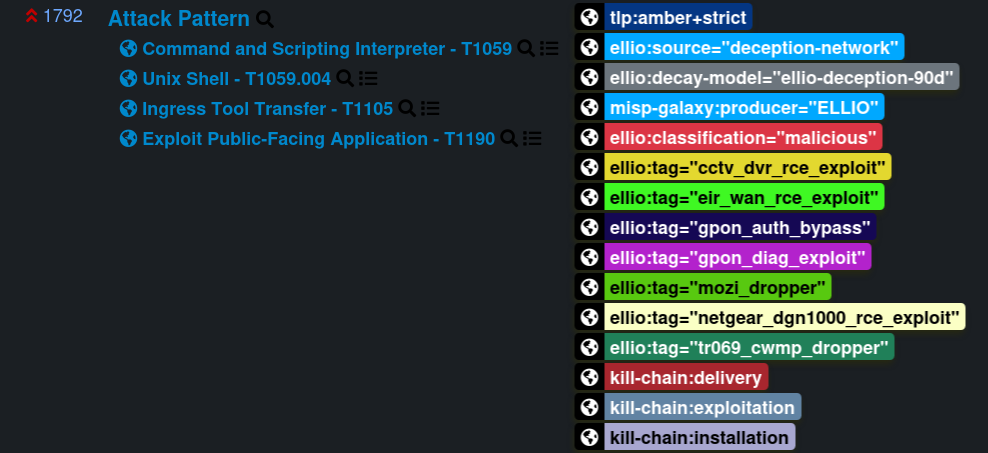
## Recommended parameters
[Section titled “Recommended parameters”](#recommended-parameters)
These values reflect the 90-day rolling observation window of the underlying data. Use them as a starting point; see [Tuning the decay speed](#tuning-the-decay-speed) below to adapt to your storage budget or retention appetite.
| Field | Value | What it controls |
| ----------- | ----------------------------- | ------------------------------------------------------------------------------------------------------ |
| Name | `ELLIO Deception Network 90d` | Human-readable label. Pick whatever you like - MISP doesn’t match on this. |
| Formula | Polynomial | Shape of the curve. |
| Lifetime | 90 days | The window after which a freshly observed indicator has decayed all the way to zero. |
| Decay speed | 0.4 | How aggressively the score drops within the lifetime. Higher = drops faster. |
| Threshold | 30 | Below this score MISP treats the attribute as inactive and stops recommending it for `to_ids` exports. |
A single curve is fine - pre-compromise scanning is uniformly less interesting once it stops.
A model JSON you can paste into MISP’s **Galaxies → Decaying Models → Add Decaying Model** import field:
```json
{
"name": "ELLIO Deception Network 90d",
"description": "Polynomial decay tuned for ELLIO Deception Network 90-day rolling sightings.",
"ref": ["https://docs.ellio.tech/threat-intel/integrations/misp/decay-model"],
"parameters": {
"lifetime": 90,
"decay_speed": 0.4,
"threshold": 30
},
"formula": "polynomial",
"version": 1,
"associated_types": ["ip-src", "ip-dst"]
}
```
`associated_types` tells MISP which attribute types the model is allowed to score. Without it the model is inert. With it set to `["ip-src", "ip-dst"]` the model becomes eligible for those attribute types.
associated\_types decays every matching attribute, not just ELLIO’s
MISP applies the model to **every** attribute of an associated type that has at least one tag from the model’s restricted taxonomies - and if the model has no taxonomy restriction, it can apply across feeds. Adding `ip-src` / `ip-dst` here means the curve is eligible for every IP indicator in your MISP, not just ones tagged by ELLIO.
Before enabling, scope the model to the `ellio` taxonomy in the MISP UI (**Restrict to taxonomies / tags** on the model edit page) so it only scores ELLIO indicators. Otherwise unrelated IP indicators in your MISP will start decaying against this 90-day curve too.
Once saved, the `ellio:decay-model` tag on every ELLIO event tells you which curve ELLIO recommends - the rest is up to you. If you don’t want automatic decay in MISP, the tag is still there for downstream tooling to key off of.
## Tuning the decay speed
[Section titled “Tuning the decay speed”](#tuning-the-decay-speed)
The recommended `decay_speed = 0.4` balances coverage (an IP that scanned three weeks ago is still of interest) against freshness (an IP last seen 80 days ago should not drive correlations). Adjust before saving - common reasons to change it:
* **Storage pressure on a busy MISP.** With several million per-IP events in the rolling window, even a modest curve keeps a long tail of attributes flagged `to_ids=true`. Raising `decay_speed` to **0.8 - 1.2** drops attributes below threshold faster, shrinking the active correlation set without changing what’s stored.
* **Tighter retention window.** If you only want the last 7 - 14 days flagged for export, set `decay_speed` to **2.0+** (combined with `threshold = 50` for a sharper cutoff). The historical data stays in MISP, but only recent activity is actionable.
* **Longer tail.** Lowering `decay_speed` to **0.2** keeps older sightings actionable longer - useful for slow-burn campaigns or low-volume targeted threats.
# MISP Feed Reference
> Wire shape, tagging baseline, and per-feed event structure for the ELLIO MISP feeds - daily sightings, per-IP rolling, per-IP rolling with FoxIO JA4+.
Reference details for analysts who want to know what they’re looking at in MISP.
## Common wire shape
[Section titled “Common wire shape”](#common-wire-shape)
Every event in every feed carries the same baseline:
| Field | Value |
| ---------------------------- | ------------------------------------------------------------------------------------- |
| Source organisation (`Orgc`) | `ELLIO` |
| Distribution | `0` - Your organisation only |
| TLP | `tlp:amber+strict` |
| Producer tag | `misp-galaxy:producer="ELLIO"` |
| Source tag | `ellio:source="deception-network"` |
| Decay tag | `ellio:decay-model="ellio-deception-90d"` |
| Classification tag | `ellio:classification="..."` - one of `malicious`, `promiscuous`, `benign`, `unknown` |
Threat level mirrors the worst kill-chain phase observed for the IP:
| Threat level | Kill-chain phases |
| ------------ | ----------------------------------------------------- |
| **High** | Exploitation, Installation, C2, Actions on Objectives |
| **Medium** | Delivery |
| **Low** | Reconnaissance, Weaponisation |
## Daily Sightings - `/daily/`
[Section titled “Daily Sightings - /daily/”](#daily-sightings---daily)
Only for extreme-performance MISP instances
A daily-sightings event is a single MISP object per calendar day carrying hundreds of thousands of `ip-src` attributes. MISP is built to handle many small events, not a few enormous ones, so this feed is only recommended for instances tuned for extreme performance. For \~99% of organisations the [Per-IP rolling feed](#per-ip-rolling---per-ip) is the better choice and covers the majority of use cases - same source data, much lighter load on MISP.
One MISP event per calendar day in the rolling window. Event titles follow the pattern `ELLIO Intelligence Sightings YYYY-MM-DD`. Each active IP appears as a flat `ip-src` attribute on that day’s event, carrying its day-specific tags (kill-chain phase, MITRE ATT\&CK techniques, `ellio:tag="..."`, classification).

* **Sort order.** Attributes are sorted by classification severity descending (malicious → promiscuous → benign → unknown), then by IP, so the most actionable indicators appear first in the UI.
* **Analysis status.** Today’s event is `Ongoing`; past days show as `Completed`.
* **Aging.** Every event carries the `ellio:decay-model="ellio-deception-90d"` tag pointing at ELLIO’s recommended 90-day curve. Configure a matching MISP decay model on your side and aging indicators score down - see the [decay model](/threat-intel/integrations/misp/decay-model) page for parameters and the `associated_types` caveat.
**When to use it:** SIEM queries that ask “which IPs were active on YYYY-MM-DD”, daily reporting, retrospective hunting against historical days.
## Per-IP Rolling - `/per-ip/`
[Section titled “Per-IP Rolling - /per-ip/”](#per-ip-rolling---per-ip)
One event per source IP that has had at least one full TCP handshake in the rolling window. Spoofable IPs (no full handshake on any day in the window) are excluded. Event titles follow the pattern `ELLIO Intelligence `.
Each event carries a cross-day timeline of every observable signal attached to that IP. The time anchor varies by attribute type:
| Attribute | Time anchor |
| ------------------------------------------------------------- | ------------------------------------------------------------------------------------------------------ |
| `ip-src` | Event window (full 90 days observed for this IP) |
| AS, country-of-residence, hostname (rDNS) | Last observed day - these can change inside the window via BGP, geo, or PTR updates |
| `vulnerability` (CVE) | Every day the IP was actively observed |
| `uri`, `user-agent`, fingerprints (`ja3`, `jarm`, `ja4` base) | Per-attribute `first_seen` / `last_seen` |
| `link` (ELLIO platform backlink) | Event window |
| `ip-port` Object (port + status) | Per-port `first_seen` / `last_seen` |
| `muonfp` Object | Per-fingerprint `first_seen` / `last_seen`. Lets MISP correlate IPs that share fingerprint components. |
* MITRE ATT\&CK ships as `misp-galaxy:mitre-attack-pattern="..."` tags on the relevant attributes. MISP resolves those tags into Attack Pattern clusters in the UI when the misp-galaxy collection is installed (it is on every default MISP).
* **Aging.** Every event carries the `ellio:decay-model="ellio-deception-90d"` tag pointing at ELLIO’s recommended 90-day curve. Configure a matching MISP decay model on your side and aging indicators score down - see the [decay model](/threat-intel/integrations/misp/decay-model) page for parameters and the `associated_types` caveat.
* Includes basic JA4 (`ja4`) and the free non-JA4 fingerprints (`ja3`, `jarm`, `muonfp`). FoxIO-licensed JA4+ extensions ship in the JA4+ feed only.
**When to use it:** IOC correlation, pivoting from a single IP to its full behaviour, threat hunting, automated blocking decisions.
## Per-IP Rolling with JA4+ - `/per-ip-ja4plus/`
[Section titled “Per-IP Rolling with JA4+ - /per-ip-ja4plus/”](#per-ip-rolling-with-ja4---per-ip-ja4plus)
Identical to the per-IP rolling feed plus the FoxIO-licensed JA4+ Object family - `ja4s`, `ja4h`, `ja4l`, `ja4x`, `ja4ssh`, `ja4t`, `ja4ts`, `ja4tscan`.
* Same event shape and time-anchor semantics as `/per-ip/`.
* Each JA4+ fingerprint ships as a typed MISP Object so MISP correlation works out of the box.
* Subscribing requires a FoxIO JA4+ licence. Without one, subscribe to `/per-ip/` instead - you can swap later without losing data.
**When to use it:** high-fidelity client/server fingerprint correlation, attacker-tooling attribution, JA4-driven hunt rules.
# MISP Feed Integration
> Subscribe MISP to ELLIO Threat Intelligence. Three feed shapes - daily sightings, per-IP rolling, per-IP rolling with FoxIO JA4+ - delivered as a native MISP feed with TLP, classification, MITRE ATT&CK, and decay-model tagging.
The ELLIO MISP feed delivers IP indicators from ELLIO Threat Intelligence directly into your MISP instance using MISP’s built-in feed-sync mechanism. Subscribe once and MISP keeps a rolling 90-day window of observed attacker activity in sync. Events update in place, every tag is native to MISP’s UI and APIs, and each event carries an `ellio:decay-model` tag so you can configure a matching MISP decay model to score aging indicators on your side.
## What you get
[Section titled “What you get”](#what-you-get)
* **Millions of non-spoofable IP indicators** observed against ELLIO’s internet-facing decoy network, refreshed daily
* **Three feed shapes** so you can pick the granularity that matches your workflow - daily snapshots, per-IP timelines, or per-IP timelines with FoxIO JA4+ fingerprints
* **Tagging out of the box**: TLP, ELLIO classification (malicious / promiscuous / benign / unknown), Cyber Kill Chain phase, MITRE ATT\&CK techniques, and ELLIO source / decay / producer tags
* **Decay-aware tagging** - every event carries an `ellio:decay-model` tag pointing at ELLIO’s recommended 90-day curve. Configure a matching MISP decay model on your side and aging indicators score down automatically.
* **Native MISP correlation** on JA3, JARM, MuonFP, and (with a FoxIO licence) the full JA4+ family
* **No duplicates** - daily re-syncs update existing events rather than creating copies
Non-spoofable only
Every IP in every feed has completed at least one full TCP 3-way handshake against an ELLIO decoy, so the source is confirmed and the indicator is safe to act on. Spoofable activity (single-packet probes where the source can’t be verified) is excluded by default. If your workflow needs spoofable data as well, reach out to your ELLIO account manager.
## Choose your feed
[Section titled “Choose your feed”](#choose-your-feed)
ELLIO publishes three parallel feeds. They share the same 90-day observation window and the same source data, but they differ in event shape and use case.
| Feed | URL | One event per | Best for |
| ------------------------- | ------------------------------------------------------ | ------------- | ------------------------------------------------------------------------------------------------------------------------------------------------------------ |
| **Daily sightings** | `https://misp.integrations.ellio.tech/daily/` | Calendar day | “Which IPs were active on YYYY-MM-DD?” SIEM date lookups, daily reporting, retrospective hunting. |
| **Per-IP rolling** | `https://misp.integrations.ellio.tech/per-ip/` | Source IP | IOC correlation, pivoting from a single IP to its full behaviour, threat hunting, automated blocking. Includes JA3, JARM, MuonFP, and basic JA4. |
| **Per-IP rolling + JA4+** | `https://misp.integrations.ellio.tech/per-ip-ja4plus/` | Source IP | Same as Per-IP plus the FoxIO-licensed JA4+ Object family (`ja4s`, `ja4h`, `ja4l`, `ja4x`, `ja4ssh`, `ja4t`, `ja4ts`, `ja4tscan`). Requires a FoxIO licence. |
Not sure which per-IP feed to pick?
Start with `/per-ip/`. If you get a FoxIO licence later you can swap to `/per-ip-ja4plus/` - MISP replaces each event with the richer version, no data loss.
Daily Sightings is only for extreme-performance MISP instances
The daily sightings feed packs every active IP for a calendar day into a single MISP event - in practice, hundreds of thousands of attributes on one event. MISP is built to handle many small events, not a few enormous ones, so this feed is only recommended for instances that have been tuned for extreme performance. For \~99% of organisations the Per-IP rolling feed is the right choice and covers the majority of use cases - including the “which IPs were active on YYYY-MM-DD” lookups that the daily feed targets.
## Prerequisites
[Section titled “Prerequisites”](#prerequisites)
* MISP instance you can administer
* ELLIO platform account with Threat Intelligence Data Feed access
* Feed URLs and authentication header from your ELLIO platform settings
* A FoxIO JA4+ licence (only if subscribing to `/per-ip-ja4plus/`)
## Next steps
[Section titled “Next steps”](#next-steps)
* [Setup Guide](/threat-intel/integrations/misp/setup) - server tuning required before the first sync, and how to subscribe MISP to each feed
* [Decay Model](/threat-intel/integrations/misp/decay-model) - recommended decay-model parameters and tuning guidance for the ELLIO feed
* [Feed Reference](/threat-intel/integrations/misp/feed-reference) - wire shape, tagging baseline, and per-feed event structure for analysts
# MISP Feed Setup Guide
> Tune your MISP server for ELLIO's high-volume feeds and subscribe MISP to one or more ELLIO Threat Intelligence MISP feeds.
Two phases: tune your MISP server for a high-volume feed, then subscribe MISP to each ELLIO feed you want.
## Server requirements
[Section titled “Server requirements”](#server-requirements)
A default MISP instance will not be able to pull these feeds without tuning. ELLIO’s network observes every IP that touches the decoy fleet, so the per-IP feeds typically carry several million events across the 90-day window.
Raise these three limits before the first sync. They are the most common cause of a failed initial pull:
| Setting | Minimum | Why |
| ---------------------------- | ----------------- | ------------------------------------------------------------------------------------------------------------------------- |
| MariaDB `max_allowed_packet` | **1 GB** | The first sync sends a single very large query to the database. The default 16 / 64 MB packet limit aborts it mid-stream. |
| PHP CLI `memory_limit` | **2 GB** | MISP loads the full manifest into memory before importing events. |
| PHP CLI `max_execution_time` | **0** (unlimited) | The first sync can run for hours on a busy instance. |
Recommended floor for a MISP instance subscribed to all three ELLIO feeds:
| Resource | Floor | Notes |
| --------------------------------------- | ----- | ---------------------------------------------------------------------------------------------- |
| MariaDB `max_allowed_packet` | 1 GB | Required; default values cause first-sync failures. |
| MariaDB `innodb_buffer_pool_size` | 8 GB | Hot set is the per-IP attribute index. |
| PHP `memory_limit` (CLI) | 2 GB | MISP loads the full manifest into memory before importing events. |
| Disk for `/var/www/MISP/app/tmp/cache/` | 50 GB | First sync stages decompressed event JSON before insert. |
| MISP background workers | 4+ | `default` and `update` workers in particular. Single-worker setups stall behind one slow feed. |
Apply the database setting in `my.cnf` under `[mysqld]` (and any `/etc/mysql/conf.d/` overrides):
```ini
[mysqld]
max_allowed_packet = 1G
```
Restart MariaDB after the change.
First sync vs. steady state
Steady-state load drops sharply after the initial sync. Daily refreshes only pull the \~5% of events that changed since the last fetch.
## Feed URLs
[Section titled “Feed URLs”](#feed-urls)
ELLIO publishes the three feeds at:
| Feed | URL |
| ------------------------ | ------------------------------------------------------ |
| Daily sightings | `https://misp.integrations.ellio.tech/daily/` |
| Per-IP rolling | `https://misp.integrations.ellio.tech/per-ip/` |
| Per-IP rolling with JA4+ | `https://misp.integrations.ellio.tech/per-ip-ja4plus/` |
## Subscribe to a feed
[Section titled “Subscribe to a feed”](#subscribe-to-a-feed)
In MISP, go to **Sync Actions → Feeds → Add Feed** and fill in the form:
| Field | Value |
| ------------------- | --------------------------------------------------------------------------------------------------------------- |
| **Enabled** | Checked |
| **Caching enabled** | Optional - enable if your workflow uses MISP’s cached-feed lookups; leave off to save disk and DB load. |
| **Name** | `ELLIO Threat Intel - Daily` (or `… - Per IP`, `… - Per IP JA4+`) |
| **Provider** | `ELLIO` |
| **Input Source** | `Network` |
| **URL** | One of the feed URLs above (`https://misp.integrations.ellio.tech/daily/`, `…/per-ip/`, or `…/per-ip-ja4plus/`) |
| **Source Format** | `MISP Feed` |
| **Distribution** | `Your organisation only` |
Then add the credentials ELLIO issued you. To find them, open [Data Feeds → Connectors](https://platform.ellio.tech/dashboard/data-feeds/connectors) on the ELLIO platform and pick the matching MISP connector (Daily Sightings, Per-IP Detail, or Per-IP Detail with JA4+). The connector page issues the username and password.
1. Click **Add Basic Auth** and paste the username and password from the connector page.
2. Click **Add basic auth header** to attach the generated `Authorization` header to the feed.
Click **Submit**. MISP will start pulling events on the next feed run.
Repeat for each feed you want to subscribe to. Once the syncs finish, the events show up in your MISP event list:


Distribution and re-sharing
Set **Distribution** to *Your organisation only* unless you have signed an additional contract with ELLIO that explicitly permits re-distribution. Sharing ELLIO Threat Intelligence outside of licensed ELLIO users constitutes a breach of your terms of service and/or agreement and will be treated as such by ELLIO.
## Filtering what MISP imports (optional)
[Section titled “Filtering what MISP imports (optional)”](#filtering-what-misp-imports-optional)
The per-IP feeds carry every IP observed by the deception network - millions of events across the rolling window. If you only want a slice (for example, only confirmed malicious activity, or only unclassified IPs you’d like to triage yourself), use MISP’s per-feed **Filter Rules** to drop events that don’t match.
Filter rules sit on the feed configuration page. Each rule has two tag lists:
* **Allow** - an event must carry at least one of these tags to be imported.
* **Block** - an event carrying any of these tags is excluded, even if it matches the allow list.
Examples for the per-IP feed:
| Goal | Allow tags | Block tags |
| -------------------------------------------------- | ------------------------------------------------------------------------ | ------------------------------- |
| Import only unclassified IPs (for your own triage) | `ellio:classification="unknown"` | - |
| Import only confirmed malicious | `ellio:classification="malicious"` | - |
| Import malicious + promiscuous, drop the rest | `ellio:classification="malicious"`, `ellio:classification="promiscuous"` | - |
| Exclude benign known-good infrastructure | - | `ellio:classification="benign"` |
In MISP’s stored JSON the rule looks like:
```json
{
"tags": {
"OR": ["ellio:classification=\"malicious\""],
"NOT": ["ellio:classification=\"benign\""]
},
"orgs": { "OR": [], "NOT": [] }
}
```
Filter rules are applied at fetch time, so events that don’t match never land in your MISP - they don’t count against your DB size or correlation index.
## Next steps
[Section titled “Next steps”](#next-steps)
* [Decay Model](/threat-intel/integrations/misp/decay-model) - import the ELLIO decay model so MISP automatically scores aging indicators
* [Feed Reference](/threat-intel/integrations/misp/feed-reference) - what each event looks like once it’s in MISP
# IP detail page
> Reference for every panel on the ELLIO IP detail page - classification, ASN, MITRE ATT&CK, CVEs, port activity, HTTP activity, fingerprint analysis, destination geography, and the Timelines preview.
The IP detail page is reachable from any search result, by visiting `/dashboard/cti/ip/{IP}` directly, or by clicking an IP anywhere in the platform. It is also the page the [TAXII connector](/threat-intel/integrations/microsoft-sentinel-taxii/overview) links back to from every indicator’s `external_references`.
The page has two tabs.
## Header
[Section titled “Header”](#header)
The header is fixed and shows:
* The IP address (with a one-click **Copy IP** button)
* A quick-look badge row: `Seen / Not seen`, `Spoofable / Non-spoofable`, classification (`promiscuous`, `malicious`, `benign`, `unknown`)
* **First** observation date, **Last** observation date
## Overview tab
[Section titled “Overview tab”](#overview-tab)
A grid of cards, each covering one facet of the enrichment.
### Source Location
[Section titled “Source Location”](#source-location)
Country flag, country name, and city for the source IP. Click the country chip to pivot the search to all IPs from that country.
### Network
[Section titled “Network”](#network)
ASN (`AS10439`, click to filter by ASN) and the ASN organisation name (`CARINET - CariNet, Inc., US`). Total port count - the number of distinct ports the IP was observed contacting.
### MITRE ATT\&CK
[Section titled “MITRE ATT\&CK”](#mitre-attck)
Every tactic, technique, and sub-technique mapped to this IP. Each badge is clickable and pivots the search to other IPs with that mapping. Toggle **Show grouped by tactic** to see techniques grouped under their parent tactic instead of flat.
### CVEs
[Section titled “CVEs”](#cves)
Every CVE the IP was observed exploiting (or attempting to exploit). Each badge shows the CVSS score and severity colour. Clicking a CVE deep-links to the NVD record and pivots the search to other IPs hitting the same CVE.
### Hostname (RDNS)
[Section titled “Hostname (RDNS)”](#hostname-rdns)
The reverse DNS hostname of the IP, e.g. `burger.census.shodan.io`. Useful for attribution: clicking pivots the search to similar RDNS patterns.
### Tags
[Section titled “Tags”](#tags)
The intelligence tags that apply to the IP - for example `Palo Alto GlobalProtect Scanner`, `Favicon Scanner`, `Web Scrapers`. The full catalogue is at [Tags](/threat-intel/tags).
### Actors
[Section titled “Actors”](#actors)
Known scanners and research organisations attributed to the IP - for example `Shodan`, `Censys`, `Shadowserver`. Backed by the same dataset that drives the RECON Lists in [Blocklist Automation](/blocklist-automation/sources/recon-lists).
### Port Activity
[Section titled “Port Activity”](#port-activity)
Every port the IP touched, split into:
* **Non-Spoofable Ports** - ports where ELLIO confirmed a TCP handshake. Trust these.
* **Spoofable Ports** - ports where the source IP was not verified. Treat as advisory.
Within each section, ports are grouped by purpose:
* **Web** - 80, 443, 3000, 8000, 8080, 8443, 8888…
* **Mail** - 25, 110, 143, 465, 587, 993, 995…
* **Database** - 1433, 3306, 5432, 6379, 27017…
* **File** - 21, 22, 23, 445…
* **Remote** - 3389, 5900, 5901…
* **Other** - everything else
Each port is clickable and pivots the search to the corresponding `network.port` filter.
### HTTP Activity
[Section titled “HTTP Activity”](#http-activity)
A two-tab pane:
* **Paths** - every HTTP path the IP requested, grouped into **API Endpoints**, **Static Resources**, **Authentication Routes**, and **Other Routes**.
* **User Agents** - every unique User-Agent string the IP presented.
This is one of the strongest fingerprints for tooling, malware, and crawlers - useful for proactive hunting independent of the source IP.
### Destination geography
[Section titled “Destination geography”](#destination-geography)
A panel showing where the sensors that observed the IP were located, with country flags and city names. A summary line such as “IP has 91 distinct destinations across 44 countries” calls out wide-distribution scanning.
### Fingerprint Analysis
[Section titled “Fingerprint Analysis”](#fingerprint-analysis)
Two tabs - **TCP** (MuonFP) and **TLS** (JA3 / JA4 / JA4+). Each fingerprint shows:
* The raw fingerprint string (e.g. `1781:2:1460:` for MuonFP)
* A **Breakdown** panel that splits the fingerprint into its components (TCP Window, Options, MSS, Window Scale)
* A meanings legend (“MSS - Maximum segment size”) for newcomers
A search box above the lists lets you filter fingerprints by substring or wildcard.
## Timelines tab *(preview)*
[Section titled “Timelines tab (preview)”](#timelines-tab-preview)
Visual heat-map style timelines of observation frequency across six axes:
* **Unified** - every observation from every axis, stacked, colour-coded by feature (HTTP / User Agent / MuonFP / Geography / JA3 / JA4 / Port / Port (spoofable)).
* **Ports** - frequency per port over time.
* **Fingerprints** - frequency per fingerprint over time.
* **Geography** - frequency per destination country over time.
* **HTTP Paths** - frequency per requested path over time.
* **User Agents** - frequency per User-Agent string over time.
Each axis is sortable by frequency and exportable from the top-right **Download** button. Exports land in [Exports](/threat-intel/dashboard#exports).
## Where each panel’s data comes from
[Section titled “Where each panel’s data comes from”](#where-each-panels-data-comes-from)
Most panels are backed by the [CTI API](/api-reference), but a few - MITRE ATT\&CK, CVEs, ASN - only reach you through the TAXII / STIX feed or the dashboard itself.
### Available via the CTI API
[Section titled “Available via the CTI API”](#available-via-the-cti-api)
| Panel | Endpoint | Field(s) |
| --------------------------------------------------- | ----------------- | ------------------------------------------------------------------------- |
| Header (`First`, `Last`, classification, spoofable) | `lookup` | `first_seen`, `last_seen`, `classification`, `spoofable` |
| Hostname (RDNS) | `lookup` | `rdns` |
| Tags | `lookup` | `tags`, `tag_ids` |
| Actor | `lookup` | `actor` |
| Source Location | `extended_lookup` | `src.geo.country`, `src.geo.continent` |
| Destination Geography | `extended_lookup` | `dst.geo.country`, `dst.geo.continent` |
| Port Activity | `extended_lookup` | `network.ports`, `network.spoofable_ports`, `network.non_spoofable_ports` |
| HTTP Activity | `extended_lookup` | `http.path`, `http.user_agent` |
| Fingerprint Analysis | `extended_lookup` | `fingerprints.ja3`, `fingerprints.ja4`, `fingerprints.muonfp` |
`lookup` returns the basic fields; `extended_lookup` returns those plus the nested objects above.
### Available via the TAXII / STIX feed only
[Section titled “Available via the TAXII / STIX feed only”](#available-via-the-taxii--stix-feed-only)
| Panel | STIX field |
| ------------- | -------------------------------------------------------------------------------------------- |
| MITRE ATT\&CK | `kill_chain_phases[]` and `external_references[]` (entries with `source_name: mitre-attack`) |
| CVEs | `external_references[]` (entries with `source_name: cve`) |
See the [STIX data model](/threat-intel/integrations/microsoft-sentinel-taxii/stix-data-model) for the exact shape.
### Dashboard-only
[Section titled “Dashboard-only”](#dashboard-only)
A few details surface in the UI but aren’t in any API response:
* **Network → ASN** (number and name). Searchable via [search syntax](/threat-intel/search-syntax) (`src.asn.number`, `src.asn.name`), but not returned in lookup or extended\_lookup responses.
* **Timelines tab** (preview). Heat-map visualisations exported via the dashboard.
* **Attributed actors** beyond the single `actor` field (e.g. multi-actor attribution shown in the UI).
# Search syntax reference
> Complete reference for the ELLIO Threat Intelligence query language. 29 searchable fields across Core, HTTP, SSH, Fingerprints, Intelligence, Network, and Geolocation, plus boolean operators and wildcards.
The ELLIO Threat Intelligence search bar accepts both bare IPs and structured queries. The query language is Lucene-flavoured: `field: value` pairs, combined with boolean operators, parentheses, and wildcards.
## Operators
[Section titled “Operators”](#operators)
| Operator | Meaning | Example |
| -------- | ---------------------------------------------- | ------------------------------------------------------------------------------------- |
| `:` | equals | `classification: "malicious"` |
| `!:` | not equals | `classification!: "benign"` |
| `AND` | both must match | `tag: "Shodan" AND src.geo.country.code: "US"` |
| `OR` | either must match | `classification: "malicious" OR classification: "promiscuous"` |
| `( )` | group expressions | `(classification: "malicious" OR classification: "promiscuous") AND spoofable: false` |
| `*` | wildcard (zero or more characters) | `rdns: "*.censys-scanner.com"` |
| `?` | single-character wildcard | `http.path: "/admin?"` |
| `"..."` | exact string with spaces or special characters | `tag: "Fast Scanner (i.e. Masscan / ZMap)"` |
**Always quote string values** that contain spaces, special characters, or slashes. Numeric and enum values can be unquoted.
## Field reference
[Section titled “Field reference”](#field-reference)
29 fields, organised the way the dashboard organises them.
### Core (4)
[Section titled “Core (4)”](#core-4)
| Field | Description | Example values |
| ---------------- | --------------------------------------------------------- | ---------------------------------------------------------------------------------------- |
| `ip` | The IP being searched | `66.240.219.146`, `198.51.100.0/24` |
| `rdns` | Reverse DNS hostname | `"*censys*"`, `"scanner-202.hk2.censys-scanner.com"`, `"scanner-*.*.censys-scanner.com"` |
| `classification` | Threat classification | `malicious`, `benign`, `promiscuous`, `unknown` |
| `spoofable` | Whether the source IP could be spoofed (no TCP handshake) | `true`, `false` |
### HTTP (2)
[Section titled “HTTP (2)”](#http-2)
| Field | Description | Example values |
| ----------------- | ----------------------------------- | ------------------------------------------------- |
| `http.path` | Paths the IP requested | `"/.env"`, `"/admin"`, `"/wp-admin"`, `"/api/*"` |
| `http.user_agent` | User-Agent strings the IP presented | `"*bot*"`, `"curl*"`, `"Mozilla*"`, `"*scanner*"` |
### SSH (2)
[Section titled “SSH (2)”](#ssh-2)
| Field | Description | Example values |
| ------------------- | ----------------------- | ----------------------------------------------- |
| `ssh.auth.username` | SSH usernames attempted | `"admin"`, `"root"`, `"user"`, `"*test*"` |
| `ssh.auth.password` | SSH passwords attempted | `"123456"`, `"password"`, `"admin"`, `"*root*"` |
### Fingerprints (3)
[Section titled “Fingerprints (3)”](#fingerprints-3)
| Field | Description | Example values |
| --------------------- | ---------------------------- | -------------------------------------------------------------------------- |
| `fingerprints.muonfp` | MuonFP TCP-stack fingerprint | `"29200:2-4-8-1-3:1400:7"`, `"1024:2:1400:"`, `"65535:*:*:*"` |
| `fingerprints.ja4` | JA4 TLS fingerprint | `"t13i190800_9dc949149365_97f8aa674fd9"`, `"*_9dc949149365_e7c285222651"` |
| `fingerprints.ja3` | JA3 TLS client fingerprint | `"ec99bcb2c1e021d8ccd7e9012ea285e9"`, `"48eb9b1182293f55c0710654b7b12fc6"` |
### Intelligence (5)
[Section titled “Intelligence (5)”](#intelligence-5)
| Field | Description | Example values |
| ----------------------------- | --------------------------- | ------------------------------------------------------------------------------------------------------------------------- |
| `tag` | Human-readable tag | `"Apache Path Traversal"`, `"Fast Scanner (i.e. Masscan / ZMap)"`, `"TP-Link Archer AX21 (AX1800) vulnerability exploit"` |
| `tag_id` | Programmatic tag identifier | `"adminer_detector"`, `"apache_path_traversal"` |
| `mitre_attack.techniques` | ATT\&CK technique IDs | `"T1595"`, `"T1082"`, `"T1190"`, `"T1213"` |
| `mitre_attack.tactics` | ATT\&CK tactic IDs | `"TA0043"`, `"TA0007"`, `"TA0001"`, `"TA0009"` |
| `mitre_attack.sub_techniques` | ATT\&CK sub-technique IDs | `"T1595.001"`, `"T1552.001"`, `"T1505.003"`, `"T1071.001"` |
### Network (5)
[Section titled “Network (5)”](#network-5)
| Field | Description | Example values |
| ---------------------------- | ------------------------------------- | ----------------------------------------------------- |
| `network.port` | Any observed port (spoofable or not) | `443`, `80`, `22`, `3389` |
| `network.non_spoofable_port` | Ports with confirmed TCP handshake | `443`, `80`, `22` |
| `network.spoofable_port` | Ports without confirmed TCP handshake | `53`, `123`, `161` |
| `src.asn.number` | Source ASN | `15169`, `8075`, `13335` |
| `src.asn.name` | Source ASN organisation | `"AS13335 CLOUDFLARENET"`, `"*Stark*"`, `"*Techoff*"` |
### Geolocation (8)
[Section titled “Geolocation (8)”](#geolocation-8)
| Field | Description | Example values |
| ------------------------ | ------------------------------------------- | ---------------------------------------------------- |
| `src.geo.country.code` | Source country (ISO 3166-1 alpha-2) | `"US"`, `"CN"`, `"RU"`, `"GB"` |
| `src.geo.country.name` | Source country name | `"United States"`, `"China"`, `"Russian Federation"` |
| `src.geo.continent.code` | Source continent code | `"NA"`, `"AS"`, `"EU"`, `"AF"` |
| `src.geo.continent.name` | Source continent name | `"North America"`, `"Asia"`, `"Europe"` |
| `dst.geo.country.code` | Destination country (where the IP targeted) | `"US"`, `"RU"`, `"GB"` |
| `dst.geo.country.name` | Destination country name | `"United States"`, `"China"`, `"Russian Federation"` |
| `dst.geo.continent.code` | Destination continent code | `"NA"`, `"AS"`, `"EU"`, `"AF"` |
| `dst.geo.continent.name` | Destination continent name | `"North America"`, `"Asia"`, `"Europe"` |
## Recipes
[Section titled “Recipes”](#recipes)
Useful combinations to copy-paste into the search bar.
### Mass scanners from China or Russia
[Section titled “Mass scanners from China or Russia”](#mass-scanners-from-china-or-russia)
```text
(src.geo.country.code: "RU" OR src.geo.country.code: "CN") AND tag: "Fast Scanner (i.e. Masscan / ZMap)"
```
### High-confidence indicators only
[Section titled “High-confidence indicators only”](#high-confidence-indicators-only)
Always filter spoofable sources out of automated decision-making:
```text
classification: "malicious" AND spoofable: false
```
### IPs targeting Palo Alto GlobalProtect
[Section titled “IPs targeting Palo Alto GlobalProtect”](#ips-targeting-palo-alto-globalprotect)
```text
tag: "Palo Alto GlobalProtect Scanner" AND spoofable: false
```
### IPs exploiting a specific CVE
[Section titled “IPs exploiting a specific CVE”](#ips-exploiting-a-specific-cve)
The dashboard surfaces CVEs on the IP detail page. To find every IP exploiting a given CVE, search by the matching tag - for example:
```text
tag: "Apache Path Traversal"
```
### Scanners by attribution
[Section titled “Scanners by attribution”](#scanners-by-attribution)
```text
tag: "Academy for Internet Research" OR tag: "Shodan"
```
### Filter by reverse DNS pattern
[Section titled “Filter by reverse DNS pattern”](#filter-by-reverse-dns-pattern)
```text
rdns: "*.censys-scanner.com"
```
### Filter by HTTP path probe
[Section titled “Filter by HTTP path probe”](#filter-by-http-path-probe)
```text
http.path: "/.env" OR http.path: "/.git/config"
```
### Filter by SSH credential attempt
[Section titled “Filter by SSH credential attempt”](#filter-by-ssh-credential-attempt)
```text
ssh.auth.username: "root" AND ssh.auth.password: "*"
```
### Filter by JA4 fingerprint
[Section titled “Filter by JA4 fingerprint”](#filter-by-ja4-fingerprint)
```text
fingerprints.ja4: "t13d1516h2_8daaf6152771_02713d6af862"
```
### Cross-region reconnaissance
[Section titled “Cross-region reconnaissance”](#cross-region-reconnaissance)
IPs in one continent that targeted ELLIO sensors in another:
```text
src.geo.continent.code: "AS" AND dst.geo.continent.code: "NA"
```
## Tips
[Section titled “Tips”](#tips)
* **Quote anything with spaces or special characters.** Tag names, ASN names, RDNS hostnames, HTTP paths, and SSH credentials almost always need quotes.
* **Use wildcards to match families.** `rdns: "*.censys-scanner.com"` catches every Censys scanner host. `tag: "*Scanner*"` catches every scanner tag.
* **Group with parentheses before joining with `AND`.** Mixing `OR` and `AND` without parentheses leads to ambiguous parsing.
* **Add `spoofable: false`** to anything you intend to feed into a blocklist or alerting pipeline - spoofable observations can come from a forged source.
## What’s next
[Section titled “What’s next”](#whats-next)
* [IP detail page](/threat-intel/ip-detail) - every field you saw in this reference, rendered for a single IP.
* [Tags](/threat-intel/tags) - the canonical list of values for the `tag` field.
* [CTI API](/api-reference) - programmatic per-IP lookup (single, extended, bulk). The CTI API takes IPs, not search-syntax queries; this reference is for the dashboard search bar.
# Intelligence tags
> How ELLIO tags IPs - the catalogue of behaviour tags including scanners, exploit attempts, bots, and known actors. Use tags to filter, hunt, and build precise blocklists.
Tags are short labels ELLIO attaches to an IP based on what it was observed doing. They are the most useful filter in the platform - they let you pick out “every IP exploiting CVE-X”, “every Censys scanner”, or “every IP brute-forcing RDP” with a single field.
The full, live catalogue is at [`platform.ellio.tech/dashboard/cti/tags`](https://platform.ellio.tech/dashboard/cti/tags).
## Anatomy of a tag
[Section titled “Anatomy of a tag”](#anatomy-of-a-tag)
Every tag entry in the catalogue carries:
* **Name** - human-readable label (e.g. `Apache Path Traversal`).
* **Description** - what behaviour earns this tag.
* **Classification** - `Malicious`, `Promiscuous`, `Benign`, or `Unknown`.
* **Trend** - sparkline of new tagged IPs over time.
* **Search IPs** - one-click pivot to a search filtered by `tag: "..."`.
## Classifications
[Section titled “Classifications”](#classifications)
Each tag carries one of four classifications. A tag’s classification rolls up to the IP’s `classification` field - an IP tagged with any malicious tag is classified `malicious`.
| Classification | Meaning | Example tags |
| --------------- | -------------------------------------------------------------------------------- | --------------------------------------------------------------------------------------------------------------------------------------------------------------------------------------------------------------------------------------------------------------------------------------------------------------------------------------------------------------------------------------------------------------------------- |
| **Malicious** | Active exploitation or attack - block by default. | Apache Path Traversal, Apache OFBiz Exploit, AWS secrets scanner, CCTV DVR RCE Exploit, Cisco ASA/FTD WebVPN Exploit, Docker API Exploit, Eir WAN Side RCE Exploit, TBK DVR4104 authentication bypass |
| **Promiscuous** | Indiscriminate scanning, crawling, or probing - usually research infrastructure. | Adminer Detector, Academy for Internet Research, Apache Tomcat Detector, Apache Druid Detector, Backup File Scanner, BinaryEdge, Buffercover, Bytespider, Camera Scanner, Censys, CERT FR, CGI Login Scanner, ChatGPT bot, Cloudflare Proxy Detector, Config File Scanner, DIRB Scanner, Domain Tools, DriftNet, Driftnet (sensors), Expanse, Fast Scanner (i.e. Masscan / ZMap), Favicon Scanner, Sangoma FreePBX Detector |
| **Benign** | Legitimate, well-known traffic - generally safe to allow. | Adobe, Apple, ArchiveOrg, Baidu Bot, Bing Bot, Cloudflare DNS, DHS Vuln Management, DuckDuckGo Bot |
| **Unknown** | Activity observed but not yet classified. | Akamai Cloud, AWS Cloud, Azure Cloud, Cloudflare |
## Three ways to use tags
[Section titled “Three ways to use tags”](#three-ways-to-use-tags)
### 1. Filter searches in the UI
[Section titled “1. Filter searches in the UI”](#1-filter-searches-in-the-ui)
The simplest pattern. From the Tags catalogue, click **Search IPs** on any tag to pivot into a results list. Or write the query yourself:
```text
tag: "Apache Path Traversal" AND spoofable: false
```
### 2. Build blocklist sources
[Section titled “2. Build blocklist sources”](#2-build-blocklist-sources)
Many ELLIO Threat Lists and RECON Lists are themselves derived from tag groupings. For example, the **Censys Scanner IPs** RECON list is the set of IPs tagged `Censys`. To block (or allow) a category, include the matching RECON list in your EDL Deployment instead of writing per-IP rules. See [ELLIO Threat Lists](/blocklist-automation/sources/threat-lists).
### 3. Drive automated detection in your SIEM
[Section titled “3. Drive automated detection in your SIEM”](#3-drive-automated-detection-in-your-siem)
The TAXII feed exposes tags as STIX `labels` on each indicator. Filter, group, and alert on them in KQL, SPL, or whichever query language your SIEM speaks. See [KQL examples](/threat-intel/integrations/microsoft-sentinel-taxii/kql-examples).
## Tag families to know
[Section titled “Tag families to know”](#tag-families-to-know)
A few tag families show up repeatedly. Knowing them speeds up triage.
**Commercial scanners.** `Censys`, `Shodan`, `BinaryEdge`, `BufferOver`, `InfraWatch`, `LeakIX`, `NetScout`, `Nokia Deepfield`, `Rapid7`, `Stretchoid`. Operate at internet scale; classification is `Promiscuous`. Usually allow them unless you specifically don’t want to be in their dataset.
**Research organisations.** `Academy for Internet Research`, `Internet Census`, `InternetTL`, `Driftnet`, `Shadowserver Foundation`, `CERT FR`, `Cortex Xpanse` (Palo Alto). Operate similarly to commercial scanners.
**Search-engine crawlers.** `Google`, `Bing`, `Baidu Bot`, `DuckDuckGo Bot`, `Bytespider`, `Apple` (with their own SaaS / crawler ranges in [Common Business Services](/blocklist-automation/sources/common-services)). Usually `Benign` - block at your peril.
**Targeted exploit attempts.** `Apache Path Traversal`, `Apache OFBiz Exploit`, `Cisco ASA/FTD WebVPN Exploit`, `Docker API Exploit`, `D-Link DIR-878 Detector`, `Eir WAN Side RCE Exploit`, `Sangoma FreePBX Detector`, `TBK DVR4104 series detector`, `Tenda HG9 Exploit`, `TP-Link Archer AX21 (AX1800) vulnerability exploit`, `GPON devices authentication bypass`, `Apache Druid Detector`. Almost always actionable - block on sight.
**Reconnaissance tooling.** `Fast Scanner (i.e. Masscan / ZMap)`, `Camera Scanner`, `Config File Scanner`, `Backup File Scanner`, `AWS secrets scanner`, `Favicon Scanner`, `CGI Login Scanner`, `Adminer Detector`, `Apache Tomcat Detector`, `Domain Tools`. High-volume indiscriminate probing.
**LLM crawlers.** `ChatGPT bot` is in the catalogue today, with more on the way. Useful if you’re managing crawl budget for AI training scrapers.
## Requesting a new tag
[Section titled “Requesting a new tag”](#requesting-a-new-tag)
ELLIO accepts requests for new tags via [Support Center → Request New Tag](https://platform.ellio.tech/dashboard/support). The form takes a CVE, a tag name, or an actor. Validated requests ship as new tags within a release window.
# Video Library
> Short video walkthroughs that show you how to operate ELLIO Threat Intelligence and Blocklist Automation in production.
Short, hands-on videos that complement the written documentation. Each one ends with a working integration.
[Blocklist Automation](/video-library/first-blocklist)
## [Build your first blocklist](/video-library/first-blocklist)
[Configure ELLIO threat lists, add a custom IP ruleset, and ship the generated EDL to a firewall. Walks you through every screen of the platform.](/video-library/first-blocklist)
[\~6 minutes](/video-library/first-blocklist)
[Threat Intelligence](/video-library/sentinel-taxii)
## [Sentinel TAXII end-to-end](/video-library/sentinel-taxii)
[From generating TAXII credentials to running KQL queries that match ELLIO indicators against your sign-in logs. STIX 2.1 explained visually.](/video-library/sentinel-taxii)
[\~3 minutes](/video-library/sentinel-taxii)
## What you can expect
[Section titled “What you can expect”](#what-you-can-expect)
* **Short and specific.** Every video targets a single outcome you can complete in one sitting.
* **Always paired with docs.** Each video links back to the written reference so you can copy snippets, deep-link, and search.
* **Updated when the product changes.** When the platform UI shifts, the corresponding video is re-shot, not patched in a transcript.
# Build your first blocklist
> Watch the full walkthrough of creating an ELLIO External Dynamic List from scratch - sources, rulesets, deployment, and testing - paired with the written reference.
A single video that walks you through the entire flow: create the EDL, configure threat lists and rulesets, generate the URL, and connect it to a firewall.
## What you’ll learn
[Section titled “What you’ll learn”](#what-youll-learn)
* How **ELLIO threat lists**, **recon lists**, and **Common Business Services** combine into a single EDL.
* The role of **inclusions vs. exclusions** - and why exclusions always win.
* Picking the right **firewall format** (Palo Alto, FortiGate, Check Point, F5, pfSense, OPNsense, Sophos, ntopng, Universal, or Traefik).
* Where to find the generated **EDL URL** and how often it refreshes.
## Companion docs
[Section titled “Companion docs”](#companion-docs)
* [Creating Your First Custom Blocklist](/blocklist-automation/creating-your-first-blocklist) - the written reference, with the full table of supported firewall formats.
* [Traefik Middleware Plugin](/blocklist-automation/integrations/traefik-middleware) - if you want a code-driven proxy integration instead of a firewall fetch.
* [Blocklist Automation API](/api-reference) - programmatic management for everything you saw in the UI.
## Next video
[Section titled “Next video”](#next-video)
Continue to [Sentinel TAXII end-to-end](/video-library/sentinel-taxii) to learn how the same threat data flows into Microsoft Sentinel via TAXII 2.1.
# Connecting Sentinel to the ELLIO TAXII feed
> Watch ELLIO indicators get wired into Microsoft Sentinel via TAXII 2.1 - generating credentials on the ELLIO Platform and configuring Sentinel's built-in Threat Intelligence TAXII data connector.
How to wire Microsoft Sentinel up to the ELLIO Threat Intelligence TAXII feed end to end - generating credentials on the ELLIO Platform, then configuring Sentinel’s built-in **Threat Intelligence - TAXII** data connector.
## What you’ll learn
[Section titled “What you’ll learn”](#what-youll-learn)
* Generating **TAXII credentials** from the ELLIO Platform.
* Configuring Microsoft Sentinel’s built-in **Threat Intelligence - TAXII** data connector and verifying ingestion.
## Companion docs
[Section titled “Companion docs”](#companion-docs)
* [Microsoft Sentinel TAXII - Overview](/threat-intel/integrations/microsoft-sentinel-taxii/overview)
* [Setup Guide](/threat-intel/integrations/microsoft-sentinel-taxii/setup) - credential generation, connector setup, ingestion verification.
* [STIX Data Model](/threat-intel/integrations/microsoft-sentinel-taxii/stix-data-model) - every field, with examples.
* [KQL Query Examples](/threat-intel/integrations/microsoft-sentinel-taxii/kql-examples) - copy-paste queries for common hunting and correlation tasks.
* [CTI API](/api-reference) - for per-IP, on-demand lookups instead of streaming feeds.
## Previous video
[Section titled “Previous video”](#previous-video)
Start with [Build your first blocklist](/video-library/first-blocklist) if you have not yet shipped an EDL to your firewall.