
MISP Decay Model
After 90 days without a fresh sighting, an IP is stale - it should stop driving correlations, alerts, and to_ids exports in your MISP. ELLIO observes pre-compromise scanning and exploitation activity from internet-facing decoys; an IP that hasn’t reappeared on the network in three months is no longer a useful signal regardless of what it was doing before.
MISP handles this through decaying models - a scoring curve that gradually drops an attribute below an “actionable” threshold as time passes since its last sighting. Once an attribute drops below the threshold, MISP stops surfacing it in to_ids exports and de-emphasises it in the UI.
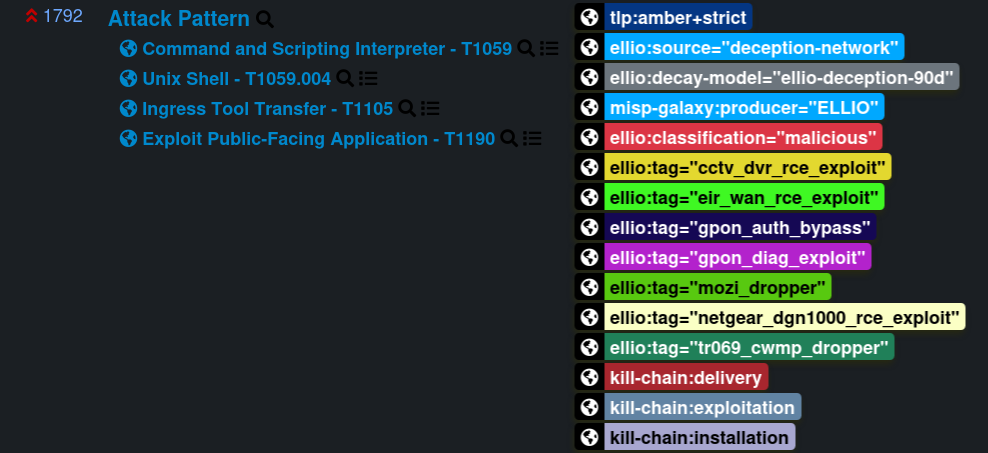
The decay tag ELLIO ships
Section titled “The decay tag ELLIO ships”Every event in every feed (Daily and Per-IP) carries the tag:
ellio:decay-model="ellio-deception-90d"This tag is a marker - it tells you (and any downstream tooling) which decay curve ELLIO recommends for these indicators. MISP does not auto-link a decay model to events based on the tag value; if you want MISP to score ELLIO indicators against a curve, you create a decaying model with the parameters below and configure it for the ELLIO feed yourself.
Recommended parameters
Section titled “Recommended parameters”These values reflect the 90-day rolling observation window of the underlying data. Use them as a starting point; see Tuning the decay speed below to adapt to your storage budget or retention appetite.
| Field | Value | What it controls |
|---|---|---|
| Name | ELLIO Deception Network 90d |
Human-readable label. Pick whatever you like - MISP doesn’t match on this. |
| Formula | Polynomial | Shape of the curve. |
| Lifetime | 90 days | The window after which a freshly observed indicator has decayed all the way to zero. |
| Decay speed | 0.4 | How aggressively the score drops within the lifetime. Higher = drops faster. |
| Threshold | 30 | Below this score MISP treats the attribute as inactive and stops recommending it for to_ids exports. |
A single curve is fine - pre-compromise scanning is uniformly less interesting once it stops.
A model JSON you can paste into MISP’s Galaxies → Decaying Models → Add Decaying Model import field:
{ "name": "ELLIO Deception Network 90d", "description": "Polynomial decay tuned for ELLIO Deception Network 90-day rolling sightings.", "ref": ["https://docs.ellio.tech/threat-intel/integrations/misp/decay-model"], "parameters": { "lifetime": 90, "decay_speed": 0.4, "threshold": 30 }, "formula": "polynomial", "version": 1, "associated_types": ["ip-src", "ip-dst"]}associated_types tells MISP which attribute types the model is allowed to
score. Without it the model is inert. With it set to ["ip-src", "ip-dst"]
the model becomes eligible for those attribute types.
Once saved, the ellio:decay-model tag on every ELLIO event tells you
which curve ELLIO recommends - the rest is up to you. If you don’t want
automatic decay in MISP, the tag is still there for downstream tooling to
key off of.
Tuning the decay speed
Section titled “Tuning the decay speed”The recommended decay_speed = 0.4 balances coverage (an IP that scanned three weeks ago is still of interest) against freshness (an IP last seen 80 days ago should not drive correlations). Adjust before saving - common reasons to change it:
- Storage pressure on a busy MISP. With several million per-IP events in the rolling window, even a modest curve keeps a long tail of attributes flagged
to_ids=true. Raisingdecay_speedto 0.8 - 1.2 drops attributes below threshold faster, shrinking the active correlation set without changing what’s stored. - Tighter retention window. If you only want the last 7 - 14 days flagged for export, set
decay_speedto 2.0+ (combined withthreshold = 50for a sharper cutoff). The historical data stays in MISP, but only recent activity is actionable. - Longer tail. Lowering
decay_speedto 0.2 keeps older sightings actionable longer - useful for slow-burn campaigns or low-volume targeted threats.