
MISP Feed Setup Guide
Two phases: tune your MISP server for a high-volume feed, then subscribe MISP to each ELLIO feed you want.
Server requirements
Section titled “Server requirements”A default MISP instance will not be able to pull these feeds without tuning. ELLIO’s network observes every IP that touches the decoy fleet, so the per-IP feeds typically carry several million events across the 90-day window.
Raise these three limits before the first sync. They are the most common cause of a failed initial pull:
| Setting | Minimum | Why |
|---|---|---|
MariaDB max_allowed_packet |
1 GB | The first sync sends a single very large query to the database. The default 16 / 64 MB packet limit aborts it mid-stream. |
PHP CLI memory_limit |
2 GB | MISP loads the full manifest into memory before importing events. |
PHP CLI max_execution_time |
0 (unlimited) | The first sync can run for hours on a busy instance. |
Recommended floor for a MISP instance subscribed to all three ELLIO feeds:
| Resource | Floor | Notes |
|---|---|---|
MariaDB max_allowed_packet |
1 GB | Required; default values cause first-sync failures. |
MariaDB innodb_buffer_pool_size |
8 GB | Hot set is the per-IP attribute index. |
PHP memory_limit (CLI) |
2 GB | MISP loads the full manifest into memory before importing events. |
Disk for /var/www/MISP/app/tmp/cache/ |
50 GB | First sync stages decompressed event JSON before insert. |
| MISP background workers | 4+ | default and update workers in particular. Single-worker setups stall behind one slow feed. |
Apply the database setting in my.cnf under [mysqld] (and any /etc/mysql/conf.d/ overrides):
[mysqld]max_allowed_packet = 1GRestart MariaDB after the change.
Feed URLs
Section titled “Feed URLs”ELLIO publishes the three feeds at:
| Feed | URL |
|---|---|
| Daily sightings | https://misp.integrations.ellio.tech/daily/ |
| Per-IP rolling | https://misp.integrations.ellio.tech/per-ip/ |
| Per-IP rolling with JA4+ | https://misp.integrations.ellio.tech/per-ip-ja4plus/ |
Subscribe to a feed
Section titled “Subscribe to a feed”In MISP, go to Sync Actions → Feeds → Add Feed and fill in the form:
| Field | Value |
|---|---|
| Enabled | Checked |
| Caching enabled | Optional - enable if your workflow uses MISP’s cached-feed lookups; leave off to save disk and DB load. |
| Name | ELLIO Threat Intel - Daily (or … - Per IP, … - Per IP JA4+) |
| Provider | ELLIO |
| Input Source | Network |
| URL | One of the feed URLs above (https://misp.integrations.ellio.tech/daily/, …/per-ip/, or …/per-ip-ja4plus/) |
| Source Format | MISP Feed |
| Distribution | Your organisation only |
Then add the credentials ELLIO issued you. To find them, open Data Feeds → Connectors on the ELLIO platform and pick the matching MISP connector (Daily Sightings, Per-IP Detail, or Per-IP Detail with JA4+). The connector page issues the username and password.
- Click Add Basic Auth and paste the username and password from the connector page.
- Click Add basic auth header to attach the generated
Authorizationheader to the feed.
Click Submit. MISP will start pulling events on the next feed run.
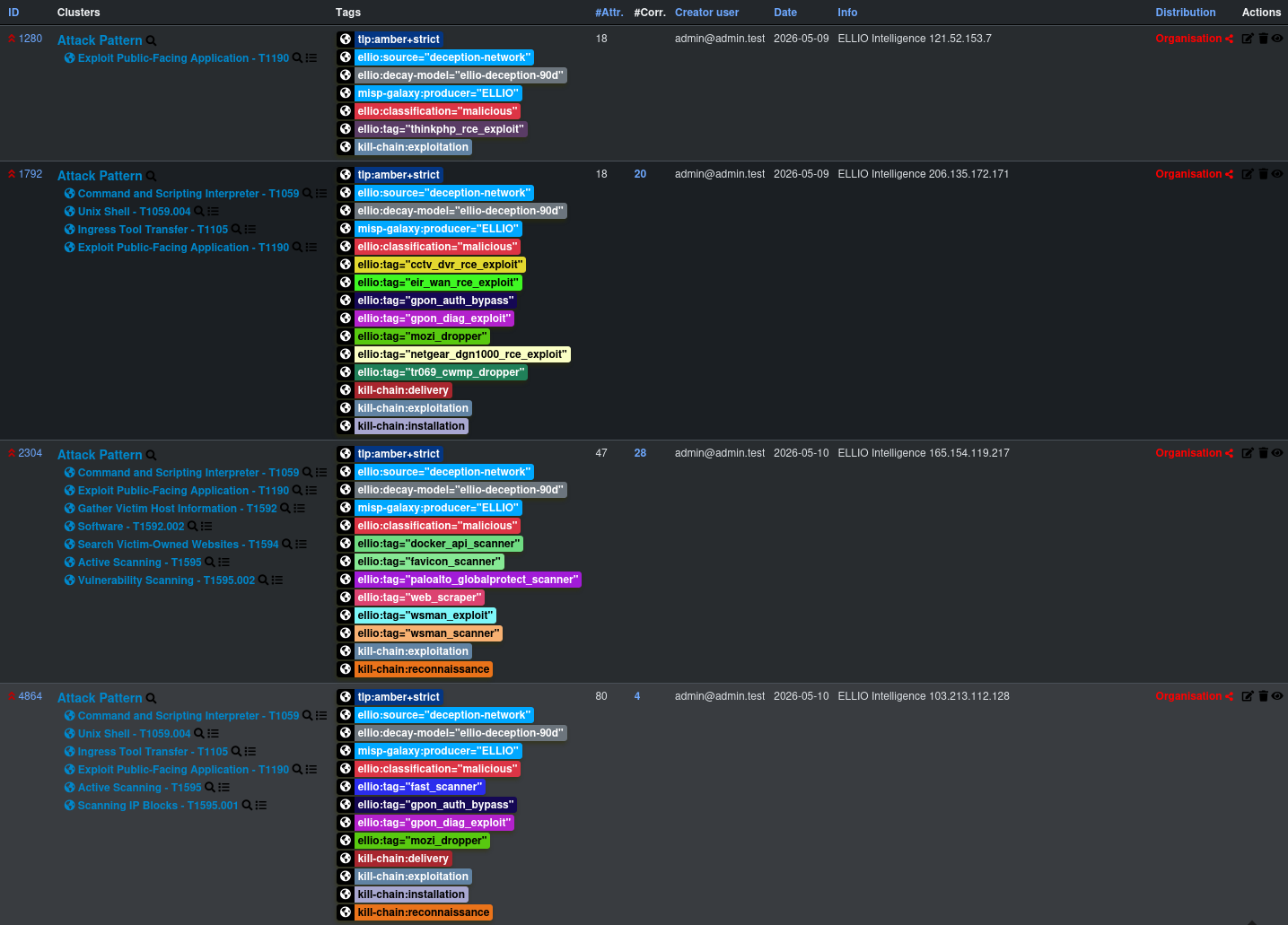
Repeat for each feed you want to subscribe to. Once the syncs finish, the events show up in your MISP event list:

Filtering what MISP imports (optional)
Section titled “Filtering what MISP imports (optional)”The per-IP feeds carry every IP observed by the deception network - millions of events across the rolling window. If you only want a slice (for example, only confirmed malicious activity, or only unclassified IPs you’d like to triage yourself), use MISP’s per-feed Filter Rules to drop events that don’t match.
Filter rules sit on the feed configuration page. Each rule has two tag lists:
- Allow - an event must carry at least one of these tags to be imported.
- Block - an event carrying any of these tags is excluded, even if it matches the allow list.
Examples for the per-IP feed:
| Goal | Allow tags | Block tags |
|---|---|---|
| Import only unclassified IPs (for your own triage) | ellio:classification="unknown" |
- |
| Import only confirmed malicious | ellio:classification="malicious" |
- |
| Import malicious + promiscuous, drop the rest | ellio:classification="malicious", ellio:classification="promiscuous" |
- |
| Exclude benign known-good infrastructure | - | ellio:classification="benign" |
In MISP’s stored JSON the rule looks like:
{ "tags": { "OR": ["ellio:classification=\"malicious\""], "NOT": ["ellio:classification=\"benign\""] }, "orgs": { "OR": [], "NOT": [] }}Filter rules are applied at fetch time, so events that don’t match never land in your MISP - they don’t count against your DB size or correlation index.
Next steps
Section titled “Next steps”- Decay Model - import the ELLIO decay model so MISP automatically scores aging indicators
- Feed Reference - what each event looks like once it’s in MISP