
SIEM setup
ELLIO delivers indicators over a Google SecOps HTTPS push (webhook) feed: you create the
feed and add the ELLIO parser once, then ELLIO Platform pushes your configured indicator set
to it daily. The ELLIO: Threat Intelligence log type (ELLIO_THREAT_INTELLIGENCE) is prebuilt
in SecOps; the parser is added from the content pack in step 2.
Prerequisites
Section titled “Prerequisites”- Permission to create feeds and parsers in your SecOps tenant, and to create an API key in the bound Google Cloud project.
- An ELLIO subscription that includes Google SecOps delivery.
Step 1: Create the webhook feed
Section titled “Step 1: Create the webhook feed”-
In Google SecOps, go to SIEM Settings → Feeds and select Add new feed.
-
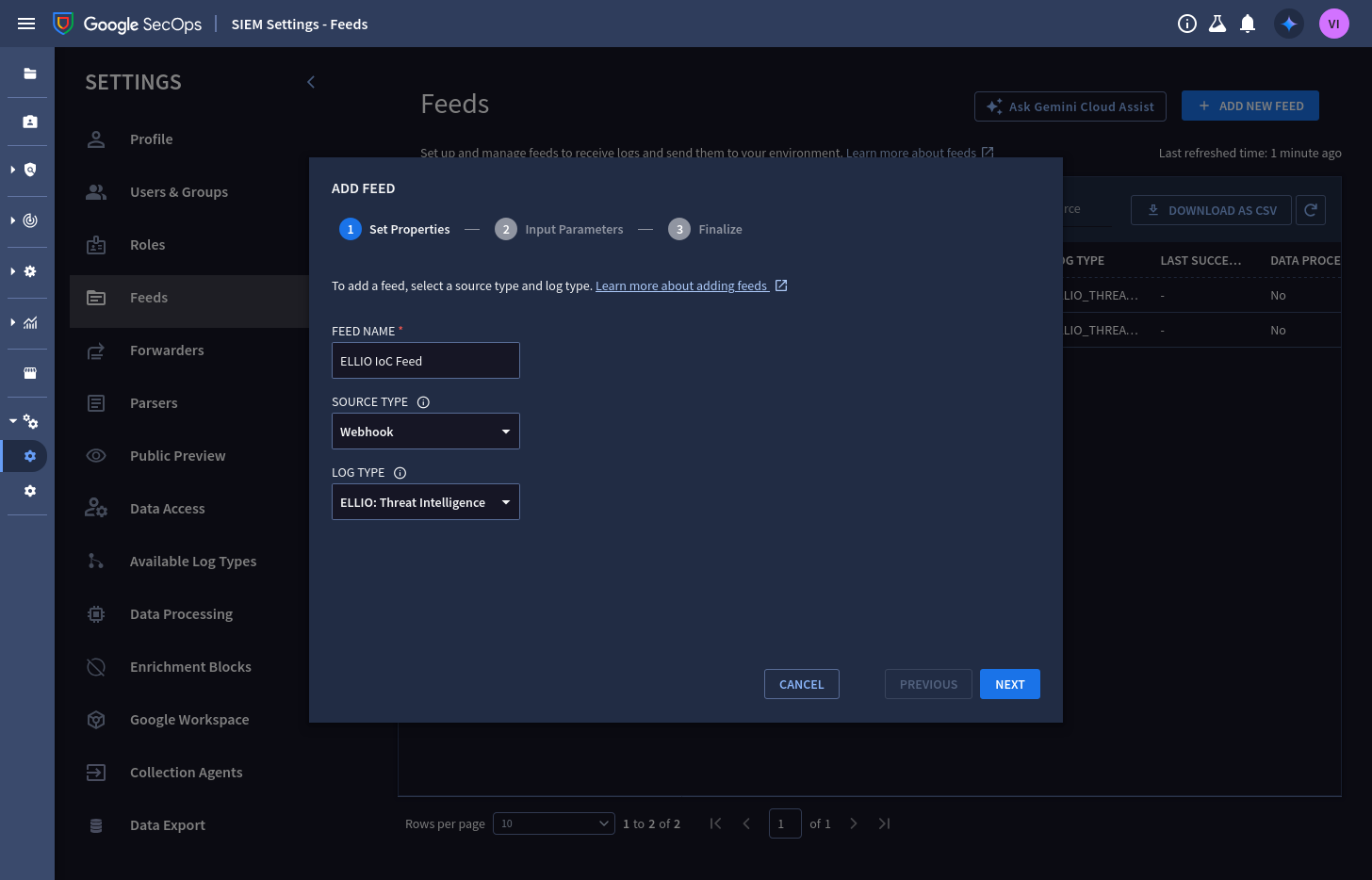
Set properties - name the feed, set the source type to Webhook, and pick the ELLIO: Threat Intelligence log type:
-
Input parameters - set the split delimiter to
\n(ELLIO pushes newline-delimited JSON); asset namespace and ingestion labels can stay empty unless you use them: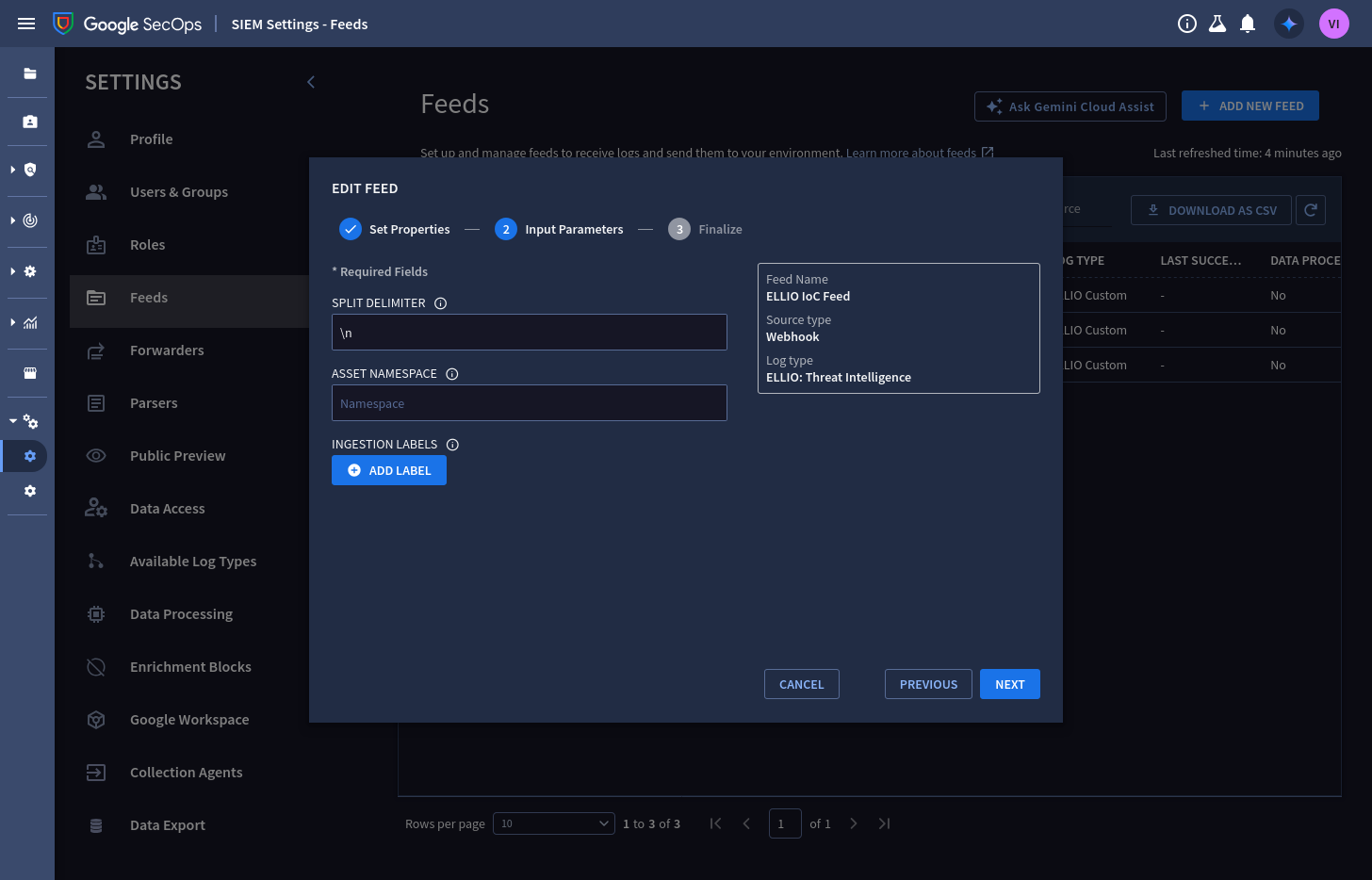
-
Finalize, then open the feed. The Details tab shows the endpoint URL ELLIO will push to (it ends in
:importPushLogs) - copy it: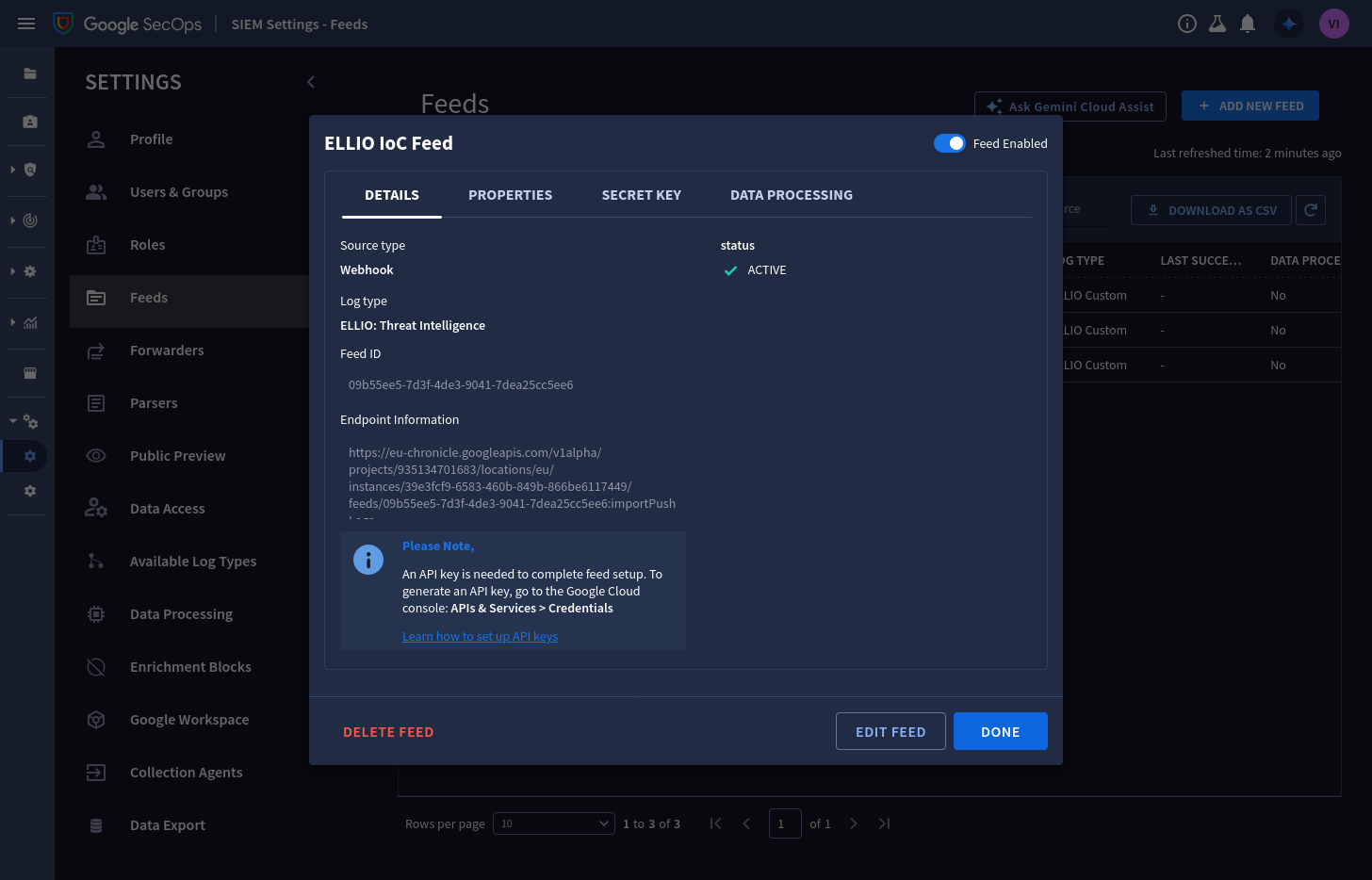
-
On the Secret Key tab, generate the feed secret and copy it - it is only viewable while the dialog is open:
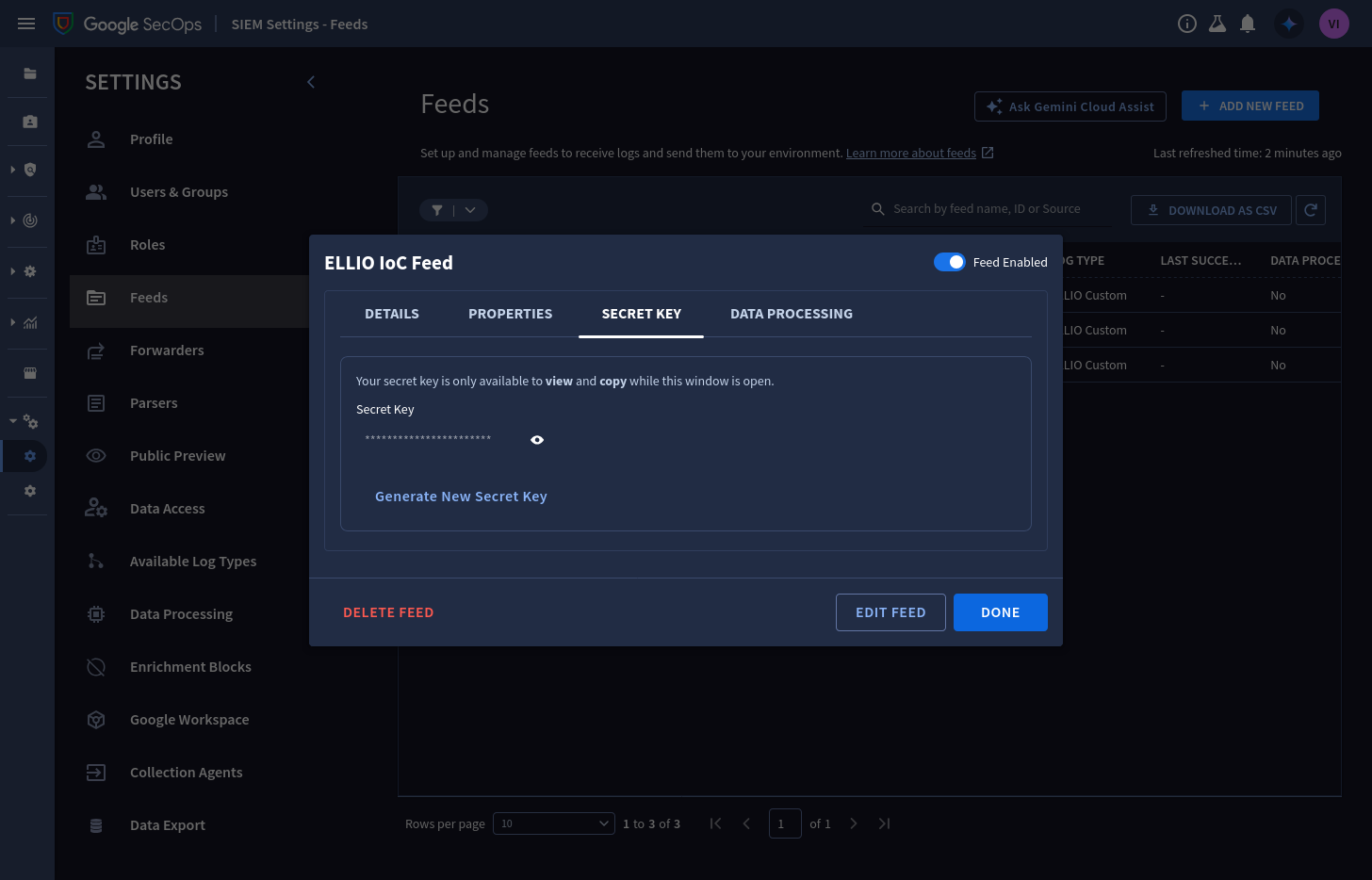
You will paste the endpoint URL and the secret into ELLIO Platform in step 4.
Step 2: Add the ELLIO parser
Section titled “Step 2: Add the ELLIO parser”The parser turns each pushed record into a UDM IP_ADDRESS entity - without it, records
land unparsed.
-
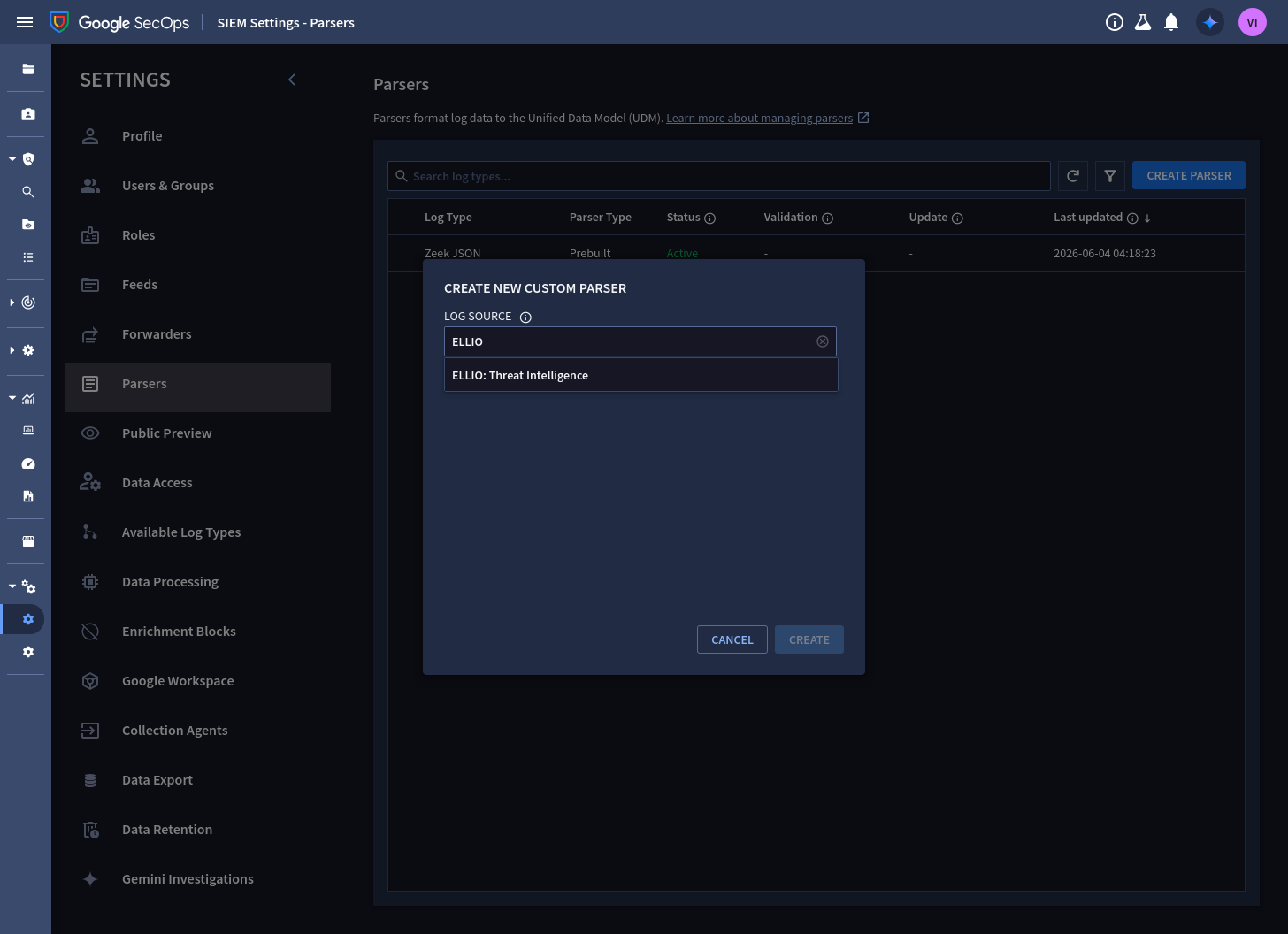
In SIEM Settings → Parsers, select Create parser, search the log source for ELLIO, and pick ELLIO: Threat Intelligence:
-
In the Write Code step, edit the left (sample log) pane, paste this test wire object, and tick its checkbox:
{"schema_version":"1","entity_id":"ellio-ip-192.0.2.10","ip":"192.0.2.10","classification":"malicious","severity":"HIGH","risk_score":94,"valid_from":"2026-06-25T00:00:00Z","valid_until":"2026-06-28T03:00:00Z","collected_at":"2026-06-25T03:00:00Z","first_seen":"2026-01-08T11:20:05Z","last_seen":"2026-06-24T22:14:51Z","tags":["Exploit Attempt"],"cve":["CVE-2018-10561"]} -
Paste the parser configuration -
ellio_threat_intel.conf- into the middle pane and select Preview. The UDM output pane shows the parsed entity:product_name: "ELLIO: Threat Intelligence", the classification and CVE labels, severity, and confidence: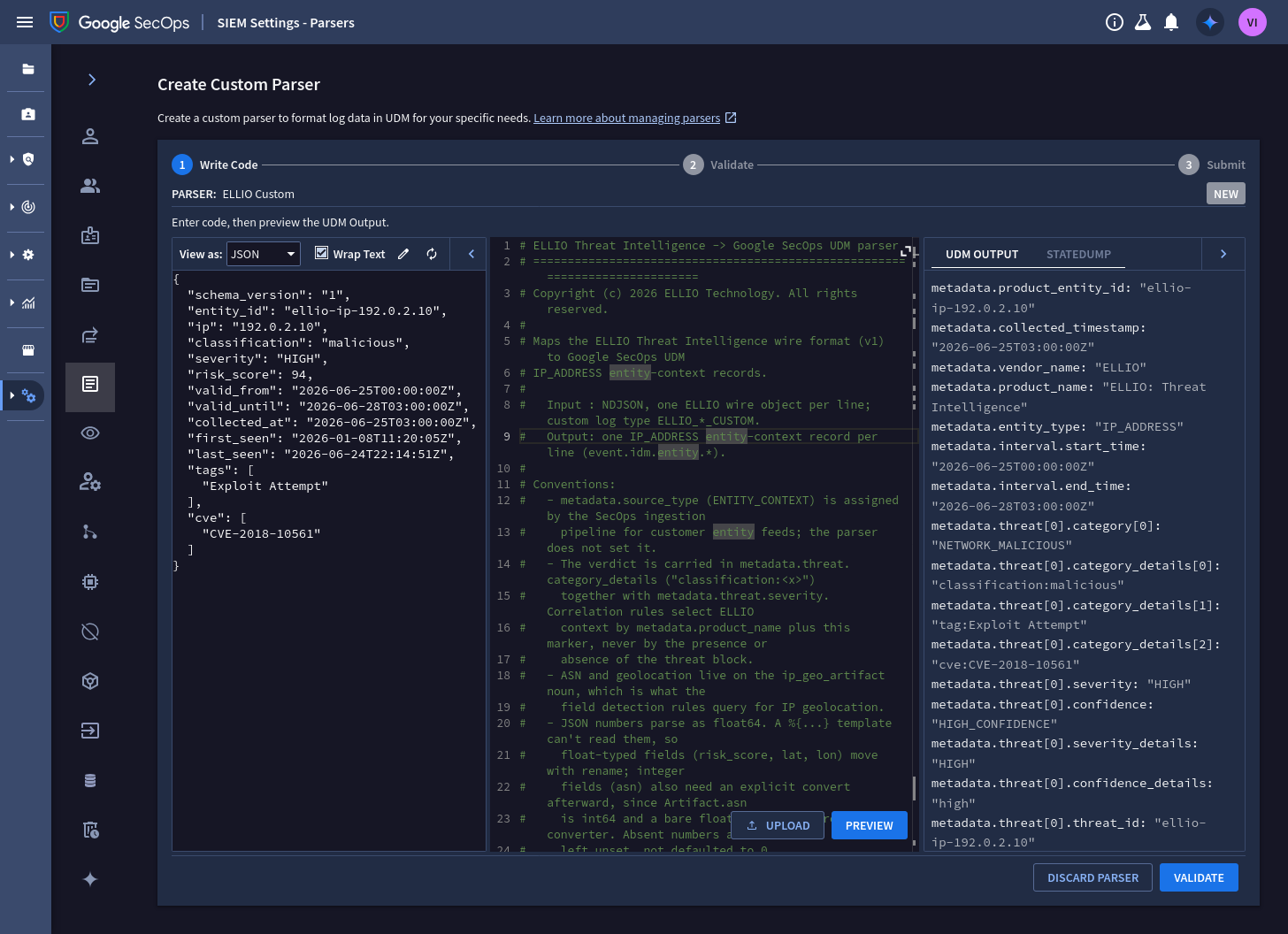
-
Select Validate - or skip validation on a tenant that has no ELLIO events yet; the parser ships pre-validated against the full wire format.
-
On the Submit step, submit the parser. It becomes active within 15 minutes:
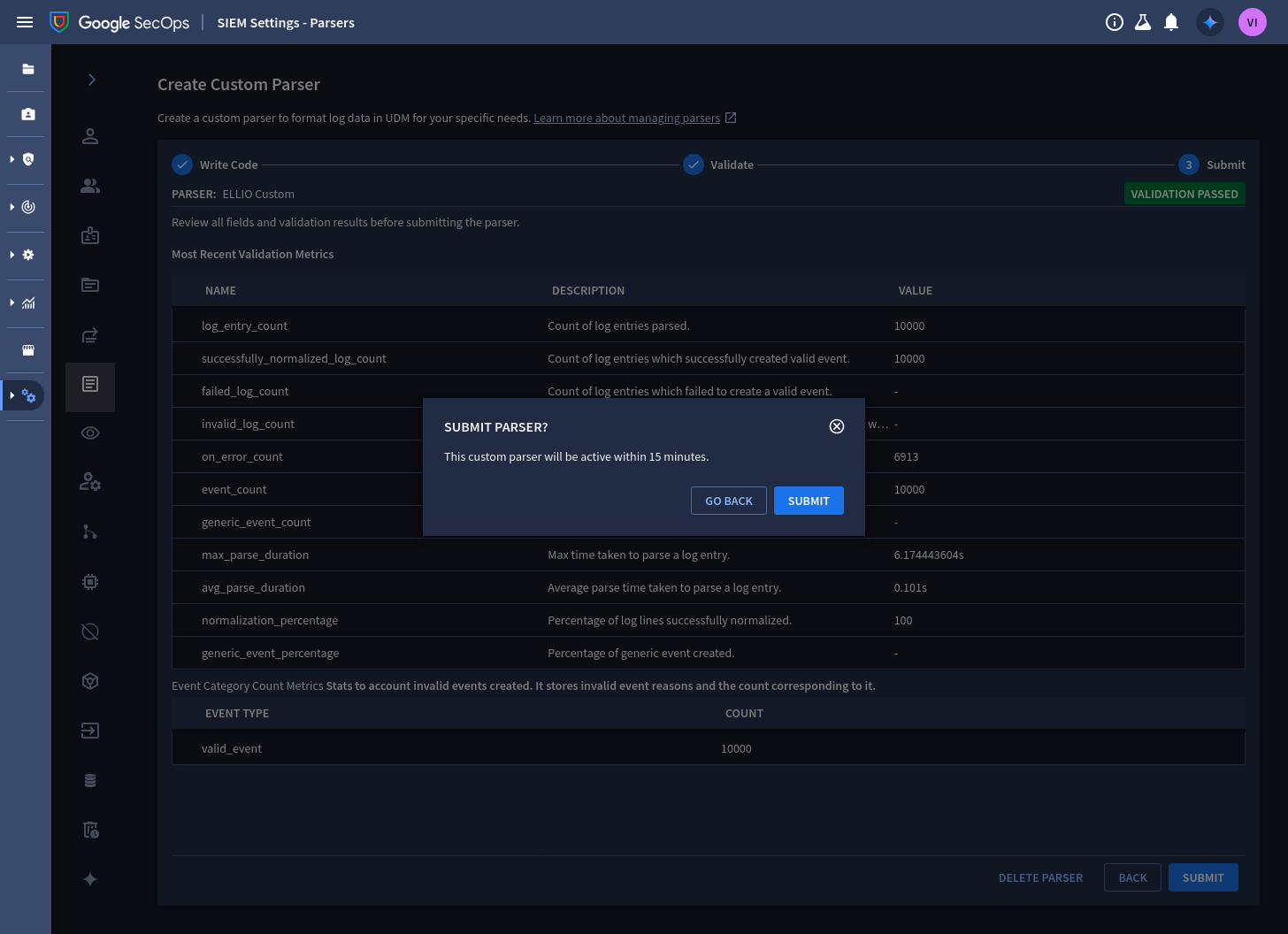
From now on, every record pushed to the feed is parsed by the ELLIO parser. Fully-populated samples for all classifications ship in the content pack testdata, and the wire format is specified field by field in the wire contract - start from the same files if you want to extend the mapping.
Step 3: Create the API key
Section titled “Step 3: Create the API key”Webhook feeds authenticate with a Google Cloud API key in addition to the feed secret. The
key authenticates the ELLIO → SecOps ImportPushLogs call and nothing else needs it, so
create it scoped to exactly that.
Console: in the Google Cloud project bound to your SecOps instance, open APIs & Services → Credentials, choose Create credentials → API key, and restrict the key to the Chronicle API.
gcloud (recommended - method-level restriction): scope the key to the single push
method on the single API, using a flags-file:
- --api-target: service: chronicle.googleapis.com methods: - ImportPushLogsgcloud services api-keys create \ --project=PROJECT_ID \ --display-name="ELLIO indicator push" \ --flags-file=key-restrictions.yamlConfirm the response shows "methods": ["ImportPushLogs"]. The keyString value in the
response is what you paste into ELLIO Platform in step 4 (to fetch it again later:
gcloud services api-keys get-key-string KEY_ID).
Step 4: Connect ELLIO Platform
Section titled “Step 4: Connect ELLIO Platform”-
In the ELLIO Platform, go to Data Feeds → Connectors → Google SecOps.
-
In Connection, paste the values from your tenant, then select Test connection:
Field From Feed endpoint URL step 1 - the feed’s Details tab (sent to the :importPushLogsendpoint)Google API key the keyStringfrom step 3 (sent asX-goog-api-key)Webhook access key step 1 - the feed’s Secret Key tab (sent as X-Webhook-Access-Key)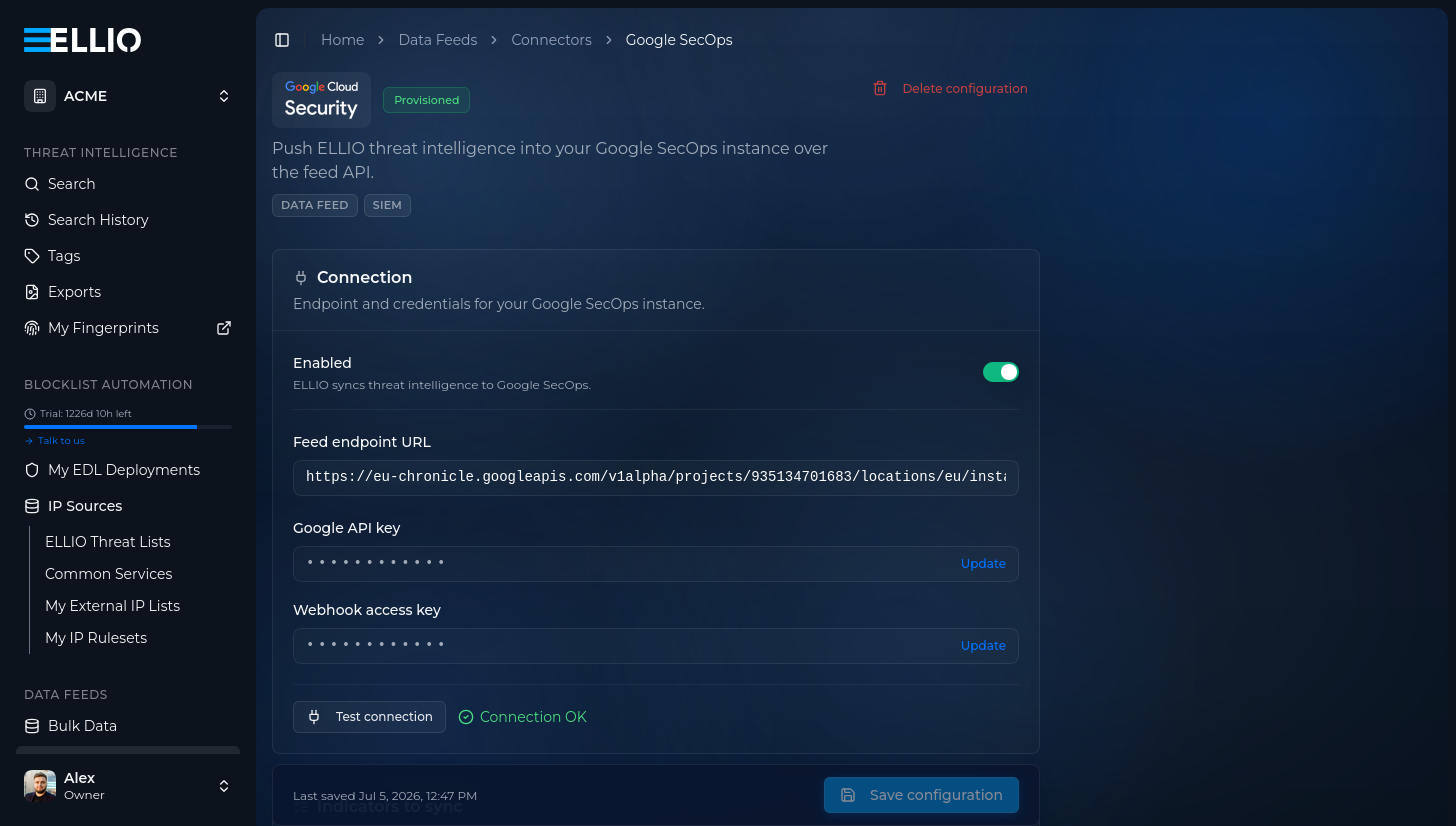
-
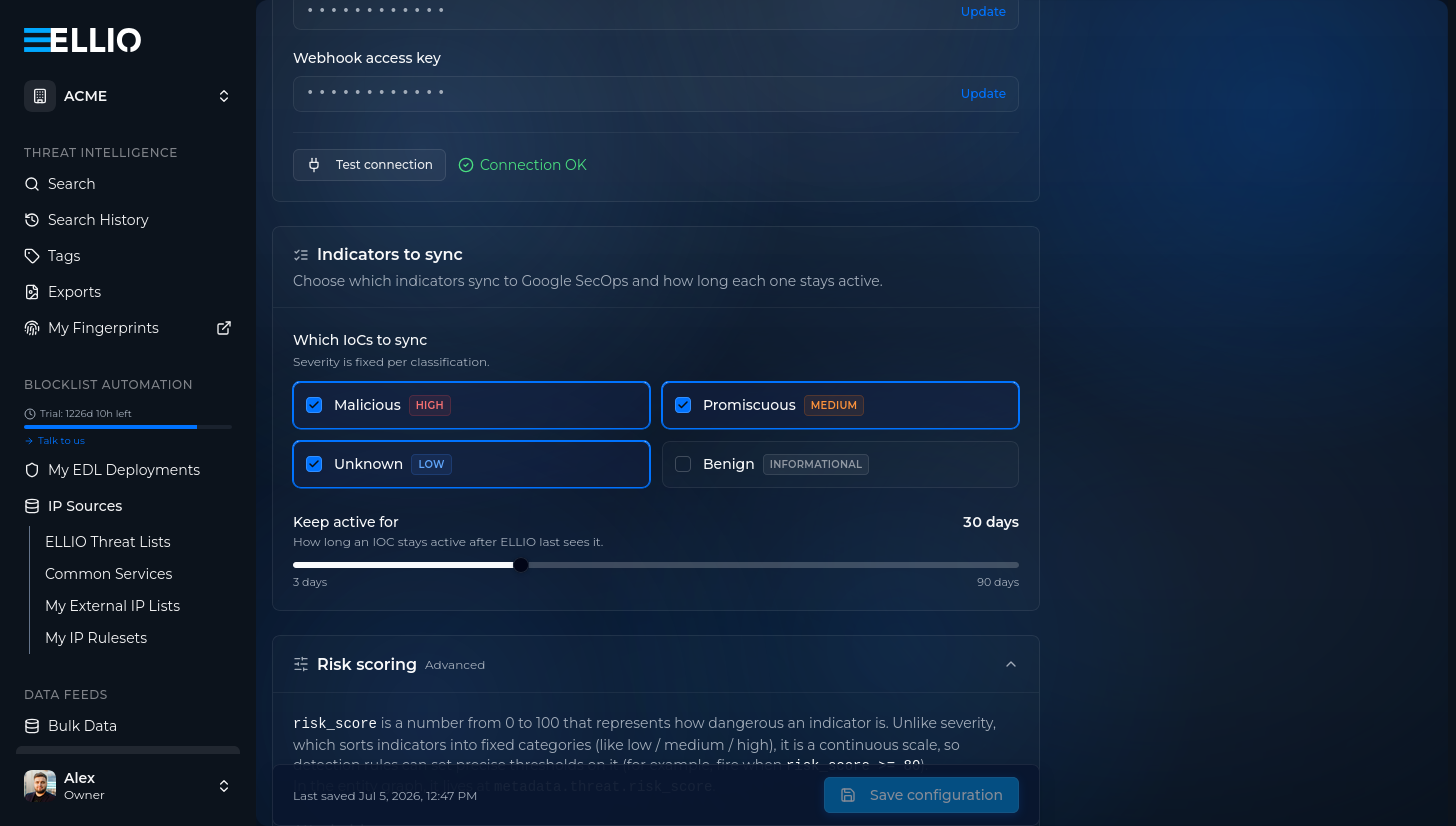
In Indicators to sync, choose which classifications to send - severity is fixed per classification - and set Keep active for: how long an indicator stays active in your entity graph after ELLIO last observes it (3 to 90 days, default 30):
-
Optionally tune Risk scoring: whether indicators carry a
risk_scoreat all, the decay scale, and the per-classification score range. The defaults work well - see the data model for the semantics: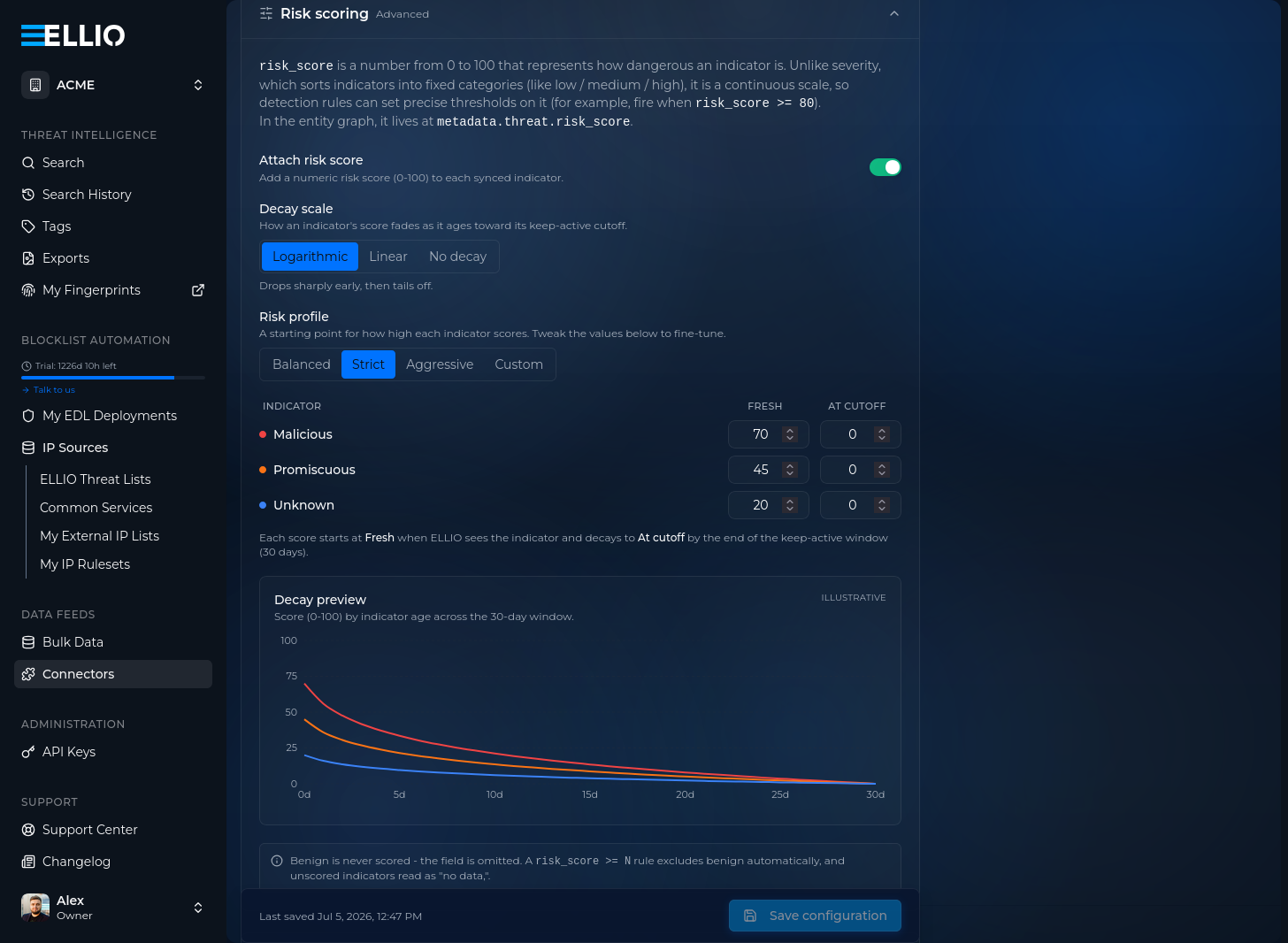
-
Save configuration. ELLIO starts pushing the full active set once a day.
Step 5: Verify
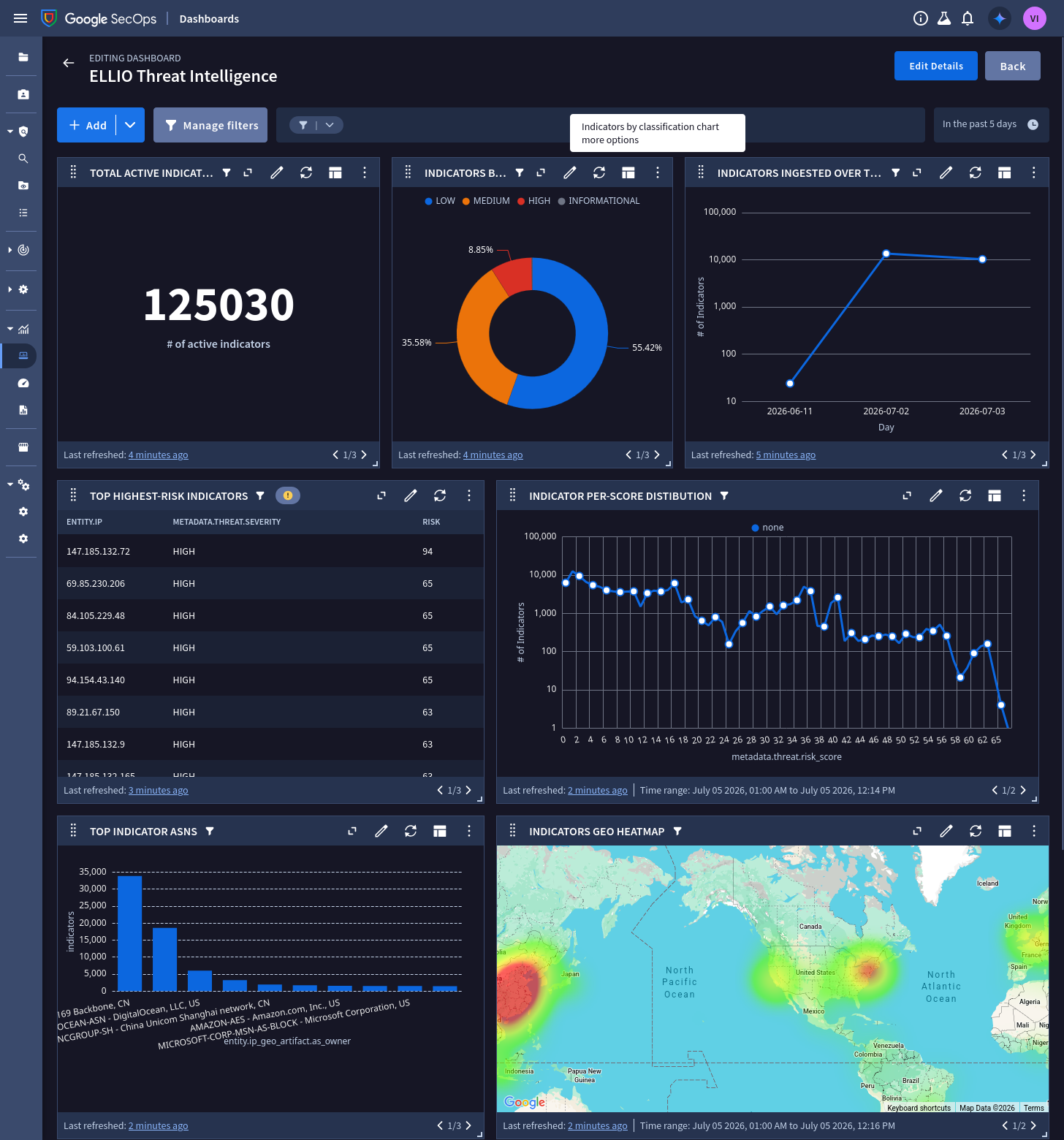
Section titled “Step 5: Verify”Import the ELLIO dashboard and watch it fill: Total active indicators shows your synced set, and the two ingestion widgets confirm the feed is parsing cleanly.
Next steps
Section titled “Next steps”- Data model - what each entity carries
- Detection rules - the severity ladder
- Dashboards - import the ELLIO dashboard