
SOAR setup
Prerequisites
Section titled “Prerequisites”- An ELLIO API key from ELLIO Platform -
read_writeif you will push IPs to a blocklist,readfor enrichment only. - For Add IP to Blocklist: the Blocklist Automation ruleset ID the key owns.
Step 1: Install the integration
Section titled “Step 1: Install the integration”In Google SecOps, open the Content Hub, search for ELLIO, and install the integration.
Step 2: Configure an instance
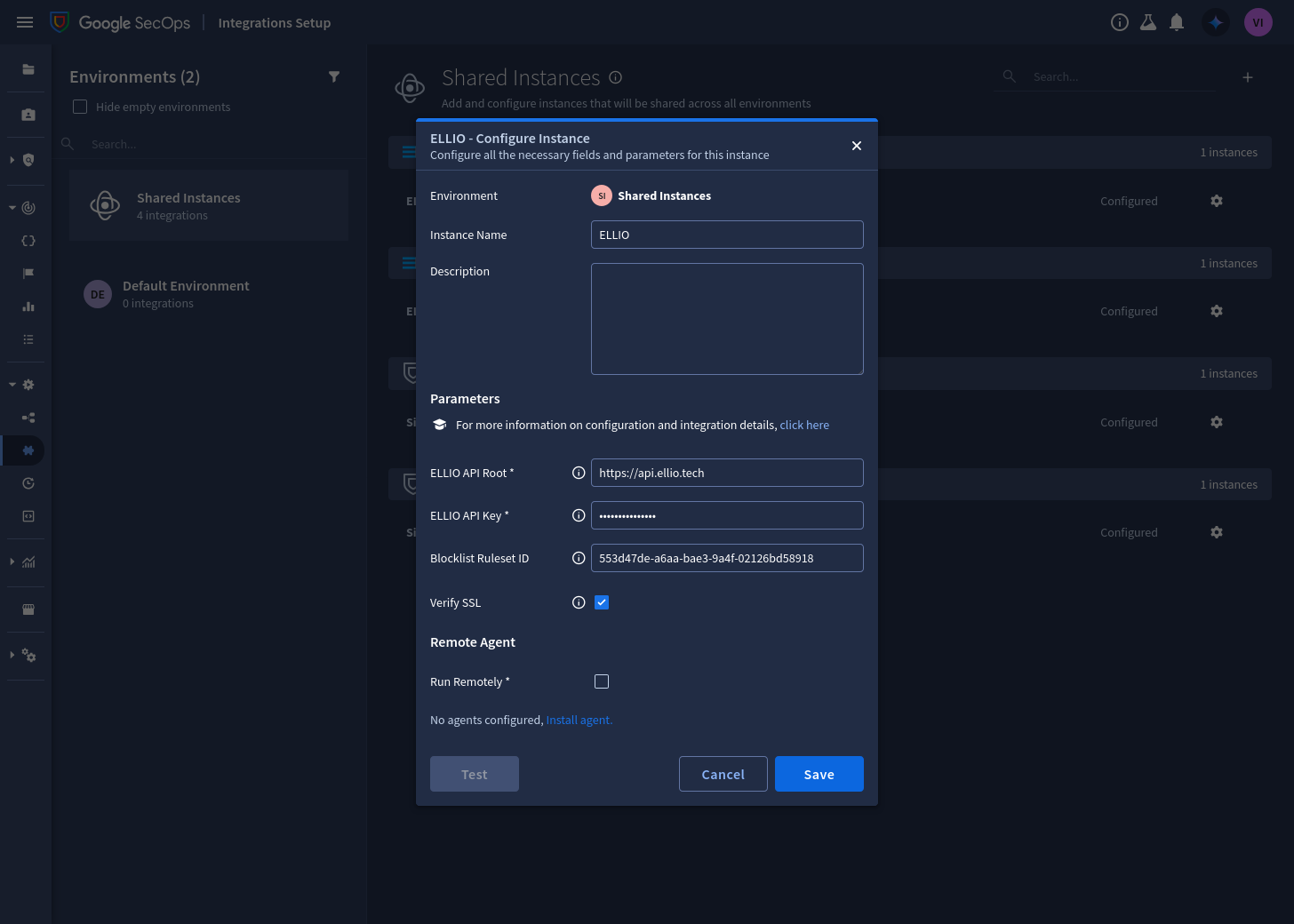
Section titled “Step 2: Configure an instance”In Integrations Setup, open the ELLIO integration and configure an instance - shared across environments or per environment:
| Parameter | Value |
|---|---|
| API Root | https://api.ellio.tech |
| API Key | your key (read, or read_write for blocklisting) |
| Blocklist Ruleset ID | the ruleset ID - only needed for Add IP to Blocklist |
| Verify SSL | enabled |
Step 3: Test
Section titled “Step 3: Test”Run Ping (or the instance Test button). Success confirms the key and connectivity.
Step 4: Import the playbook
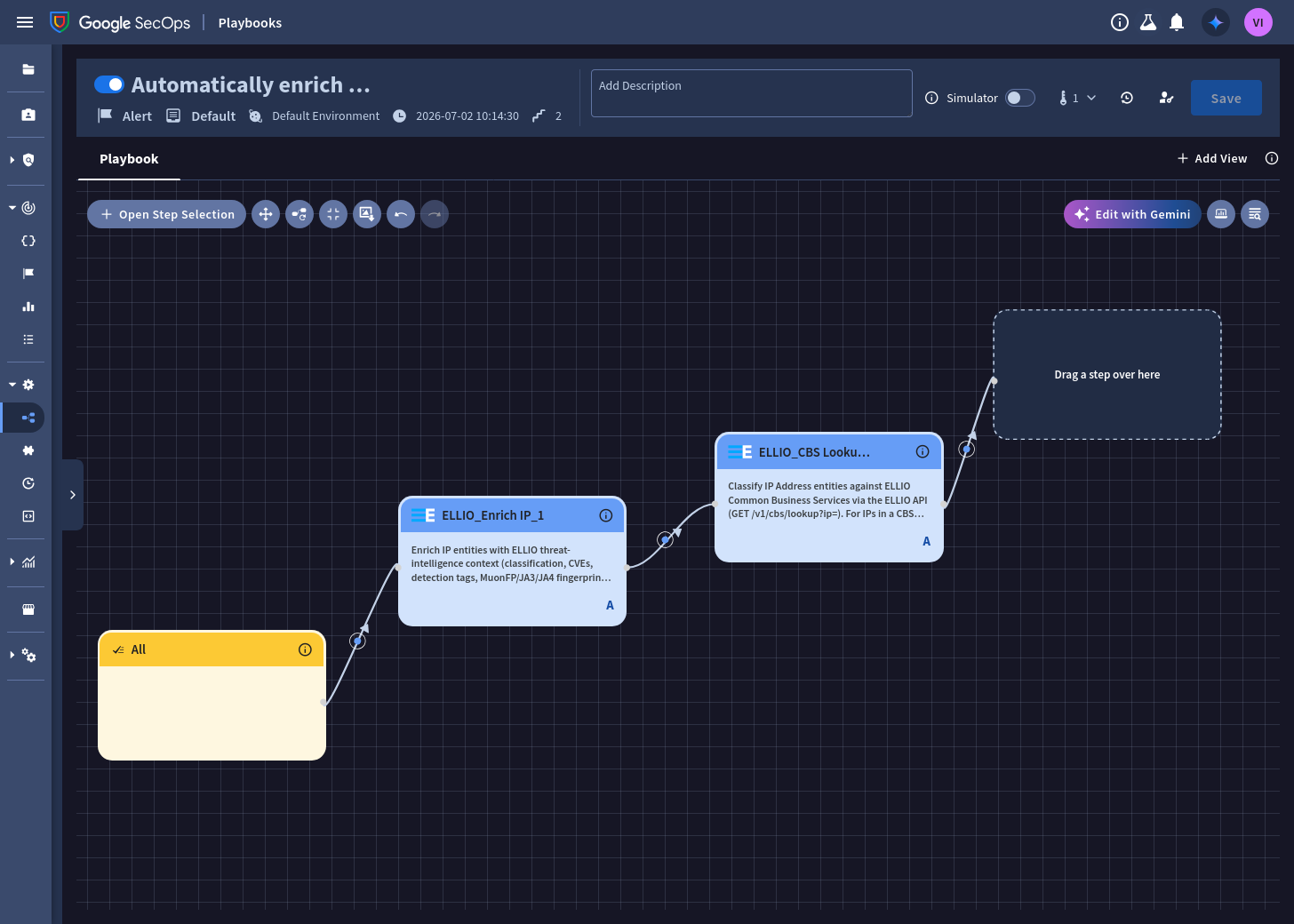
Section titled “Step 4: Import the playbook”The content pack ships Automatically enrich public IPs - on every new alert it runs Enrich IP and CBS Lookup over the alert’s external IP entities, adding both insight cards and the priority recommendation.
- Download
automatically_enrich_public_ips.jsonand compress it into a ZIP. - In Response → Playbooks, choose Import and select the ZIP.
- Open each step and select your ELLIO integration instance.
- Review the trigger and environments - the playbook arrives attached to all incoming
alerts in
Default Environment; scope it to the alert types you want.
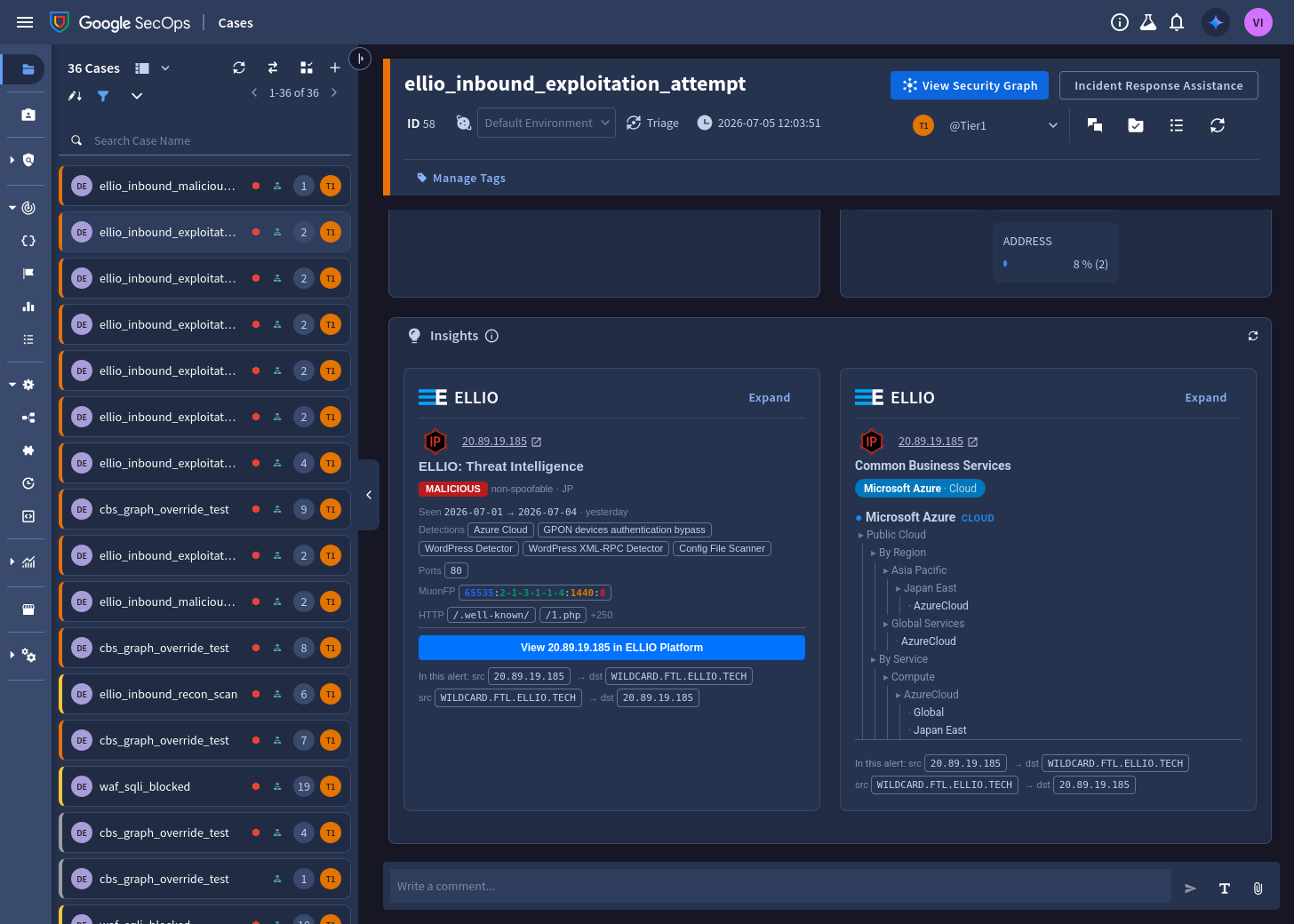
Once it runs, the case’s Insights panel carries the ELLIO cards - the threat verdict from Enrich IP, and the provider context from CBS Lookup where the IP sits in a known cloud/CDN/SaaS range:
Or build it manually
Section titled “Or build it manually”The playbook is two automatic steps on the default trigger - recreating it in the designer takes a minute:
- In Response → Playbooks, create a new playbook in your environment. Keep the All trigger, or scope it to the alert types you want.
- Add the ELLIO > Enrich IP step. Set its entity scope to External IP addresses and leave Create Insight enabled.
- Chain ELLIO > CBS Lookup after it, with the same scope.
- Save and enable the playbook.
Step 5: Wire the priority flow
Section titled “Step 5: Wire the priority flow”Extend the playbook (or your own) with the response half:
- Branch on Enrich IP’s script result
recommended_priority. High- a malicious IP was found: run the built-in Change Priority → High, and optionally ELLIO > Add IP to Blocklist behind a human-approval step - see choosing which IPs to block for the entity-scope options.None- leave the priority untouched; theELLIO_*context stays on the entities for triage.