
SOAR integration
The ELLIO integration for Google SecOps SOAR enriches IP entities with ELLIO threat intelligence on the case, classifies IPs against Common Business Services, and lets you push IP addresses to ELLIO Blocklist Automation. It calls the ELLIO API directly with your API key - no Google Cloud IAM, no service account.
| Action | What it does |
|---|---|
| Enrich IP | Writes classification, tags, CVEs, fingerprints, and observed activity onto the entity, adds an insight card, and returns a recommended case priority. |
| CBS Lookup | Tells known cloud / CDN / SaaS provider infrastructure apart from attacker-controlled hosts. |
| Add IP to Blocklist | Push IP addresses to an ELLIO Blocklist Automation ruleset for enforcement. |
| Ping | Validates connectivity and credentials. |
The insight cards
Section titled “The insight cards”Enrich IP and CBS Lookup each add a card to the case, so the verdict and the service context are readable at a glance - and available to Gemini case summaries:
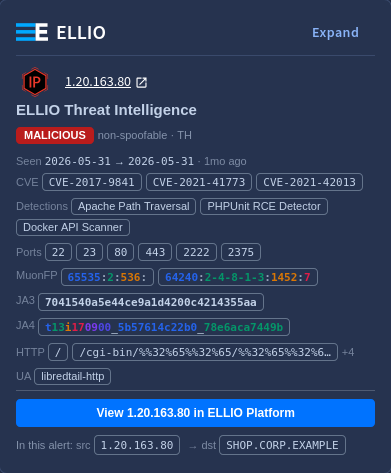
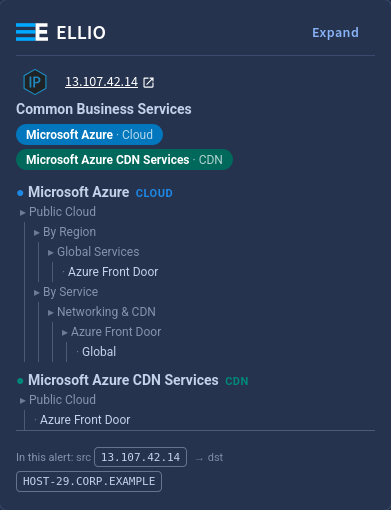
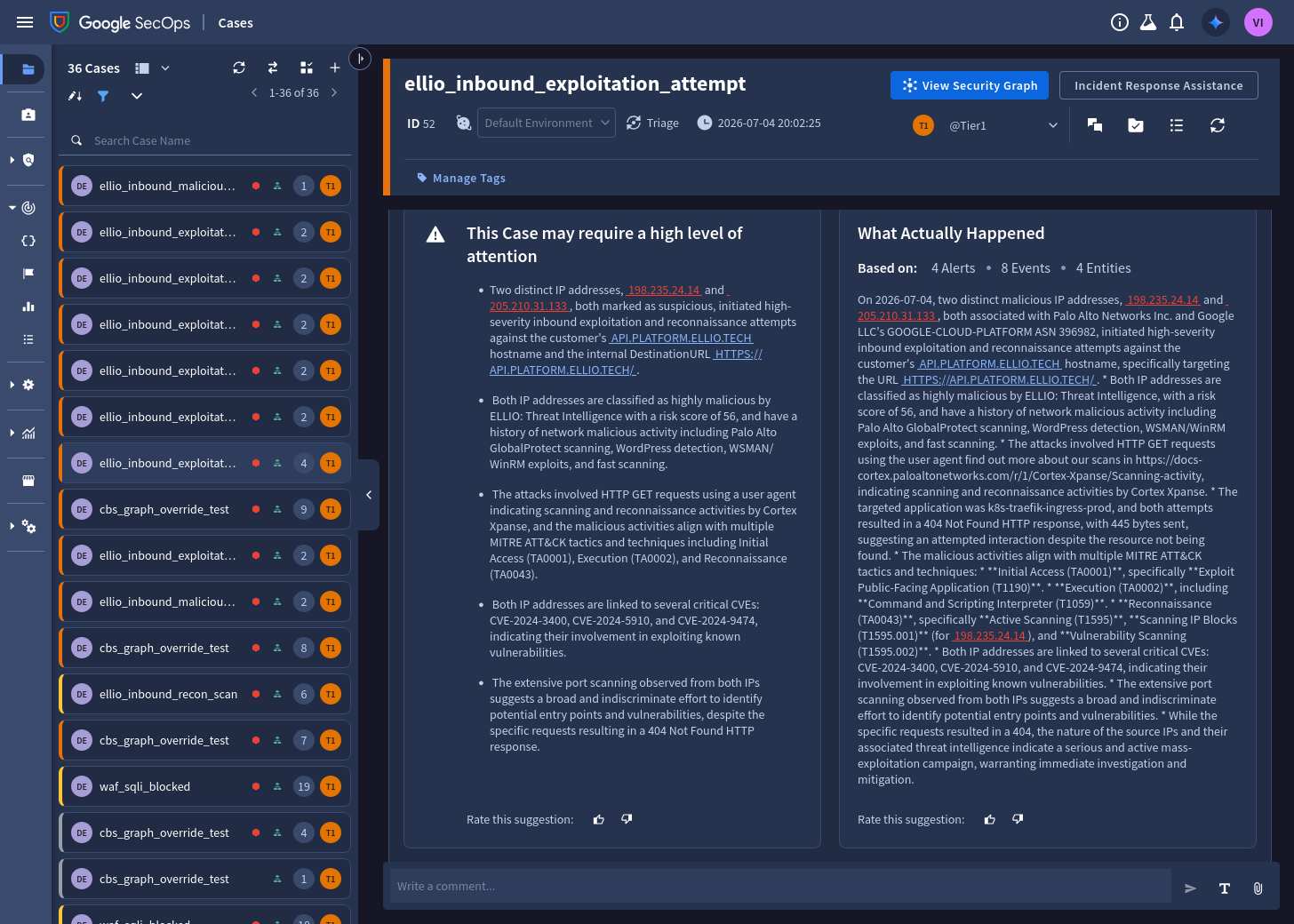
The same context feeds Gemini’s case analysis - the classification, CVEs, and scanning
behavior from the ELLIO_* fields show up in the generated case summary:
How the priority flow works
Section titled “How the priority flow works”Enrich IP never changes the case priority itself. It returns recommended_priority as
its script result - High when a malicious IP was found, otherwise None - and your
playbook decides whether to apply it. The
ready-made playbook
wires this up.
Prerequisites
Section titled “Prerequisites”- An ELLIO API key from ELLIO Platform. A
readkey covers Enrich IP and CBS Lookup; Add IP to Blocklist needsread_write. - For Add IP to Blocklist: the Blocklist Automation ruleset ID the key owns.
- Egress from the SOAR runtime to
https://api.ellio.tech.
Next steps
Section titled “Next steps”- Setup - install, configure, import the playbook
- Actions reference - parameters and enriched fields